
New feature
Field service jobs in Google Calendar, with a Meet link
Connect a Google account and every scheduled Field service job gets a calendar event with a video call link.
- Stage
- Early access
- Available to all customers
- To be confirmed
- Product
- Monta Hub
- Posted
What's new
You can now connect a Google account to Monta Hub and see your scheduled Field service jobs in Google Calendar. Monta adds its own calendar, called "Monta jobs", to the account and puts an event in it for each scheduled job, with a Google Meet link. Events are updated when a job is rescheduled or renamed, and removed when a job is cancelled or deleted.
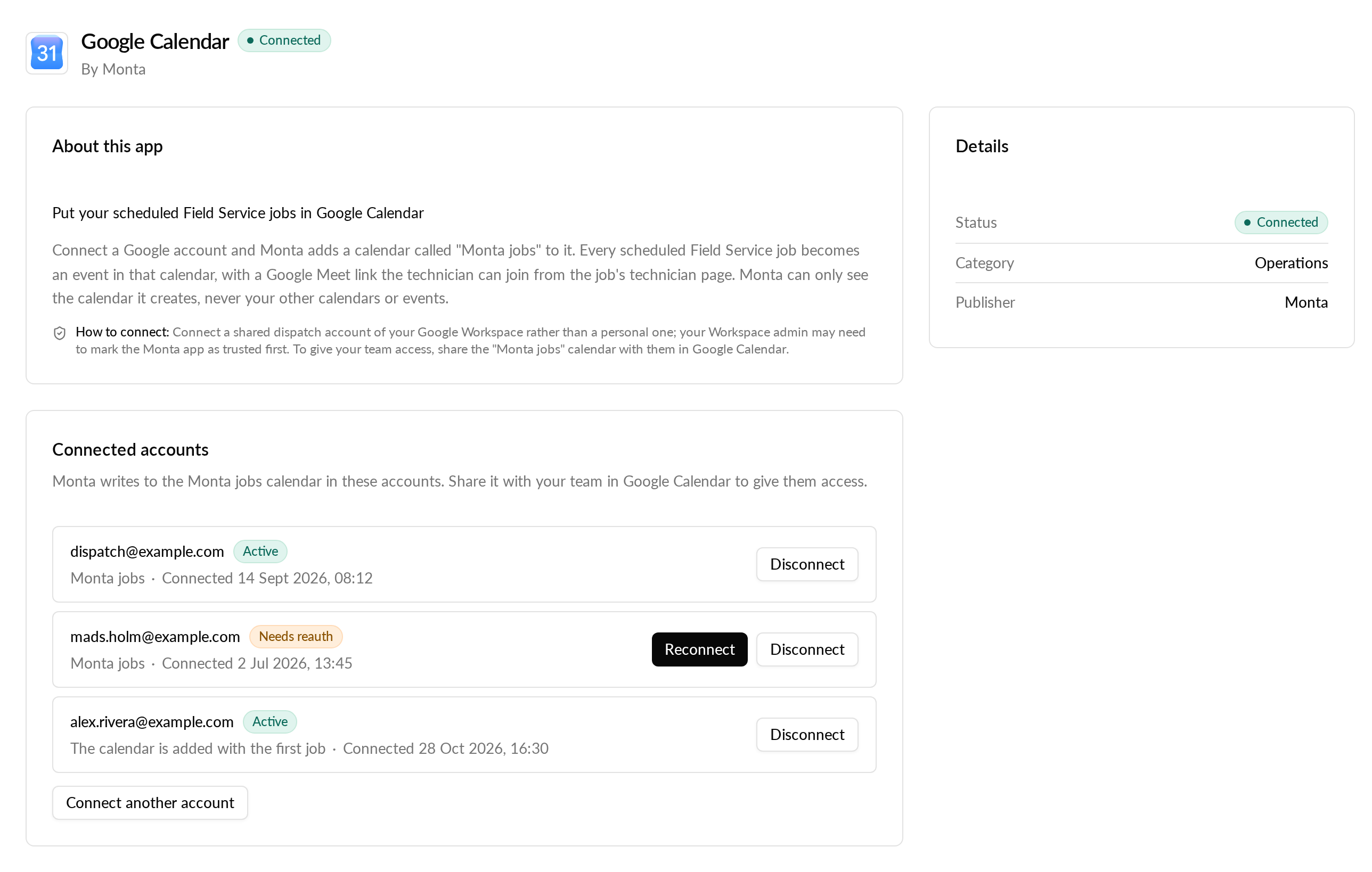
Monta can only manage the calendar it creates. It cannot read the account's other calendars or events.
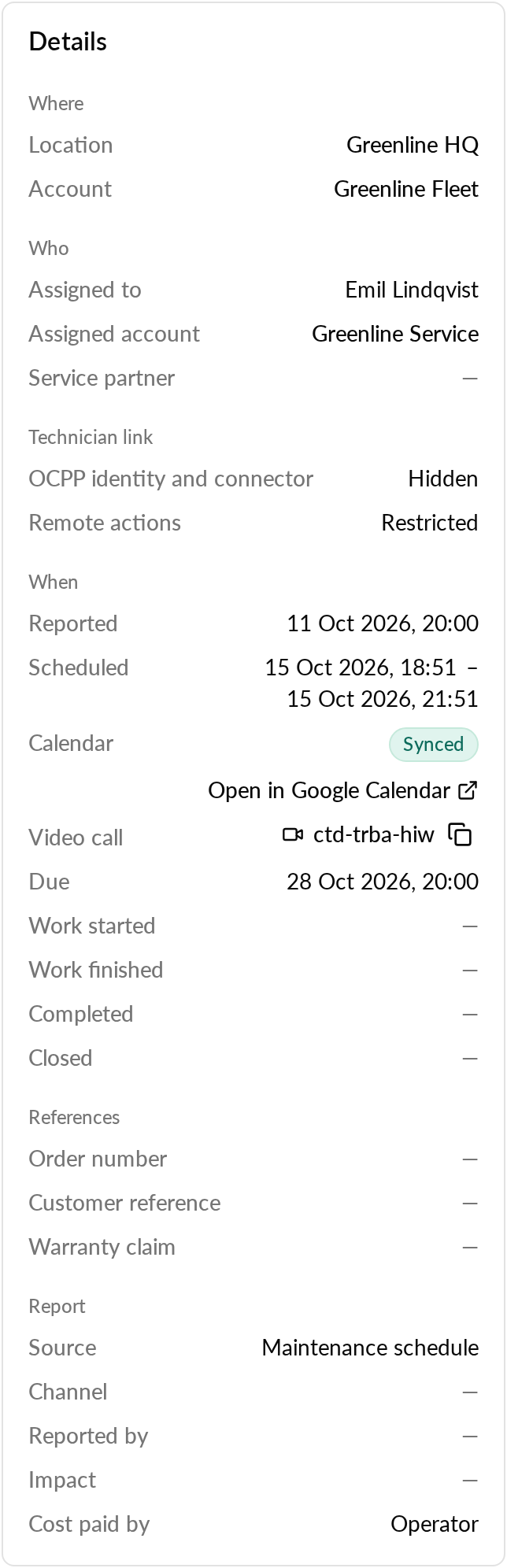
Each job page shows a "Calendar" row with the state of its event and a "Video call" row with the Meet link. Technicians see "Join video call" on the job link.
Why it matters
Your dispatchers and service partners see field work in the calendar they already use, without copying jobs by hand. Every scheduled job has a video call ready, so a technician on site can reach your team or a remote expert.
Who it's relevant for
Operators using Field service who plan their technicians and service partners in Google Calendar.
How to use it
- In Hub, go to Admin > Developers > Application Marketplace > Google Calendar and select "Connect Google Calendar". Use a shared account, such as a dispatch mailbox, rather than a personal one.
- Sign in with Google and allow Monta to manage its own calendar. On a Google Workspace account, your Workspace admin may first need to mark the Monta app as trusted.
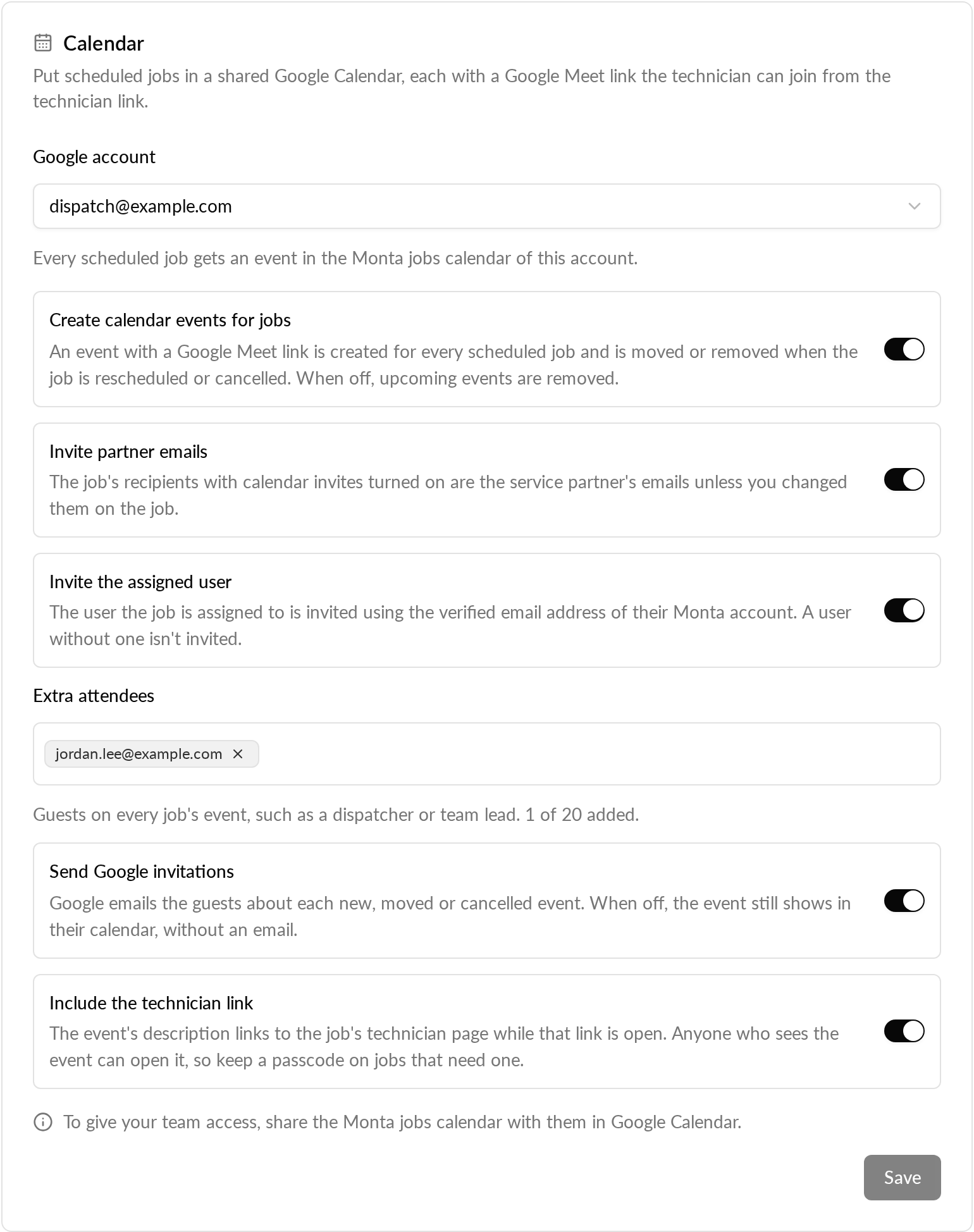
- In Field service, open the "Settings" tab. In the "Calendar" card, choose the account, decide who is invited to each job's event, and select "Save". No jobs are added until you do.
- Share the "Monta jobs" calendar with your team in Google Calendar.
Availability
Google Calendar is in early access. It is available to operators on the Early access release channel in Monta Hub who use Field service.