New feature
See Live status for several locations at once, and share it as a link
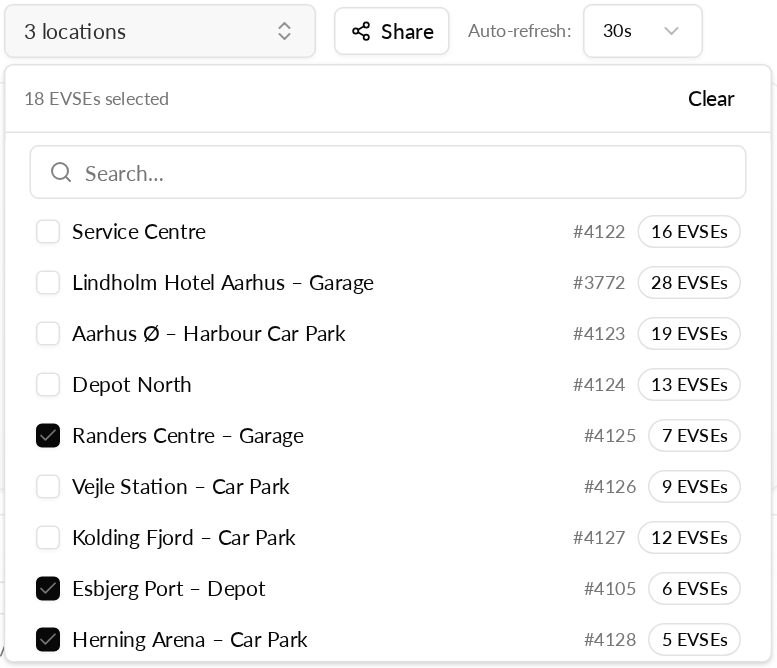
Pick up to 20 of your locations on one Live status board, grouped by location, and share it with a public link.
- Stage
- Live
- Released
- Product
- Monta Hub
- Posted
What's new
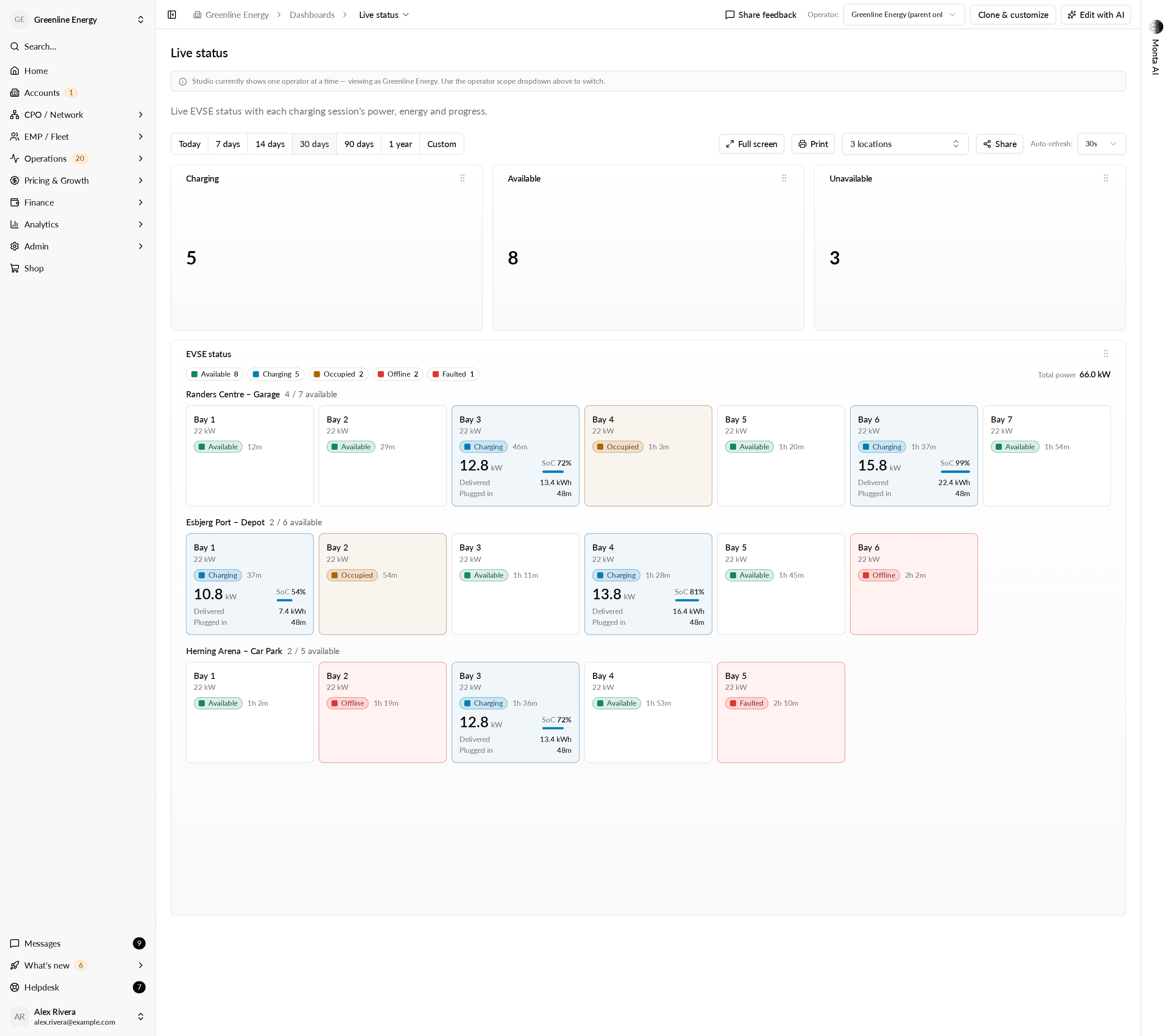
You can now open Live status from the Dashboards list in Studio and pick up to 20 of your own locations, across your accounts, on one board. The EVSE tiles are grouped under each location's name, with how many of its EVSEs are available, for example "3 / 4 available". The counts above the board cover every location you picked.
You can share the board as a public link. The picked locations are locked into the link, and a shared link does not show drivers' names.
Why it matters
One board shows which EVSEs are free and which need a look across several locations, instead of opening each location's page in turn. With a share link, a site partner or a wall screen can follow the same board without a Monta login.
Who it's relevant for
Operators who watch several locations at once, for example on a control room screen. Sharing needs permission to create dashboards on the operator.
How to use it
- In Studio, open the Dashboards list and choose Live status.
- Pick up to 20 locations, with up to 200 EVSEs in total. The board loads when you close the list.
- Select "Share" to create a public link, and choose an auto-refresh interval if the link will run on a wall screen.