
New feature
Give account members a name, even if their Monta profile has none
Set a first and last name per account member, on invite, per member or in bulk, so lists, exports and the Fleet cost overview show real names instead of User numbers.
- Stage
- Live
- Product
- Monta Hub
- Posted
What's new
Account admins can now give account members a first and last name in Monta Hub. Until now, members who never filled in their Monta profile showed up as User #12345 in the members list, in exports and on the Fleet cost overview, so finance had to work out who was who.
The name belongs to the membership of this account. The person's own Monta profile and their other accounts aren't changed. If the person has a name in their Monta profile, that name is shown; the name you set fills the gap when they don't.
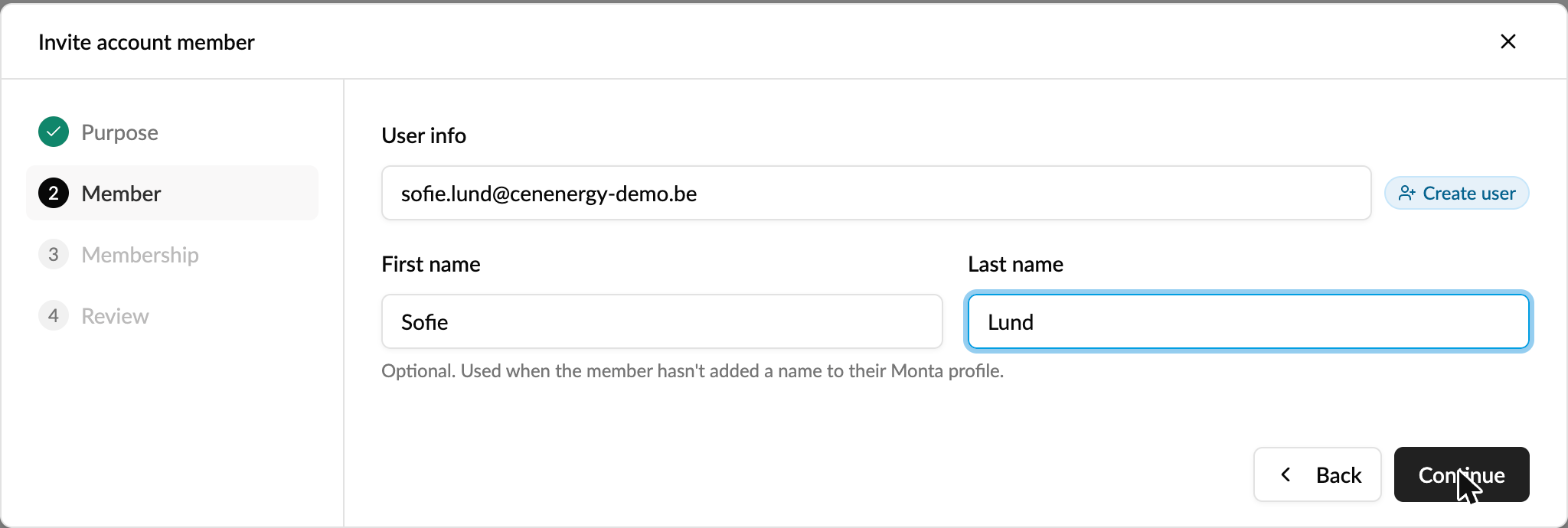
Where you can set it
- When you invite someone: optional First name and Last name fields, shown when the person doesn't have a name yet.
- On a member: open the member and edit the names under General settings.
- For many members at once: in the Members list, select members and choose Edit names.
- In a bulk invite: add the optional
firstNameandlastNamecolumns to your file.

Where the name shows up
- The account's members list.
- Data exports: Member Name in Team Members, and User Name in charges and transactions, including when you group by driver.
- The driver tiles on the Fleet cost overview.
Good to know
- Public share links of dashboards keep showing User #12345, so names never leave your organisation.
- To clear a name, open the member and empty the field. Bulk edit only changes names you fill in.
Who it's relevant for
Companies and fleets that onboard employees who never complete their Monta profile, and anyone reconciling charging costs per employee.