
New feature
Assumed vehicle on the charge session detail page
See which car a driver most likely drives, estimated from their past fast-charging sessions.
- Stage
- Live
- Product
- Monta Hub
- Posted
What's new
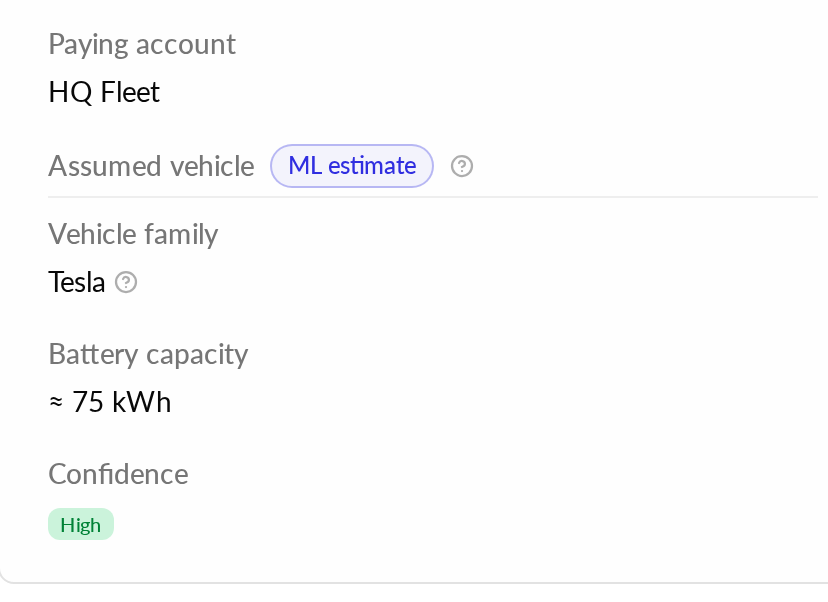
The charge session detail page in Hub now has an "Assumed vehicle" section in the expanded User details, after the Paying account row. It shows the vehicle family the driver most likely drives, with example cars, battery capacity when known, and a confidence level of High, Medium or Low.
The estimate comes from a machine-learning model that learns the driver's car from how their past DC (fast-charging) sessions ramped and tapered. It is retrained weekly.
Why it matters
When no vehicle is linked to a session, you still get a good idea of which car is charging.
Things to know
The estimate is about the driver, not about this session. It is built from the driver's sessions across all operators.
A vehicle linked to the session is always the truth. The estimate is shown in addition to it and can differ from it.
Estimates with a confidence below 0.30 are not shown. When there is no trustworthy estimate, the section does not appear.
Some 800V cars show as "800V car, platform not recognised", with no confidence level.
It is available to every operator who can view the session.
Where to find it
In Hub, open a charge session and expand its details. The "Assumed vehicle" section is in the User column.