New feature
Payter screen templates: word what your payment terminals say
Choose the texts your Payter Apollo terminals show, in each language, and which terminals use them.
- Stage
- Early access
- Available to all customers
- To be confirmed
- Product
- Monta Hub
- Posted
What's new
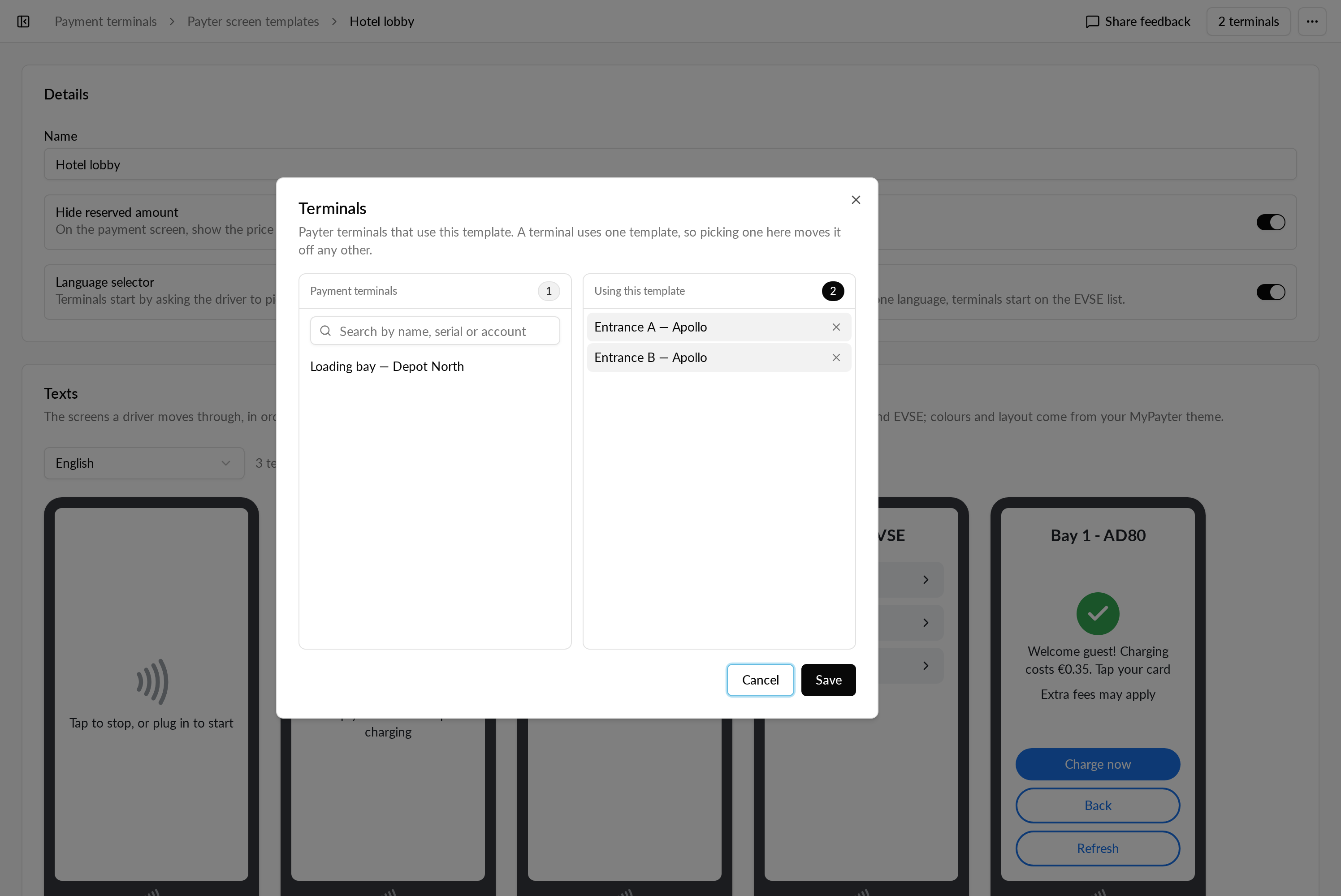
We're working on screen templates for Payter Apollo payment terminals in Monta Hub. You'll soon be able to change the texts your terminals show to drivers, per language, and choose which of your terminals use them.
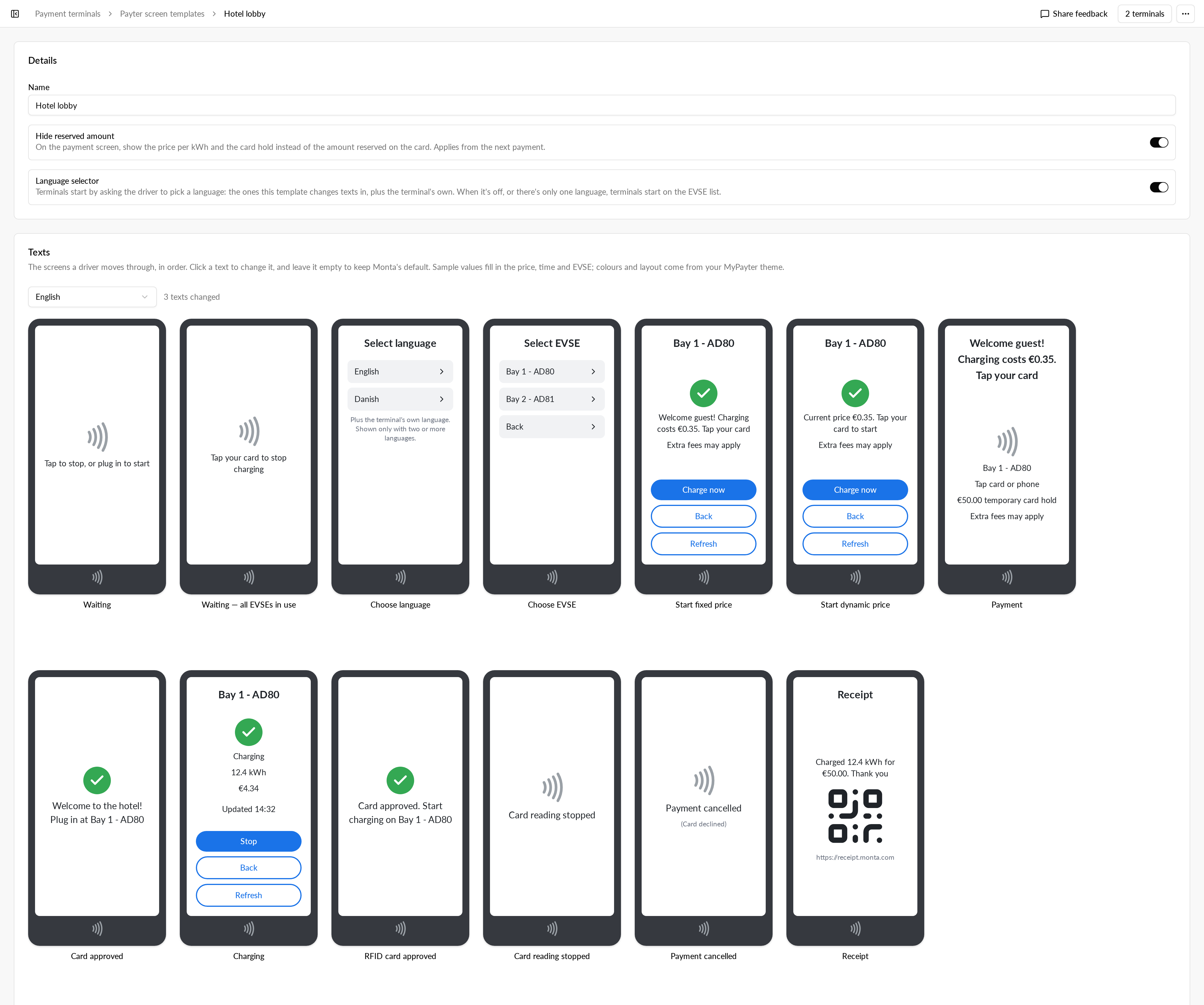
A template will cover:
- The screen texts, such as titles, price messages and buttons.
- The payment messages, such as card approved, receipt, card reading stopped and payment cancelled.
- Whether terminals start on a language selector that lists the template's languages.
- Showing the price per kWh and the card hold on the payment screen instead of the reserved amount.
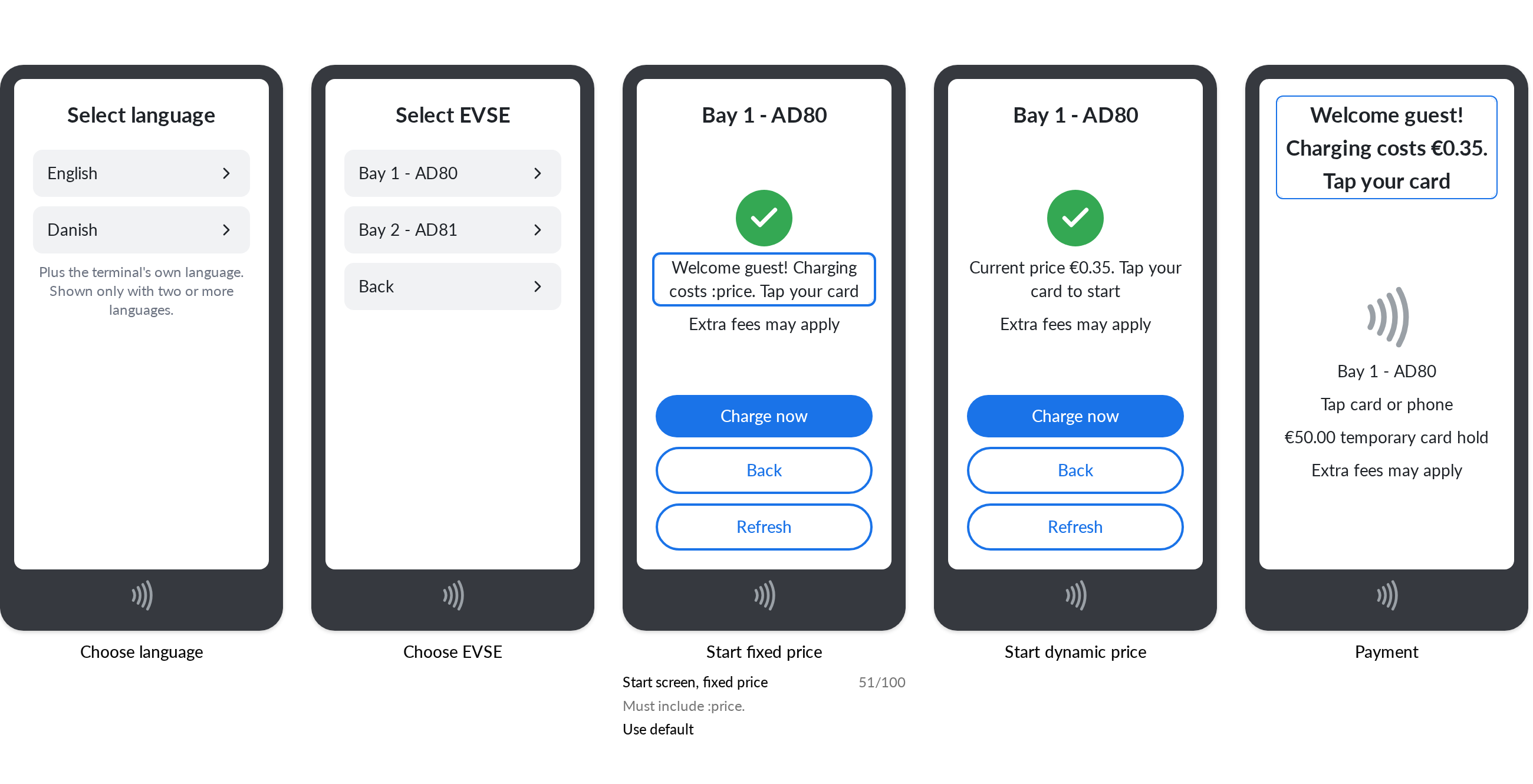
The editor will show the terminal screens of the driver flow side by side, with sample values, so you edit each text where drivers see it.
Why it matters
You decide how your terminals talk to drivers, in the languages they use, without asking Monta to change them. Any text you leave unchanged keeps Monta's default wording, so later improvements to the defaults still reach your terminals.
Texts that show a price or an amount must keep it, and a text that is too long is flagged before you can save.
Who it's relevant for
Operators with Payter Apollo payment terminals connected to Monta. You'll choose which of your terminals use each template.