
New feature
Service periods
Record why an EVSE is out of service and when you expect it back, and see every EVSE that is out across your network in one place.
- Stage
- Early access
- Available to all customers
- To be confirmed
- Product
- Monta Hub
- Posted
What's new
We're working on service periods in Monta Hub. Instead of switching maintenance on and off, you'll take an EVSE out of service with a reason, such as a fault or repair, planned maintenance, a temporary closure or a power outage, and say when you expect it back. New charging sessions are blocked straight away, and sessions already running finish normally. Only your own team sees the reason and the notes. Drivers and roaming partners only see the EVSE as unavailable.
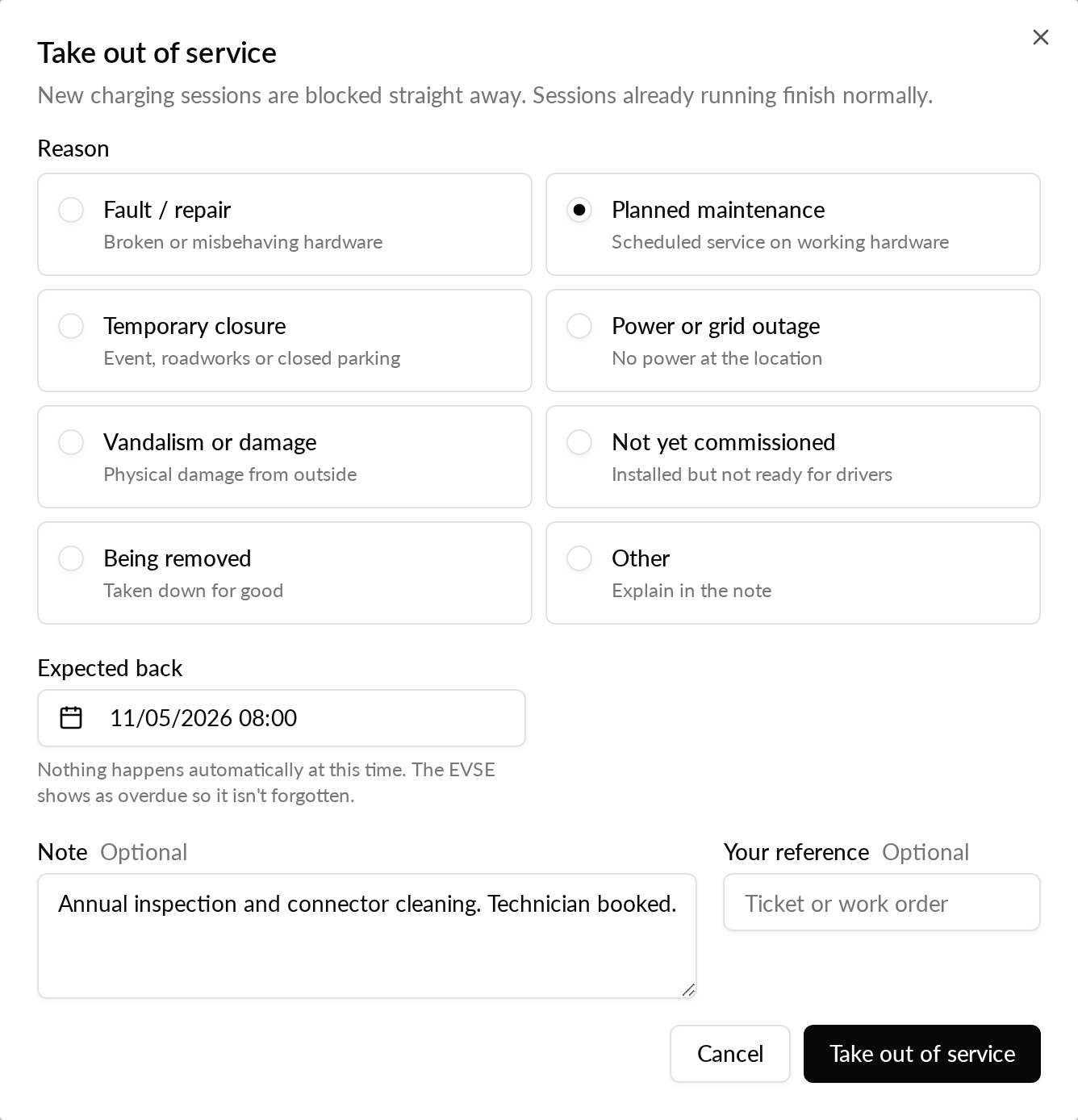
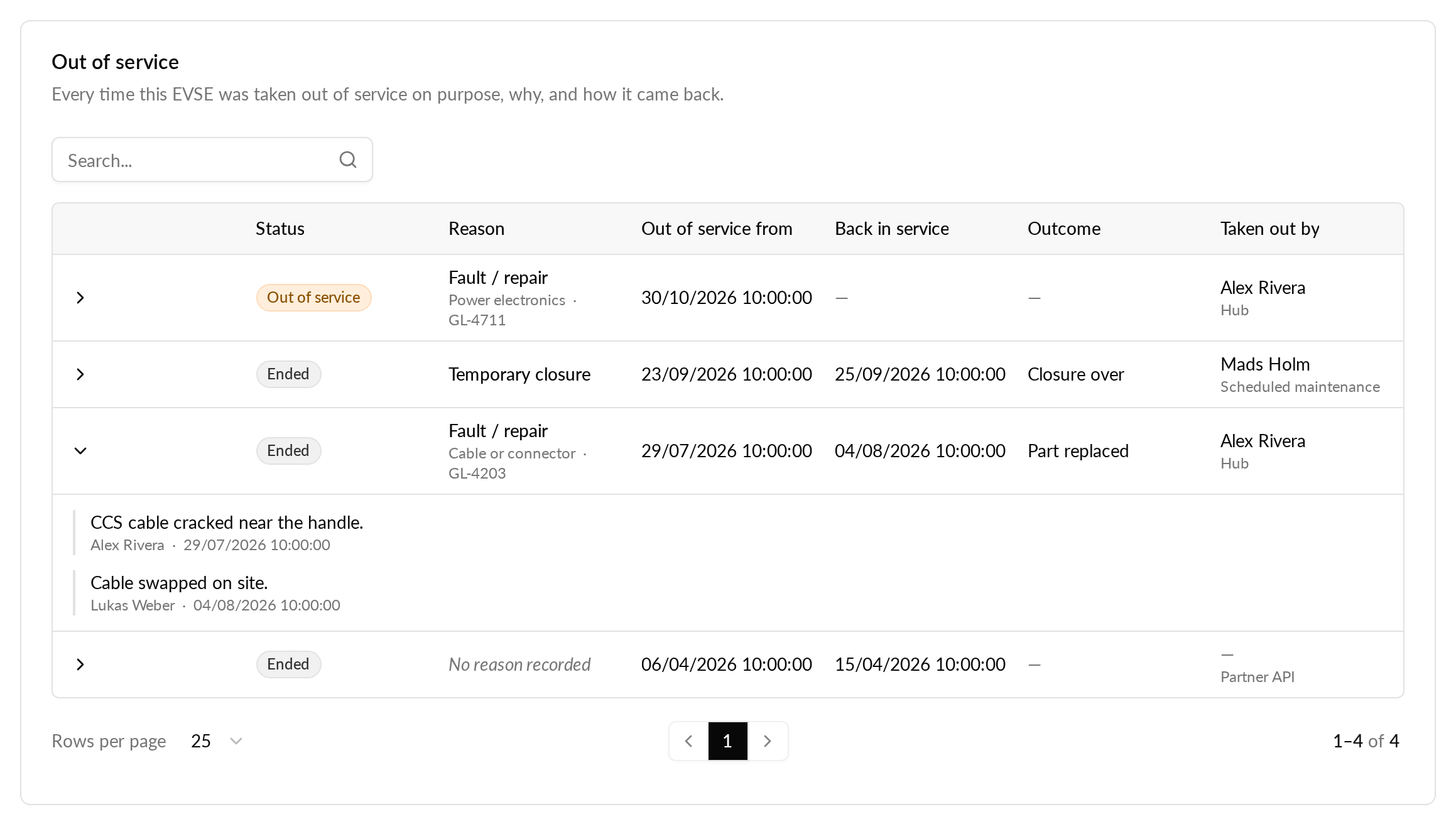
You'll be able to take one EVSE out from its actions menu or from the Out of service card on its Service tab, or many at once from the EVSE list and the charging stations table. While it is out, the EVSE page shows the reason and the expected end, and you can edit the period or add notes as the work goes on. When the work is done, you bring the EVSE back into service and can record the outcome, such as Fixed or Part replaced.

See every EVSE that is out
A new Out of service tab on the Network page lists every EVSE that is out of service, the longest out first, with its reason, since when, when it is expected back, how many days it has been out and who took it out. You can filter by reason, by location, by overdue periods or by how long they have been out, bring several EVSEs back at once, and add a reason to a period that has none.
The same information shows where you already work. In the EVSE lists, an EVSE that is out shows its reason under its name, or Overdue once the expected end has passed, and links to its Service tab. A location's header tells you how many of its EVSEs are out of service and takes you straight to them.
Planned maintenance
To plan work ahead, choose Schedule for later instead in the Take out of service dialog. Maintenance windows keep working and are now marked Legacy. Each window opens a service period on its EVSEs with no reason recorded, so it shows in their history and you can add the reason from the EVSE's Service tab. When a window ends, it only closes periods that have no reason, so an EVSE you have marked as faulty during the window stays out of service.
Why it matters
Today an EVSE in maintenance shows no reason, so it is hard to tell why it is out or whether it has been forgotten. With service periods, the reason, the expected end, notes and the full history sit on the EVSE, and a period that runs past its expected end is marked overdue. The overview makes EVSEs that have been out for a long time easy to find, your support team can see what is going on without asking, and planned work can be told apart from faults.
Who it's relevant for
Operators who take EVSEs out for repairs, planned maintenance, closures or removal, and anyone who needs an overview of which EVSEs are out across a network.