New feature
Favorite EVSEs, charging stations and locations in Hub
Star the ones you work with most and find them at the top of the Network page.
- Stage
- Live
- Released
- Product
- Monta Hub
What's new
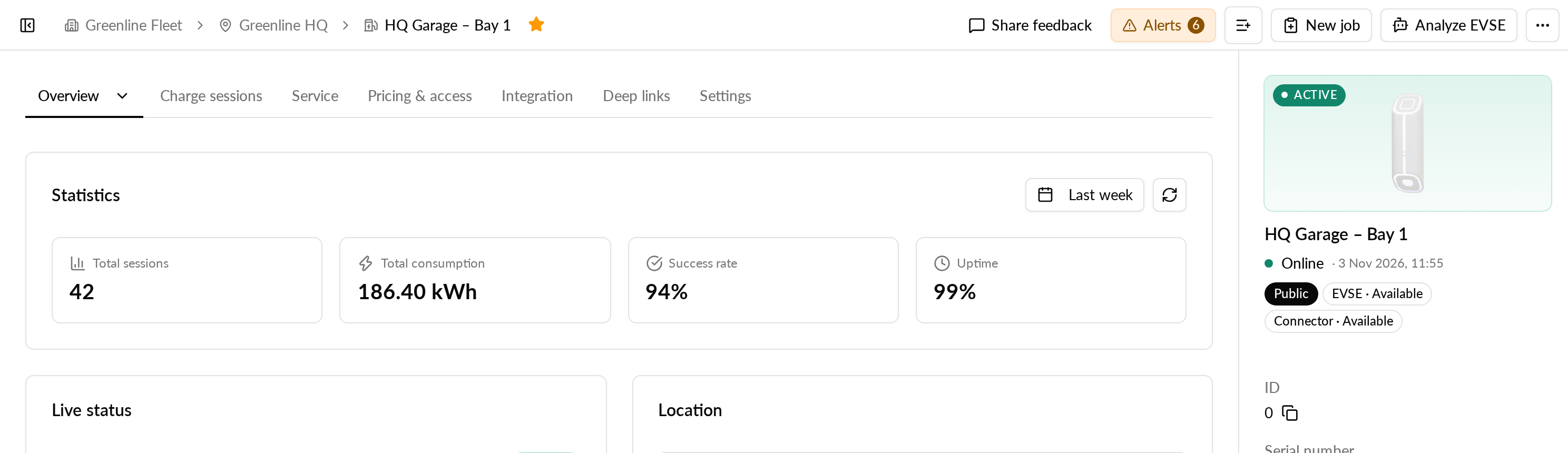
You can now favorite EVSEs, charging stations and locations, as you already can with accounts. A star sits next to the name at the top of each EVSE, charging station and location page. Your favorites show in a Favorites row above the EVSE, Charging stations and Locations tables on the Network page, and a star marks each favorited row in those tables.
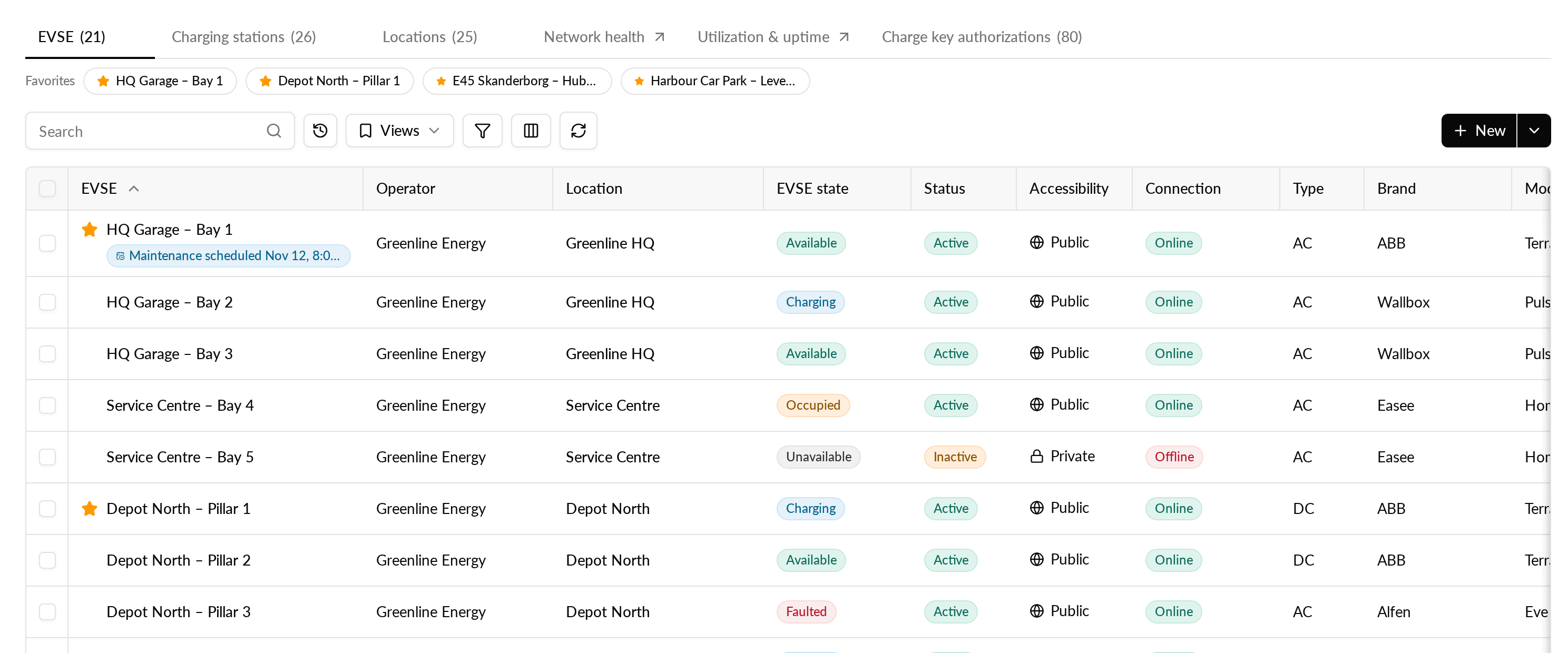
Favorites are kept per operator, so if you work across several operators, each one has its own list. You can keep up to 50 favorites of each type per operator.
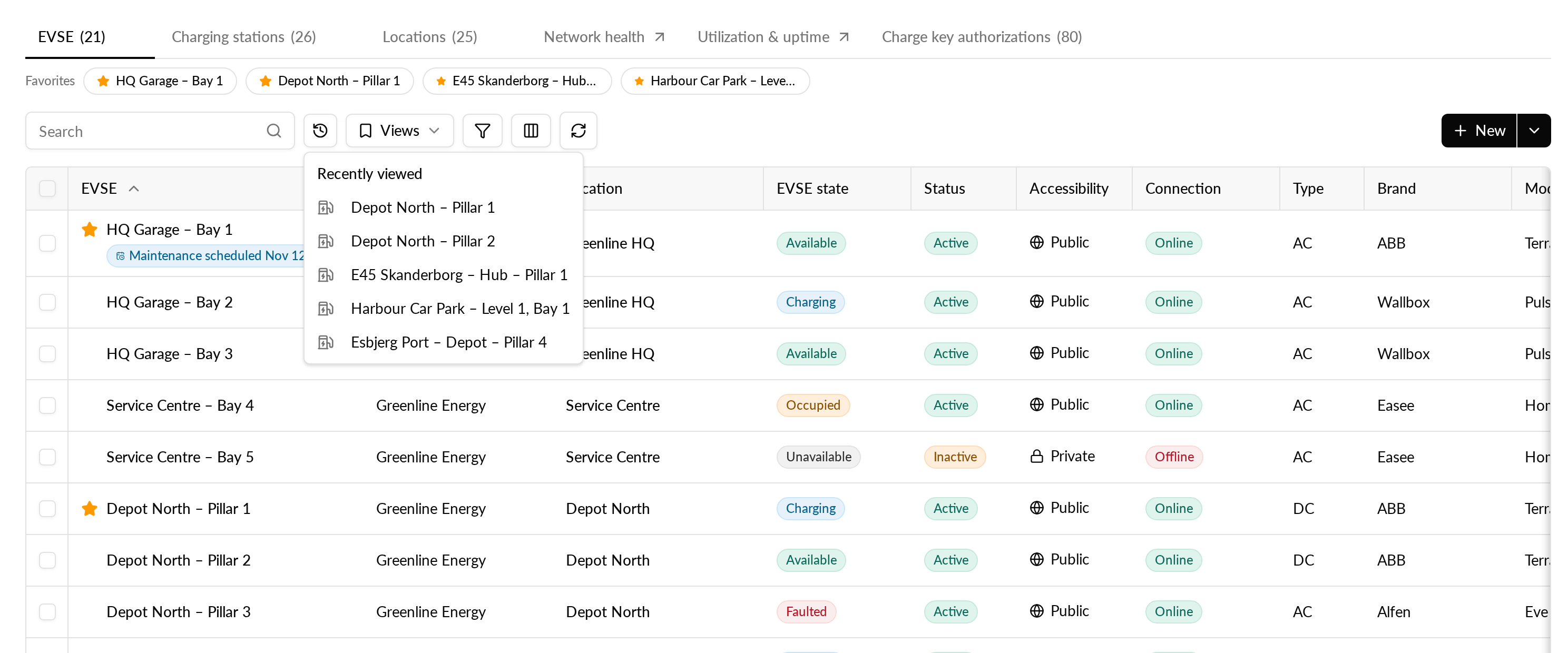
Recently viewed has moved to make room. Until now, the items you visited showed as chips above the tables on the Network page. Now the Favorites row takes that place, and your last 5 visited items open from the history button next to each table's search field. Charging stations are included too. The same recently viewed EVSEs, charging stations and locations also show when you press Cmd+K, latest visit first.
Why it matters
The EVSEs, charging stations and locations you check every day are one click away on the Network page, without searching for them each time. The places you looked at recently are one keystroke away from anywhere in Hub.
How to use it
- Open an EVSE, charging station or location page.
- Select the star next to its name. Select it again to remove the favorite.
- Go to the Network page and open the matching tab to find it in the Favorites row.