
New feature
Switch auto top-up and change billing method for many accounts at once
Manage how your accounts pay from the Accounts list, instead of one account at a time.
- Stage
- Early access
- Available to all customers
- To be confirmed
- Product
- Monta Hub
- Posted
What's new
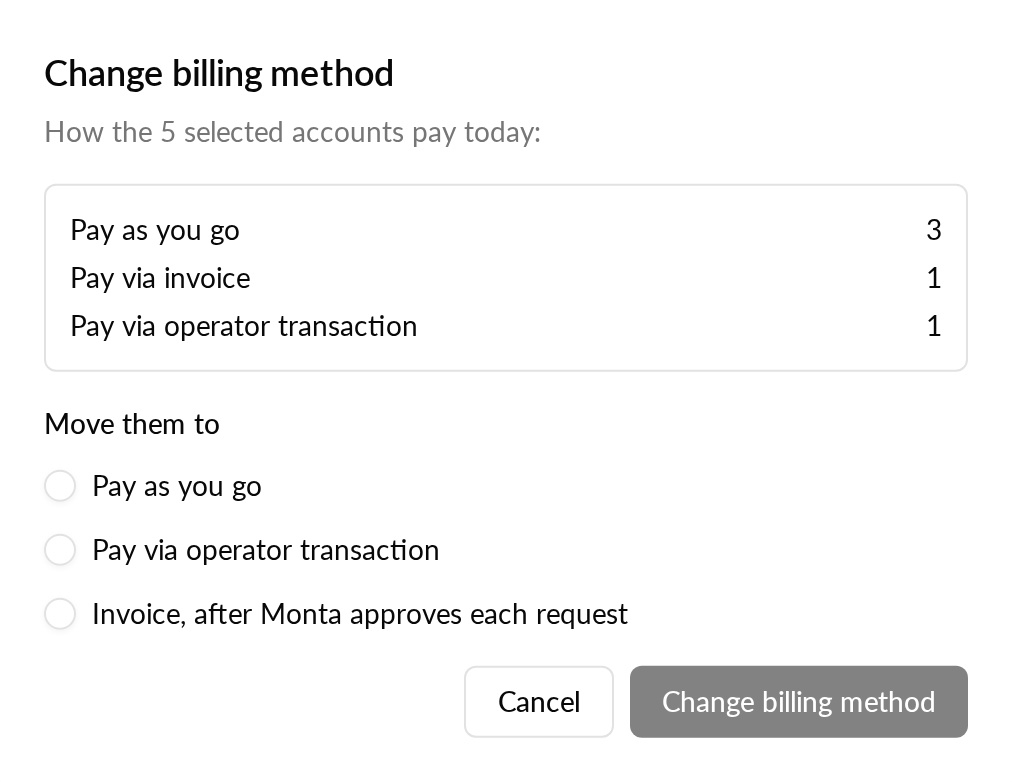
We're working on new bulk actions on the Accounts list in Monta Hub. You'll be able to select many accounts and switch auto top-up on or off, or change their billing method to Pay as you go, monthly invoice or operator transactions, in one step.
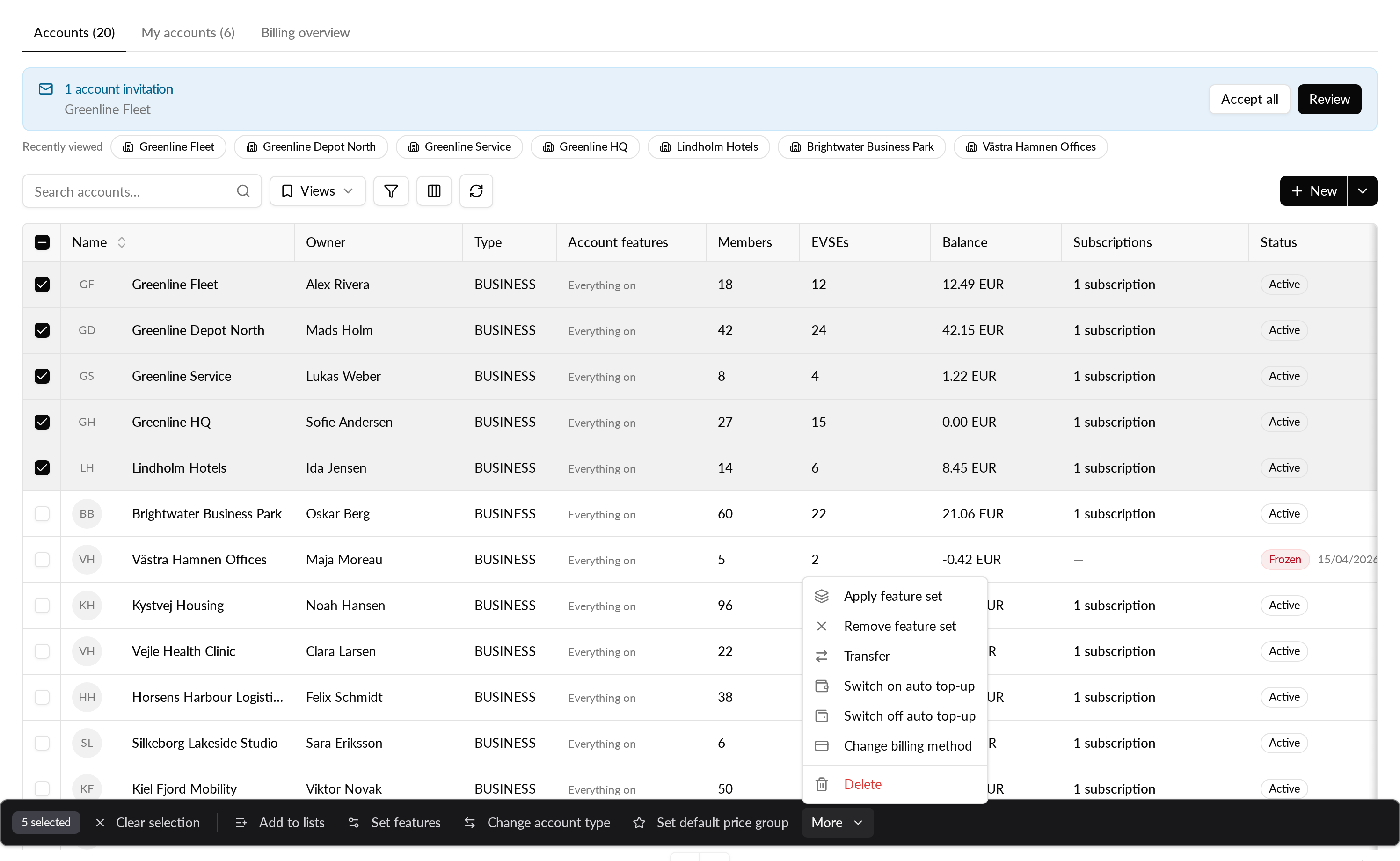
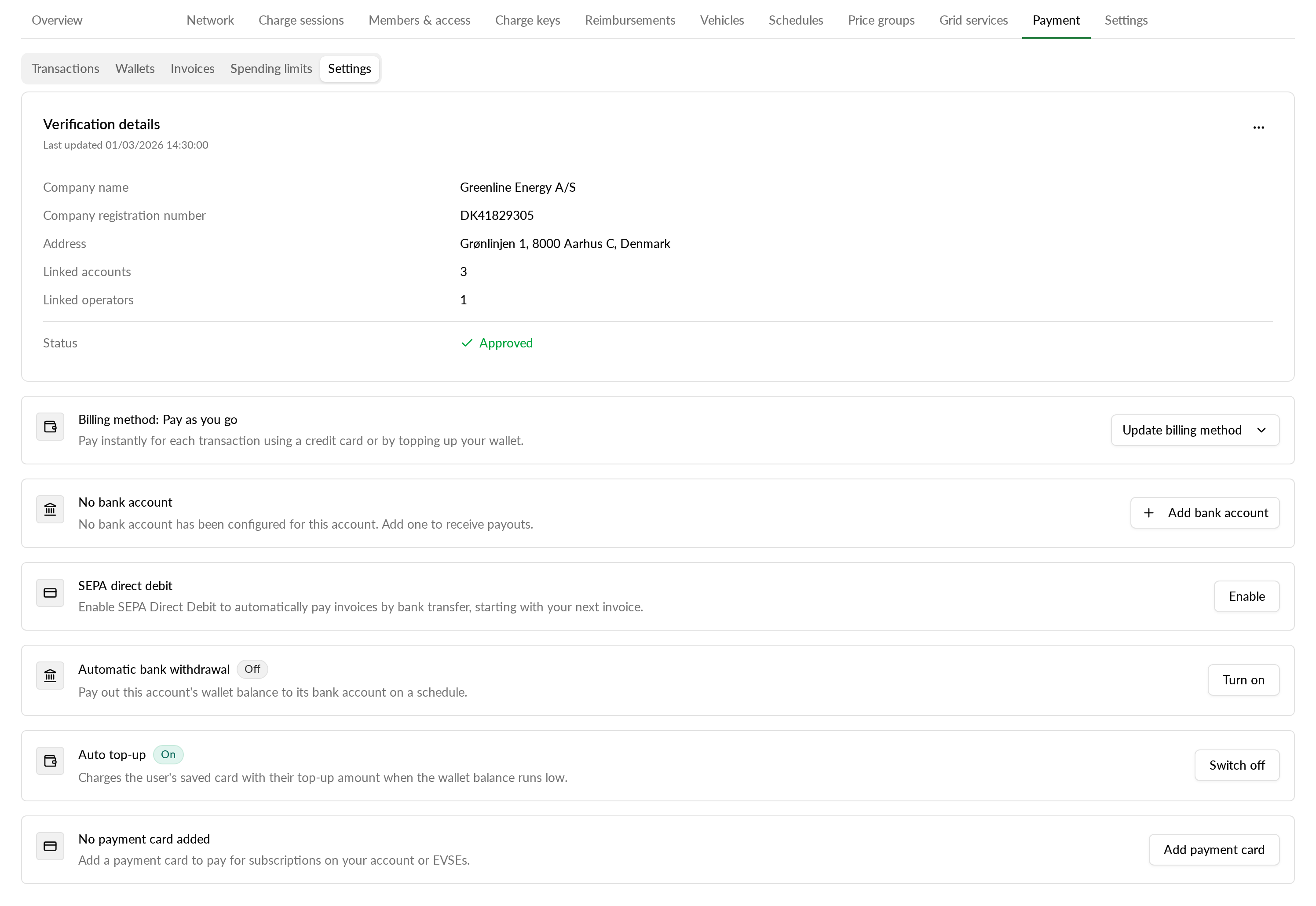
Each account will also get an Auto top-up card on its Payment tab, under Settings, so you can switch it on or off for a single account.
- Switching auto top-up on needs a saved card and a completed identity check. Accounts without them are skipped, and the result tells you why.
- An account keeps its own top-up amount. Accounts without one get the amount you enter, or the default amount your new cards get.
- Accounts billed by invoice move to Pay as you go when you switch auto top-up on. The confirmation tells you before you go ahead.
- Moving accounts to monthly invoice sends one invoicing request per account for Monta to approve. Moving accounts off invoicing takes effect right away.
- A summary shows how many accounts changed, how many were skipped and how many failed, and you can retry the failed ones in one click.
Why it matters
If you stopped offering wallet top-up in your app, some accounts may still have auto top-up on from before. Your default auto top-up setting only affects cards added later, so it does not help with these accounts. The same applies when you move customers off invoicing. With the bulk actions you handle all of them in one go.
Who it's relevant for
Operator admins and managers with permission to edit accounts, especially operators that change which payment options they offer their customers.