
New feature
Business sign-up: one link for businesses to sign up as professional accounts
Hand out a link, and businesses charging on your network sign themselves up on a professional account under your operator.
- Stage
- Early access
- Available to all customers
- To be confirmed
- Product
- Monta Hub
- Posted
What's new
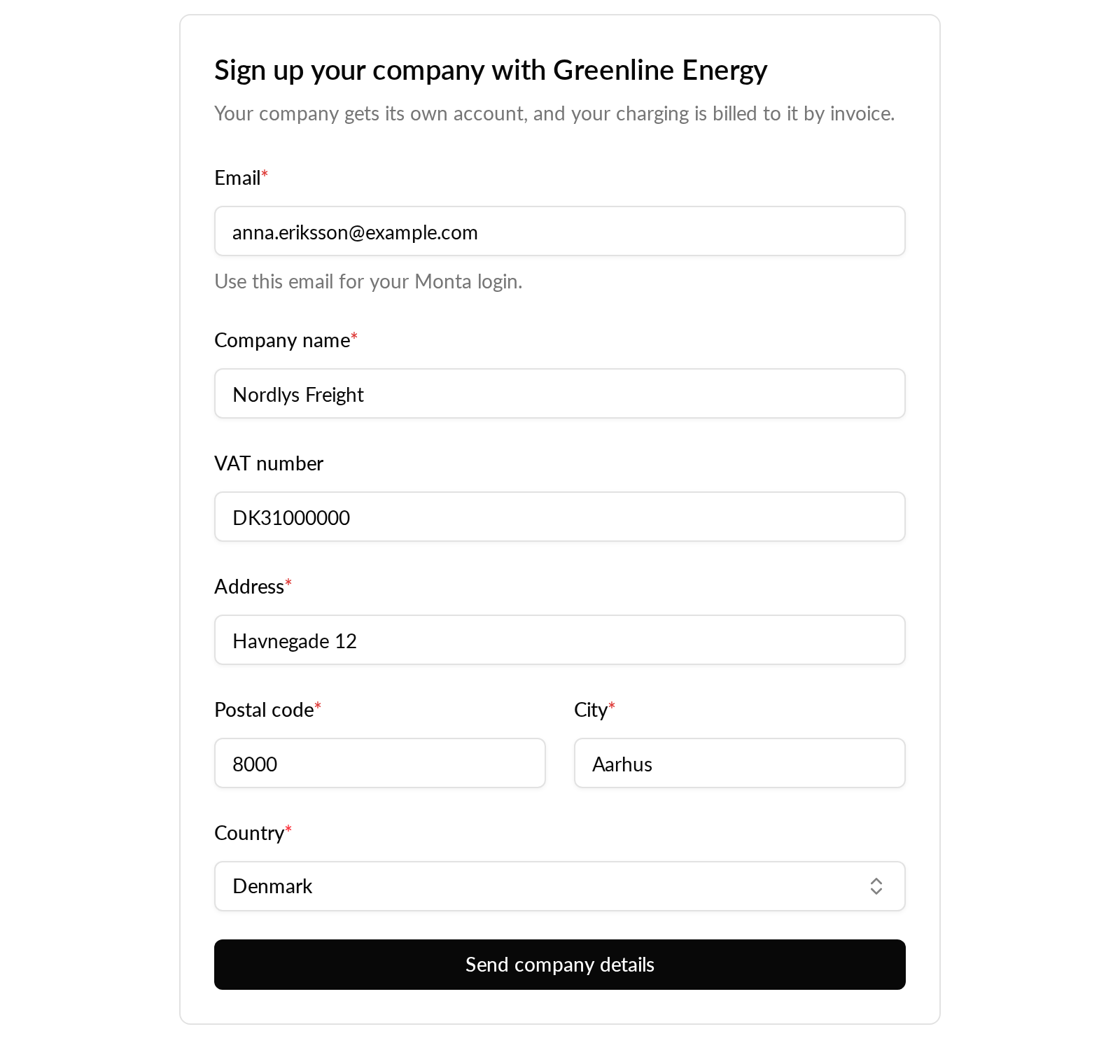
Available now in early access: operators can turn on business sign-up in Monta Hub and get a link to hand out to their business customers. A business opens the link, enters its company details once, confirms them from an email and logs in to Monta with the same email. It then gets a professional account under your operator, next to the private account every Monta login has.
- The form asks for an email, company name, VAT number (optional, checked for the chosen country), address and country. No login is needed to fill it in.
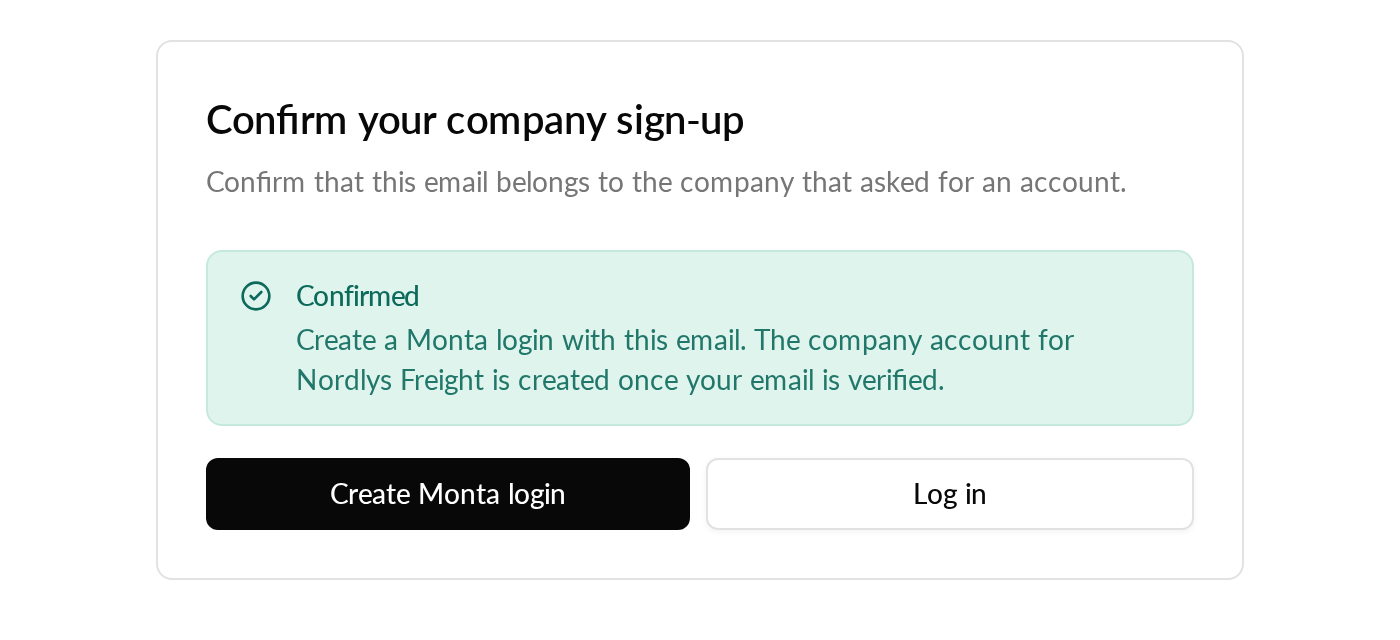
- Monta emails a confirmation link that is valid for 7 days. Only a confirmed request can become an account, so typing in someone else's email does nothing.
- After confirming, the page offers "Create Monta login" and "Log in". Any Monta login works: the Monta app, your own app or Hub, and the order of the steps does not matter.
The "Business sign-up" tab lists every request with company, email, VAT number, city, status ("Awaiting login" or "Account created") and the date it was submitted.
Why it matters
Drivers who sign up in your app start on a private account, and a private account cannot be billed by invoice. Until now, each business had to switch its account to professional afterwards, or you had to switch it for them. With one link, businesses sign themselves up as professional accounts, billed by your settings for professional accounts, such as invoice. It works with or without your own app.
Who it's relevant for
Operators with business customers charging on their network, such as transport companies. Turning it on and seeing the requests takes permission to edit your operator.
How to use it
- In Hub, open Operator settings and go to the "Business sign-up" tab.
- Turn business sign-up on. This creates your link.
- Share the link with your business customers.
- Follow the requests in the list on the same tab.
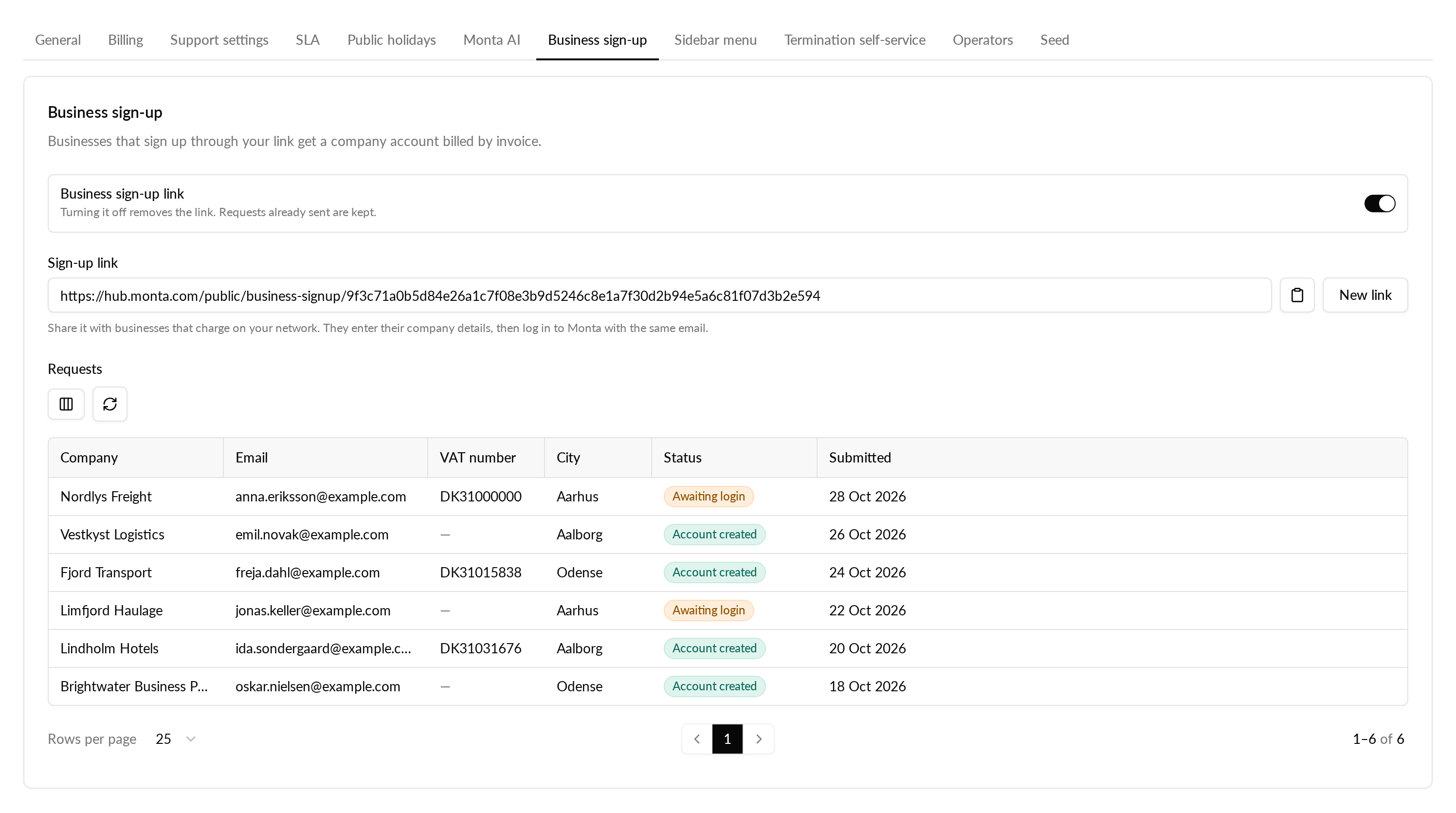
If the link was shared too widely, choose "New link" and the old one stops working. Turning business sign-up off removes the link and stops confirmation links already sent. Requests already sent are kept.
Availability
Business sign-up is in early access for selected operators. The "Business sign-up" tab appears in Operator settings once it is turned on for your operator.