
Improvement
Older auto-start settings now run as charging rules
EVSEs that started charging through the hidden auto-start setting now follow charging rules you can see and change.
- Stage
- Live
- Released
- Product
- Monta Hub
- Posted
What changed
Until now, some EVSEs still used an older auto-start setting that was not shown in Monta Hub. It started a charge on plug-in, on a schedule or with smart charging, and it could override a charging rule that was set later. Now, EVSEs that used the scheduled or the smart version of that setting follow a charging rule instead.
Your existing setup changes automatically: where an EVSE had no active charging rule, a charging rule that behaves like its old auto-start setting was created for the same user. Where an EVSE already had an active charging rule, the old setting was switched off and that rule keeps deciding how charging starts. A small number of EVSEs couldn't be moved automatically, because the model doesn't support charging rules or no active user owns them. These no longer start charging by themselves. To check an EVSE, open it and go to Settings → Configuration → Charging rules, and add a rule with New if needed.
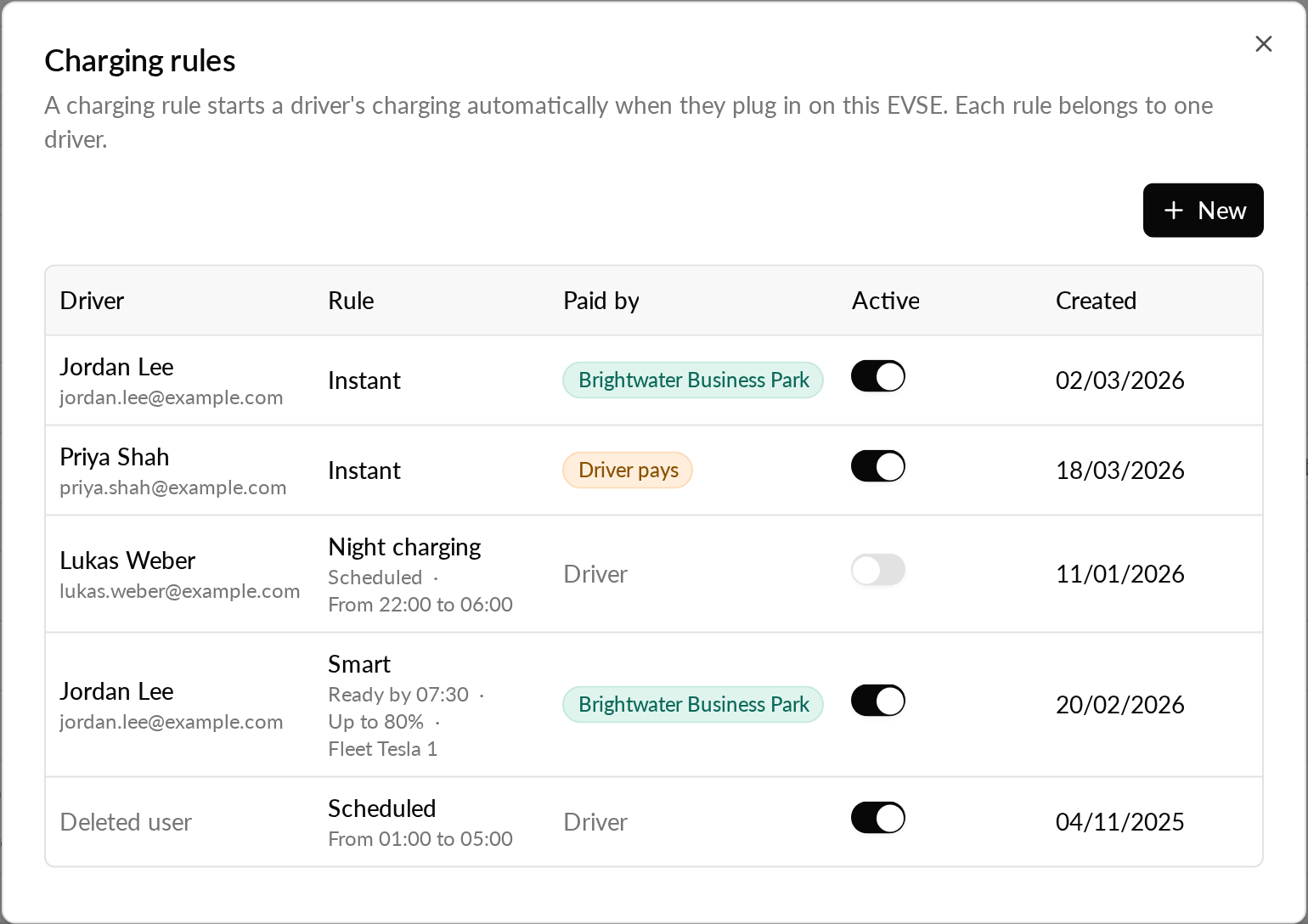
The immediate version of auto-start is not part of this change.
Why it matters
How charging starts on these EVSEs is now a charging rule, so it no longer conflicts with the rules your drivers set and it can be seen and changed. Your support team no longer has to explain a setting that could not be switched off from Monta Hub, and drivers get the usual charging rule notifications.
Who it's relevant for
Operators with EVSEs that still used the older scheduled or smart auto-start setting.