
New feature
Insights tab for price groups: find copied, unused and duplicate account price groups
See where the same price is copied across accounts, and tidy it up from one place.
- Stage
- Early access
- Available to all customers
- To be confirmed
- Product
- Monta Hub
- Posted
What's new
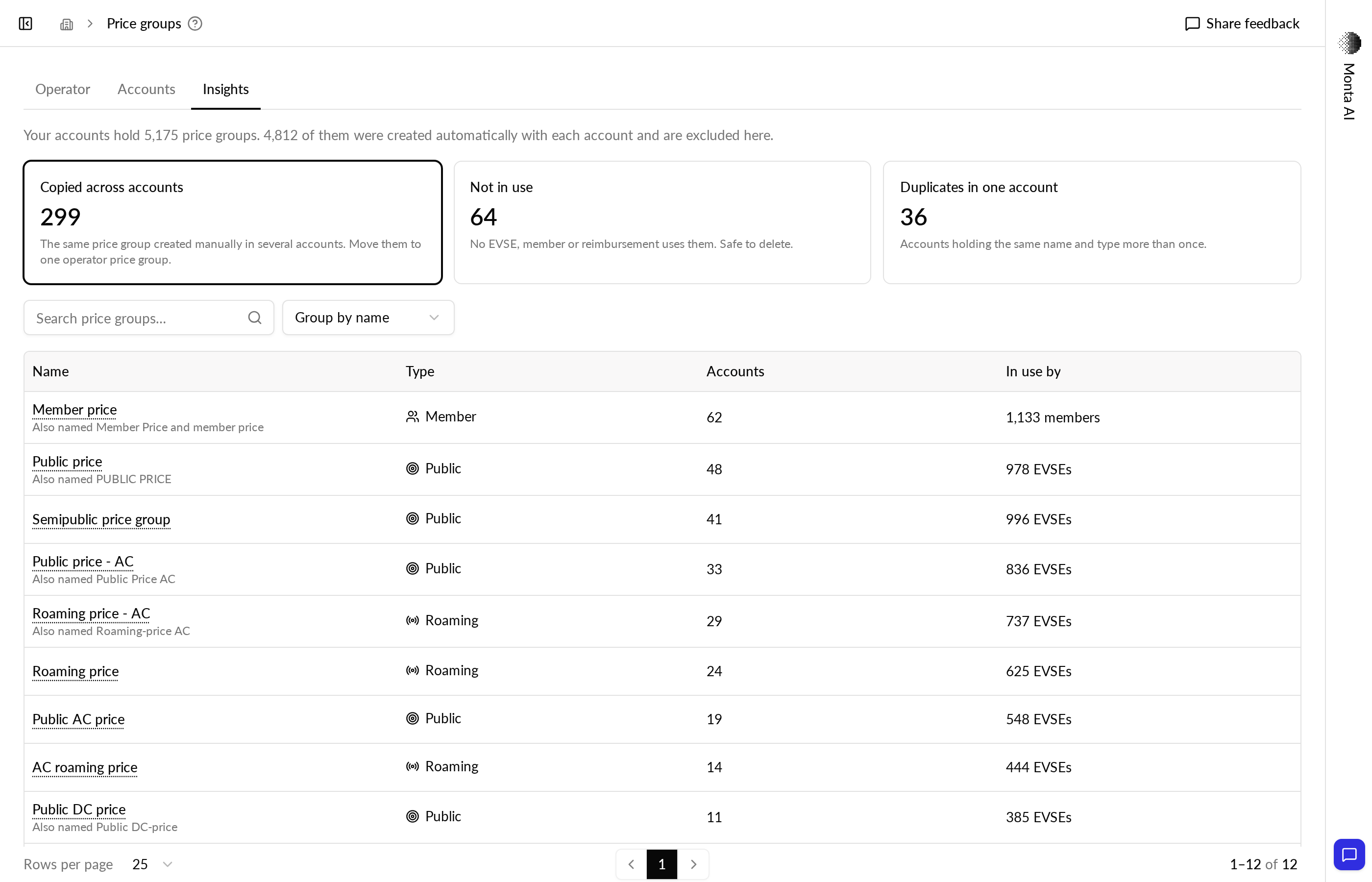
Price groups has a new Insights tab. It shows three counts: account price groups copied across accounts, account price groups not in use, and duplicates within one account. Each count opens its list. Price groups the platform created automatically are left out.
Why it matters
When the same price is copied into many accounts, a price change has to be made one account at a time. Insights shows where that happens, so you can move EVSEs onto one operator price group and clean up the account price groups nobody uses.
How to use it
- Go to Pricing & Growth → Price groups and select the Insights tab.
- Open the copied price groups to see the copies grouped by identical price. Move a price's EVSEs to an operator price group of the same type and currency. One with the same base price is suggested.
- Open the price groups not in use to review them and delete them in bulk.
- Open the duplicates to see accounts that hold the same price group twice, and go to that account to merge them.
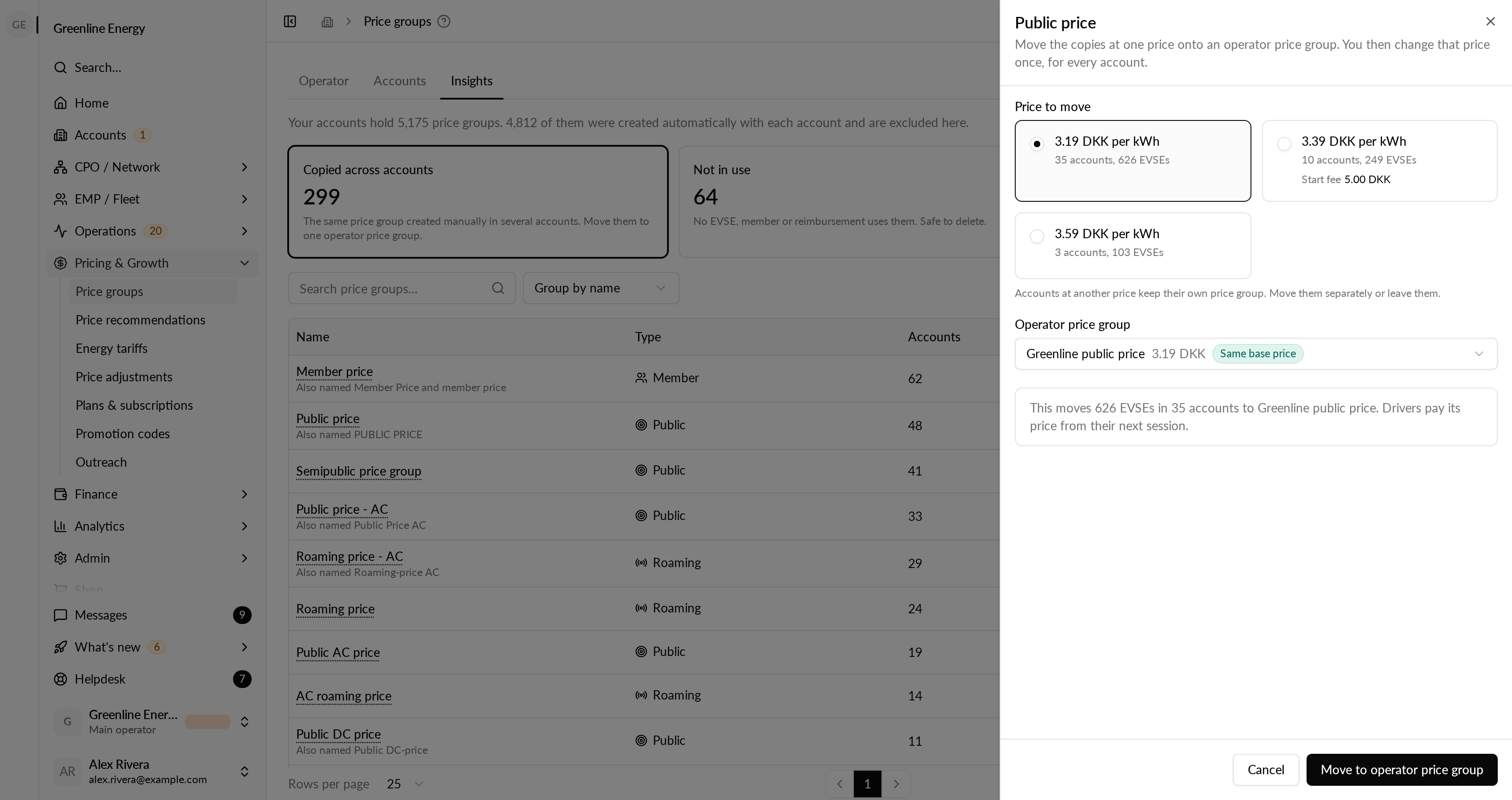
The counts follow the accounts you have selected, including sub-operators. Moving EVSEs does not delete the copies: they show up under not in use, so you can check the result first. Member price groups are grouped and priced, but cannot be moved from the tab yet.
Availability
Available now in early access.