
New feature
Error codes for charging station models in the Hardware Portal
Manufacturers can document what each error code means on their models, how serious it is and what to do about it.
- Stage
- Live
- Released
- Product
- Hardware Portal
- Posted
What's new
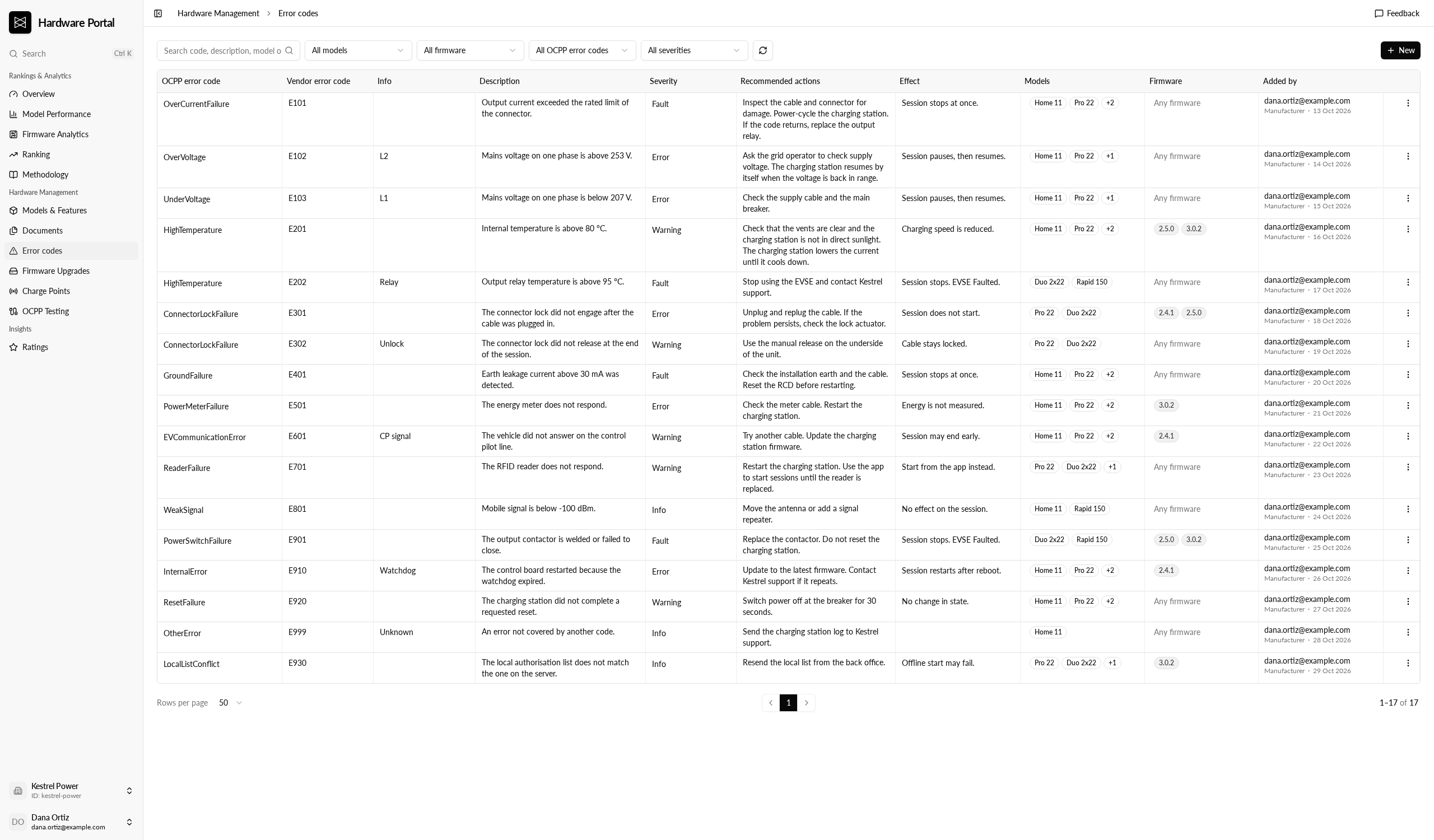
The Hardware Portal has a new Error codes page and an Error codes tab on each model. Manufacturers keep a catalogue of the error codes their charging station models report: the OCPP error code, an optional vendor error code and info, a description, the severity, recommended actions and the effect on a session.
Each code is linked to the models and Monta firmware versions it applies to. A code with no firmware linked applies to any firmware.
Why it matters
The same fault can mean different things on different models or firmware. The catalogue keeps that explanation next to the model's other documentation, in one place for manufacturers and Monta.
Who it's relevant for
Charging station manufacturers that use the Hardware Portal. Operators do not see these error codes in Hub.
How to use it
- Open Hardware Management, then Error codes.
- Select New to add a row. Fill in the OCPP error code and a description, and link the models and firmware it applies to.
- Edit several rows in the table, then save them together from the save bar.
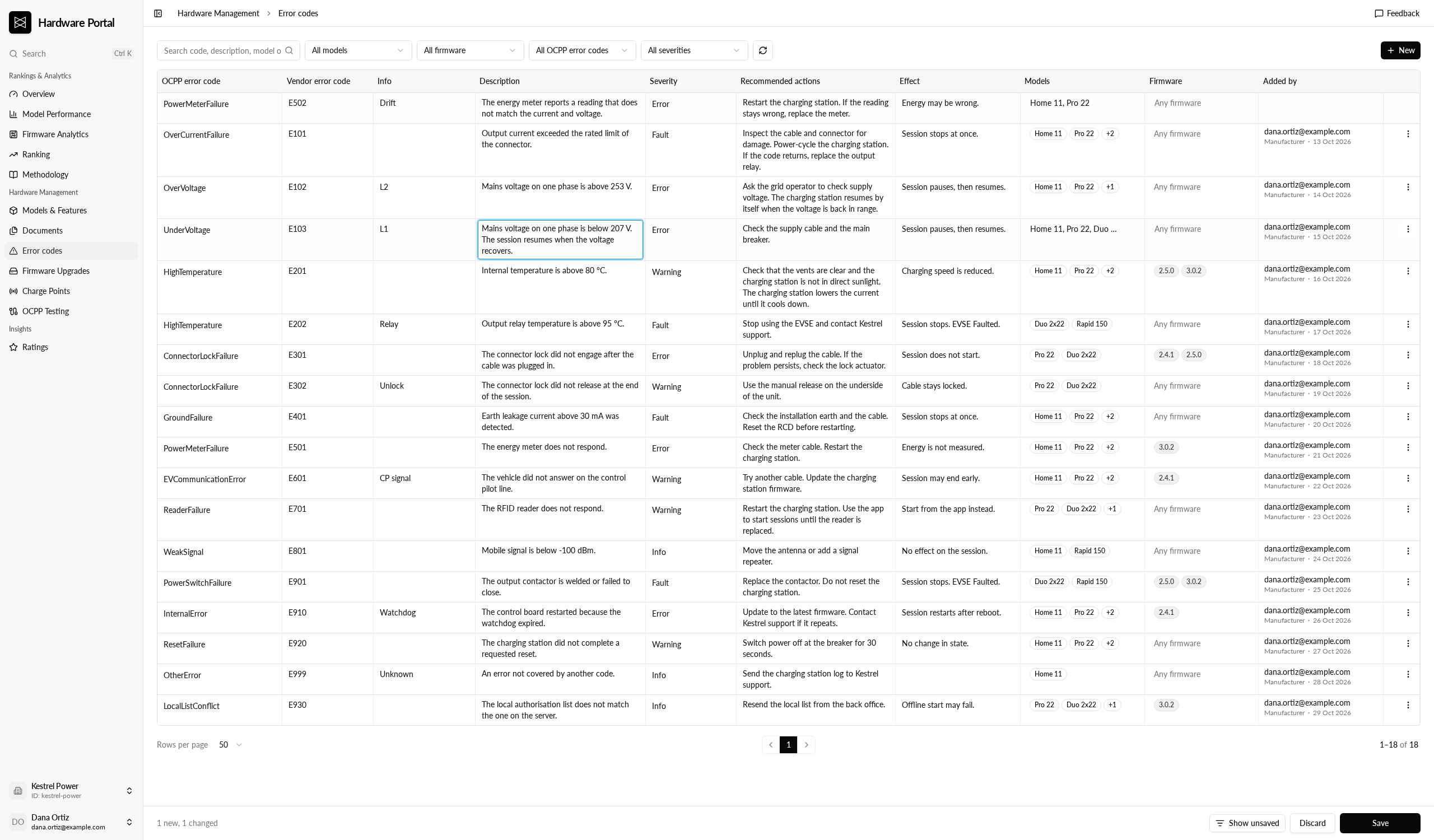
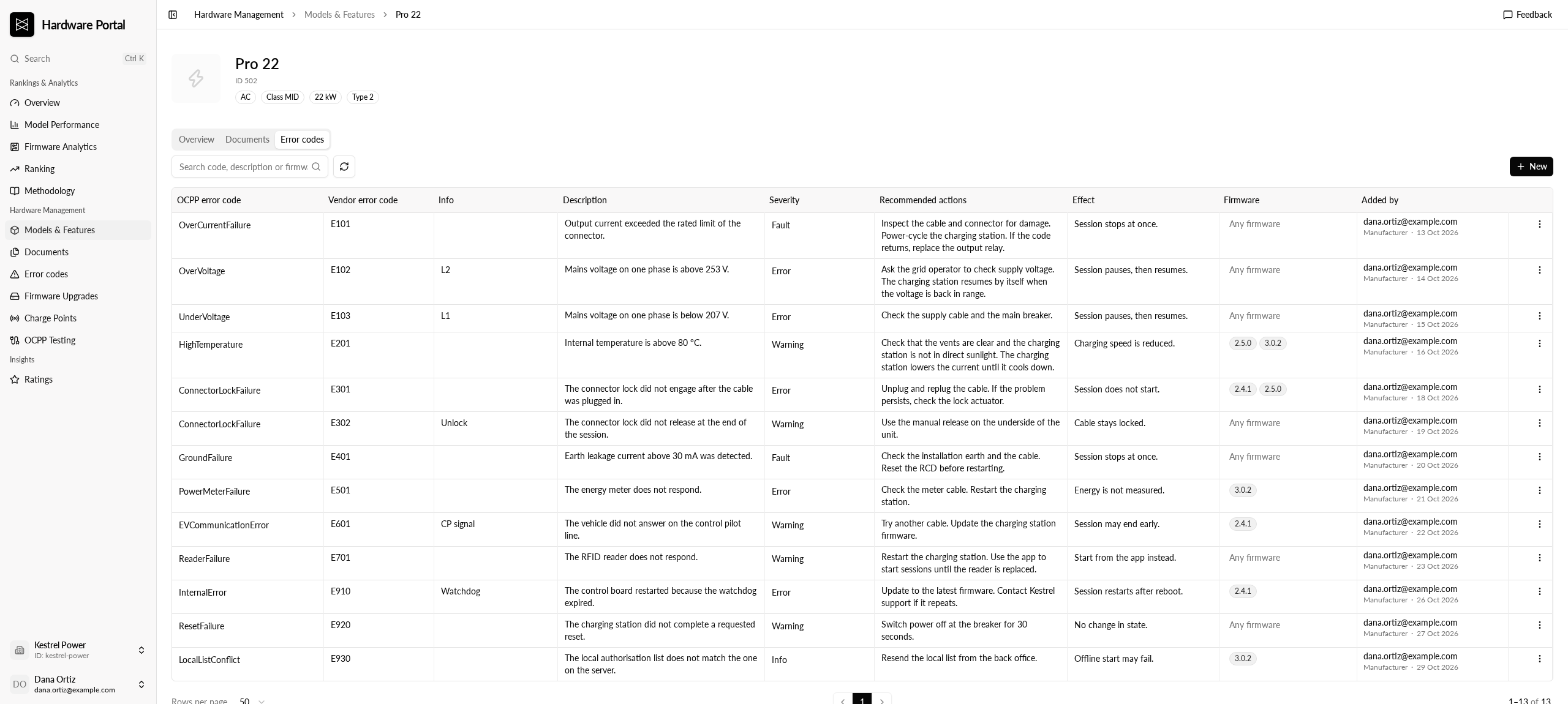
A repeated OCPP and vendor error code shows a warning, but can still be saved. On a model's Error codes tab, Remove from model unlinks a code from that model only. It stays on the Error codes page.
Where to find it
Hardware Management, then Error codes, or the Error codes tab on a model.