Improvement
Subscription state column in the accounts list
See which accounts have a paused, unpaid or cancelling subscription without opening them one by one.
- Stage
- Live
- Released
- Product
- Monta Hub
- Posted
What changed
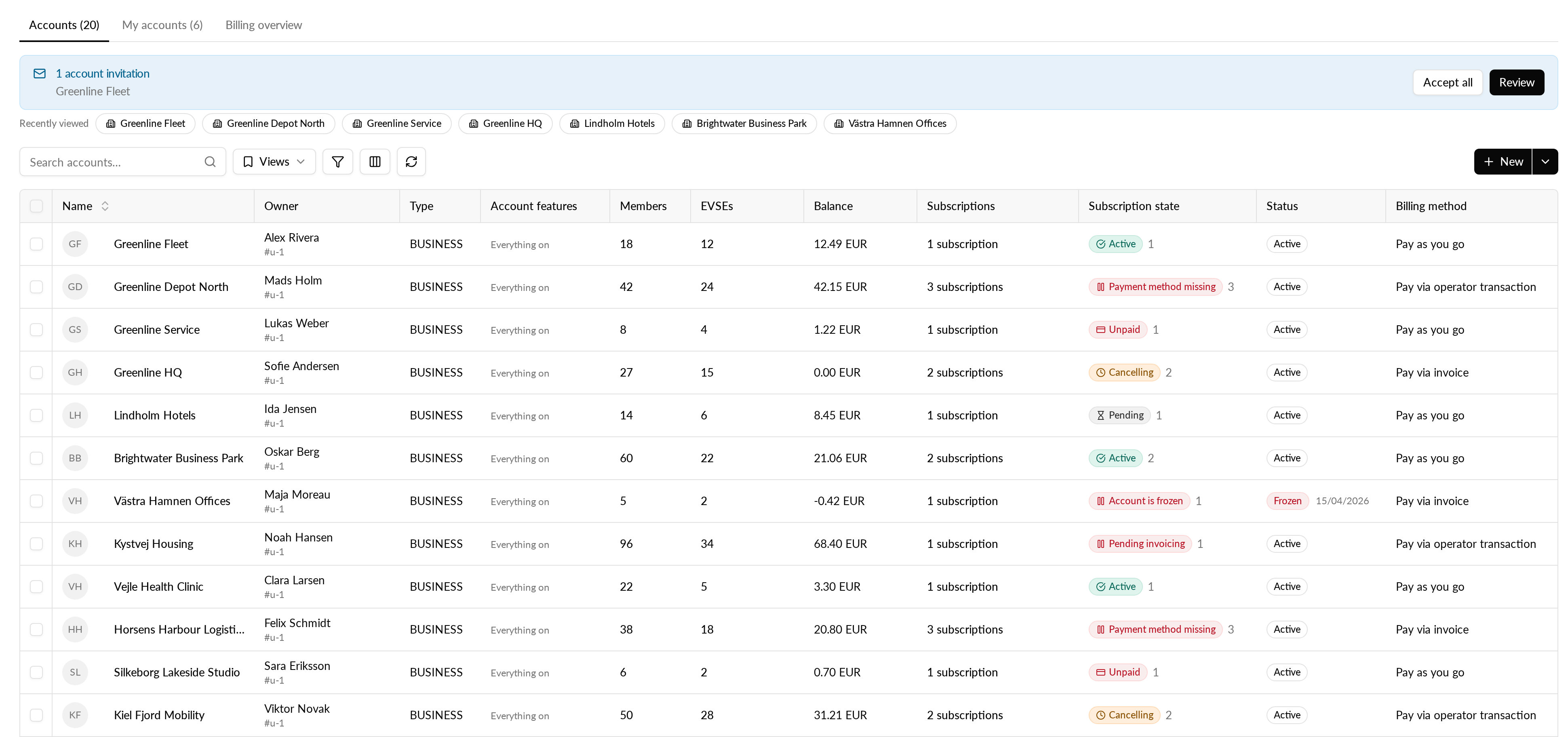
Until now, the accounts list only counted active and pending subscriptions. An account whose only subscription was paused, for example because no payment method was added, looked as if it had no subscriptions at all. Now you can turn on a Subscription state column that shows one badge per account for its most severe subscription, next to the account's total number of subscriptions.
Paused subscriptions show their reason: "Payment method missing", "Account is frozen" or "Pending invoicing". The badges use the same labels, icons and colours as the subscriptions list.
Your existing setup stays as it is: the column is hidden until you turn it on, and the existing Subscriptions column does not change.
Why it matters
Finding pay-as-you-go accounts that never added a payment method, or whose subscription stopped paying, used to mean opening each account. Now you can scan down the list and see which accounts need a follow-up.
How it works
- The column covers subscriptions on the account and on the account's EVSEs together.
- Subscriptions on EVSEs where a sponsor pays the subscription are left out, because the account does not pay for them.
- Cancelled subscriptions are not shown or counted.
- When an account has several subscriptions, the badge shows the most severe one, in this order: paused, unpaid, pending, cancelling, active. A cancelling subscription is never hidden behind an active one.
How to use it
- Open the accounts list in Hub.
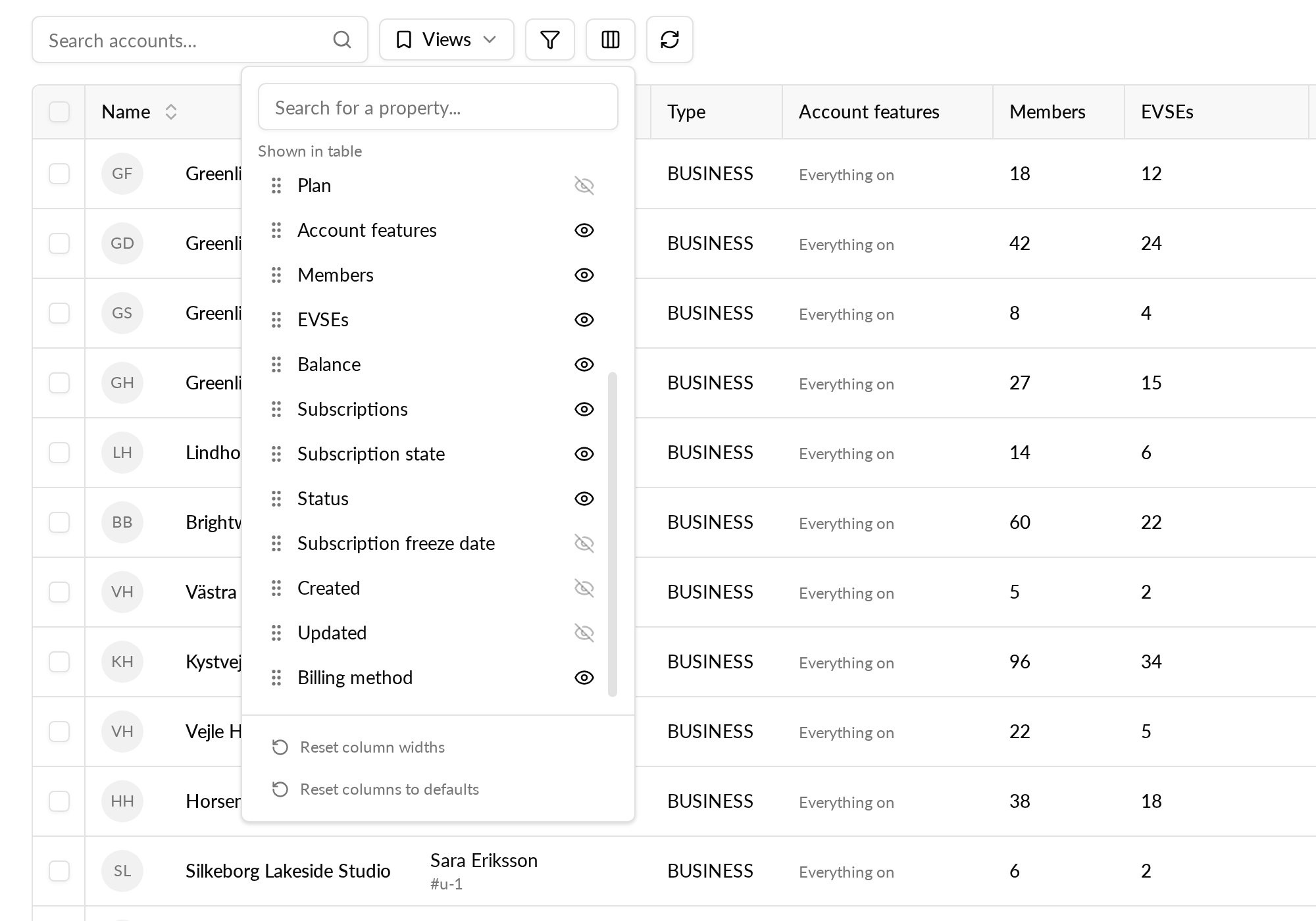
- Open column settings and turn on Subscription state.