
All updates
New feature
Reimburse employees' earlier home charges, and reimbursed charging that turns on by itself
Move unreimbursed charges on employees' own EVSEs to the employer in bulk, and have newly accepted reimbursement agreements mark charging as reimbursed automatically.
- Stage
- Early access
- Available to all customers
- To be confirmed
- Product
- Monta Hub
- Posted
What's new
Two additions for operators who run home charging reimbursement for employers:
- Reimburse past charges: select EVSEs in Monta Hub and move employees' earlier, unreimbursed charges on their own EVSEs to the employer. You check first how many charges would be moved, then reimburse, and you can undo right after.
- Reimbursed charging turns on by itself: when an employee's reimbursement agreement is accepted, the charging rules on their EVSE are marked as reimbursed, so the employer pays for their charging from then on. When the agreement ends and no other agreement covers the EVSE, it is turned off again.
Why it matters
Until now, reimbursed charging only covered new charges, and only once the driver or you had switched it on. An employee who charged for weeks before their EVSE was set up paid for those charges themselves. Now you can move those charges to the employer, and new agreements are reimbursed without the extra step.
How to use it
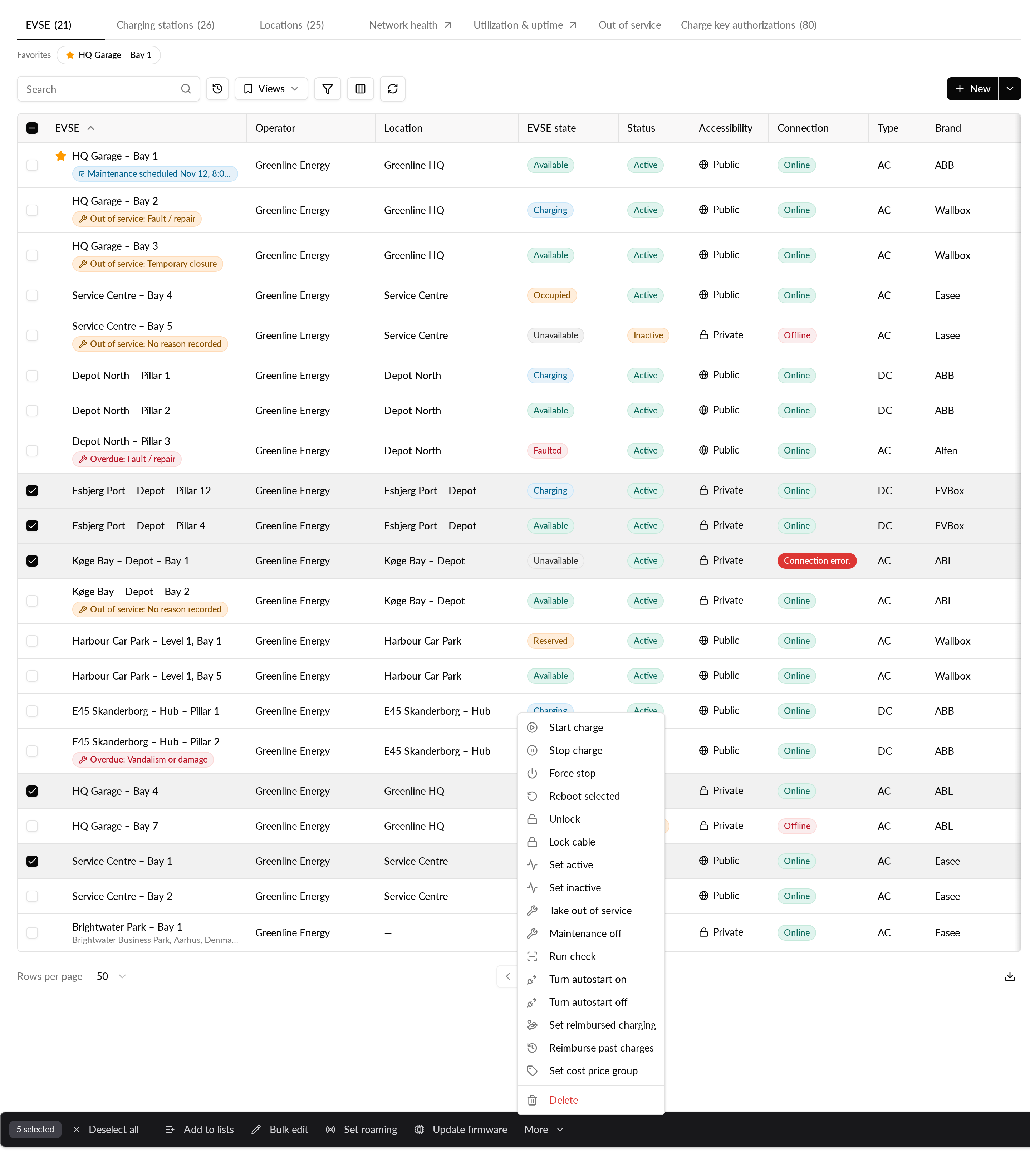
- Go to CPO / Network → Network → EVSE. You can also start from an account's or a location's Network tab.
- Select the EVSEs, then choose More → Reimburse past charges.
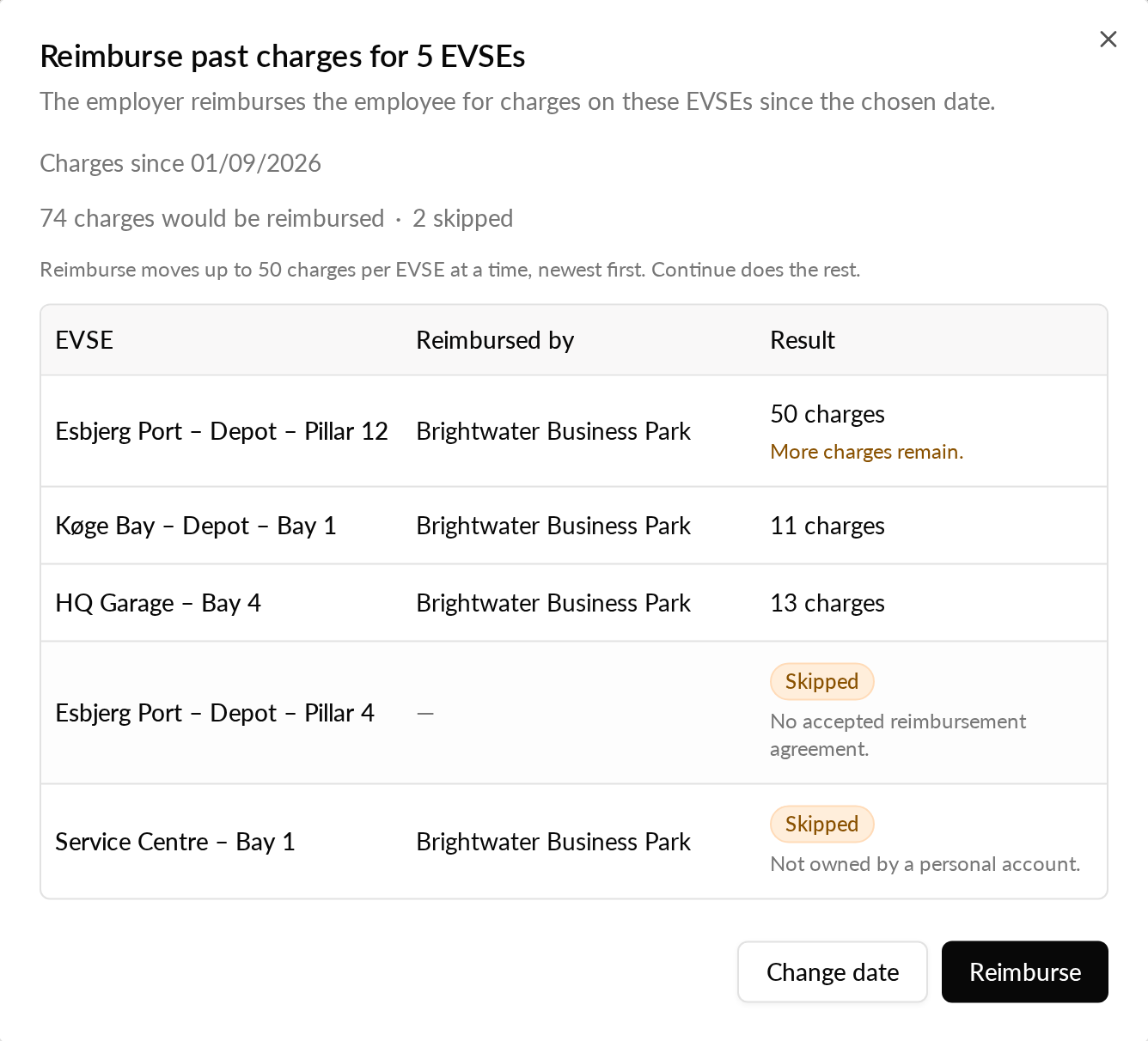
- Pick the day to start from (30 days ago by default, up to almost a year back) and click Check. You see how many charges would be reimbursed. Nothing changes yet.
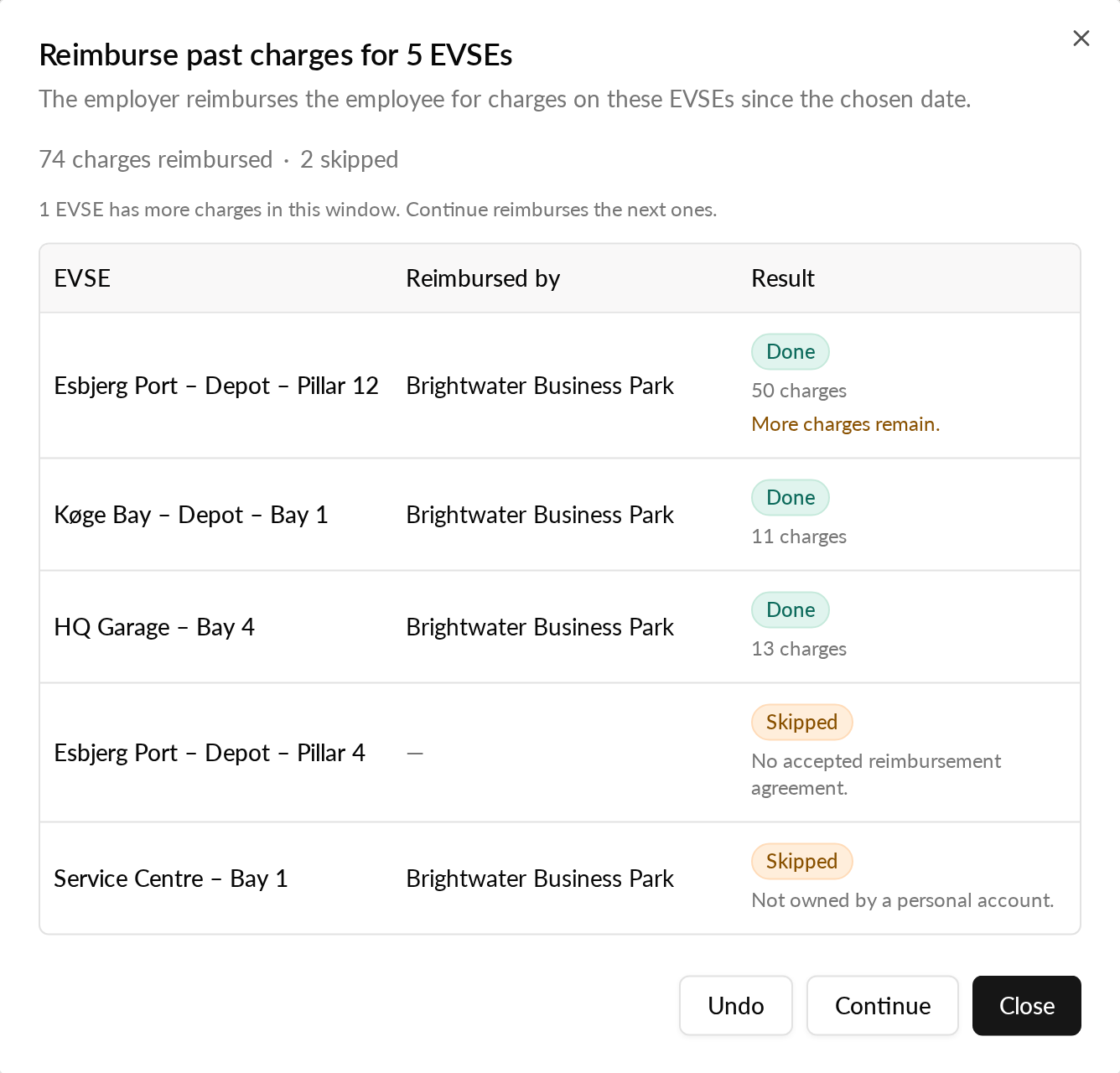
- Click Reimburse. Every EVSE is listed as Done, Skipped with the reason, or Failed.
Good to know
- A run reimburses up to 50 charges per EVSE, newest first. If more remain, click Continue.
- Undo takes back the runs you just made. Reimbursements still waiting for payout are rejected, reimbursements already paid out are collected back from the employee's wallet later, and charges already in an approved payout need handling by hand.
- Charges the employee already paid from their Monta wallet are not moved. They need a manual refund.
- Only EVSEs owned by an employee's personal account, with an accepted reimbursement agreement, can be changed. Other EVSEs are skipped with the reason.
- Every run, with its charges and any undo, stays on the EVSE's Pricing & access tab.
- You need permission to update EVSEs to see the action.
Who it's relevant for
Operators and employers who reimburse employees for charging at home.
Availability
Both are available now in early access to selected operators.