
New feature
Member schedules: decide where, when and at what price members charge
Set which EVSEs each member group may use, in which hours and at which price, and block charging for a member group or a single member.
- Stage
- Early access
- Available to all customers
- To be confirmed
- Product
- Monta Hub
- Posted
What's new
We're working on member schedules for accounts. You'll soon be able to decide, per member group, which EVSE lists your members may use, in which hours, and at which price. A schedule can set a default price, set hours with their own allowed EVSE lists and prices, and the EVSE lists members may use outside those hours.
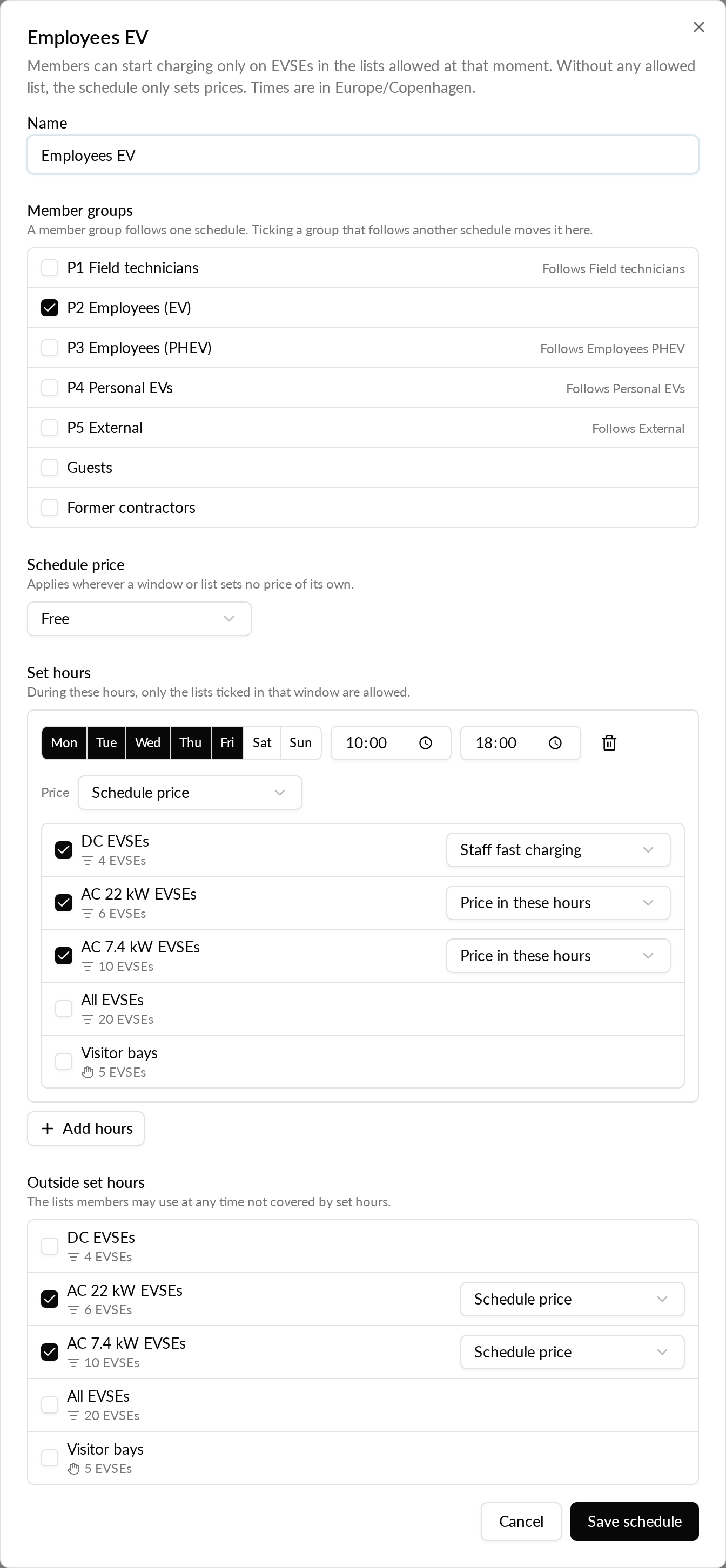
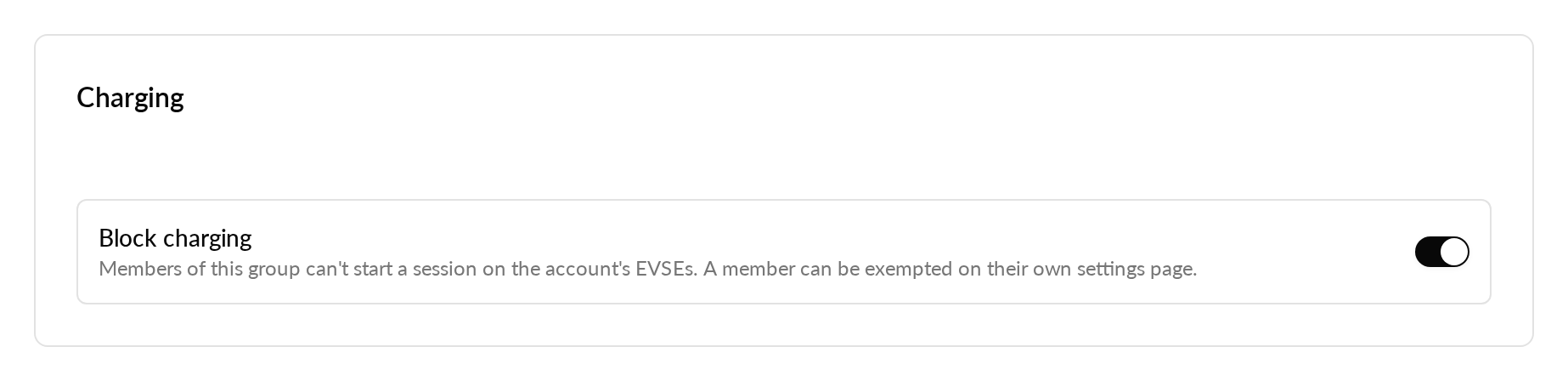
You'll also be able to block charging for a whole member group or for a single member, and exempt individual members from their member group's block. A "Can they charge?" check tells you, for a member group, an EVSE list, a day and a time, whether members can start charging and at what price, or why they are blocked.
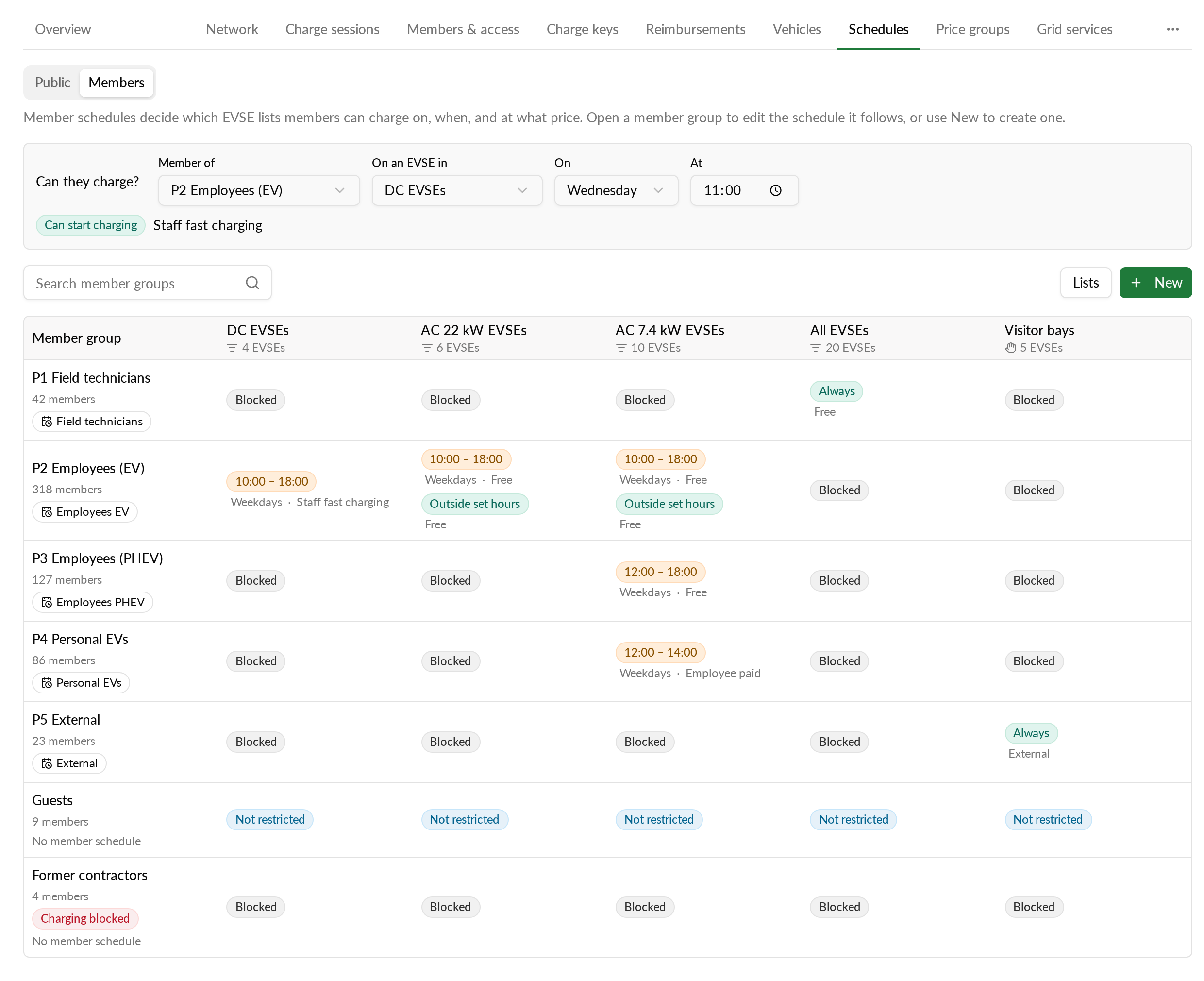
The rules apply when a session starts, in the Monta app and with a charge key, for free and paid sessions alike. A session that is already running is not stopped.
Why it matters
When employees, fleet drivers, contractors and guests share your EVSEs, you can give each member group its own rules. For example, field technicians can use the DC EVSEs at any time while office staff use the AC EVSEs on weekdays, guests only use the visitor bays, and employees charge free in working hours and pay the employee rate outside them. Former contractors can be blocked without changing anything for the rest of their member group.
Who it's relevant for
Account admins and operators who manage a business account whose members share the account's EVSEs, for example at a workplace, a depot, a residential building or a hotel.
Where to find it
In Monta Hub under Accounts, then the account, then Schedules, then Members.