
Improvement
Revenue share: Wallet, monthly money flow now available
Pay an agreement's revenue share once a month, in one transfer, instead of per charge.
- Stage
- Early access
- Available to all customers
- To be confirmed
- Product
- Monta Hub
- Posted
What's new
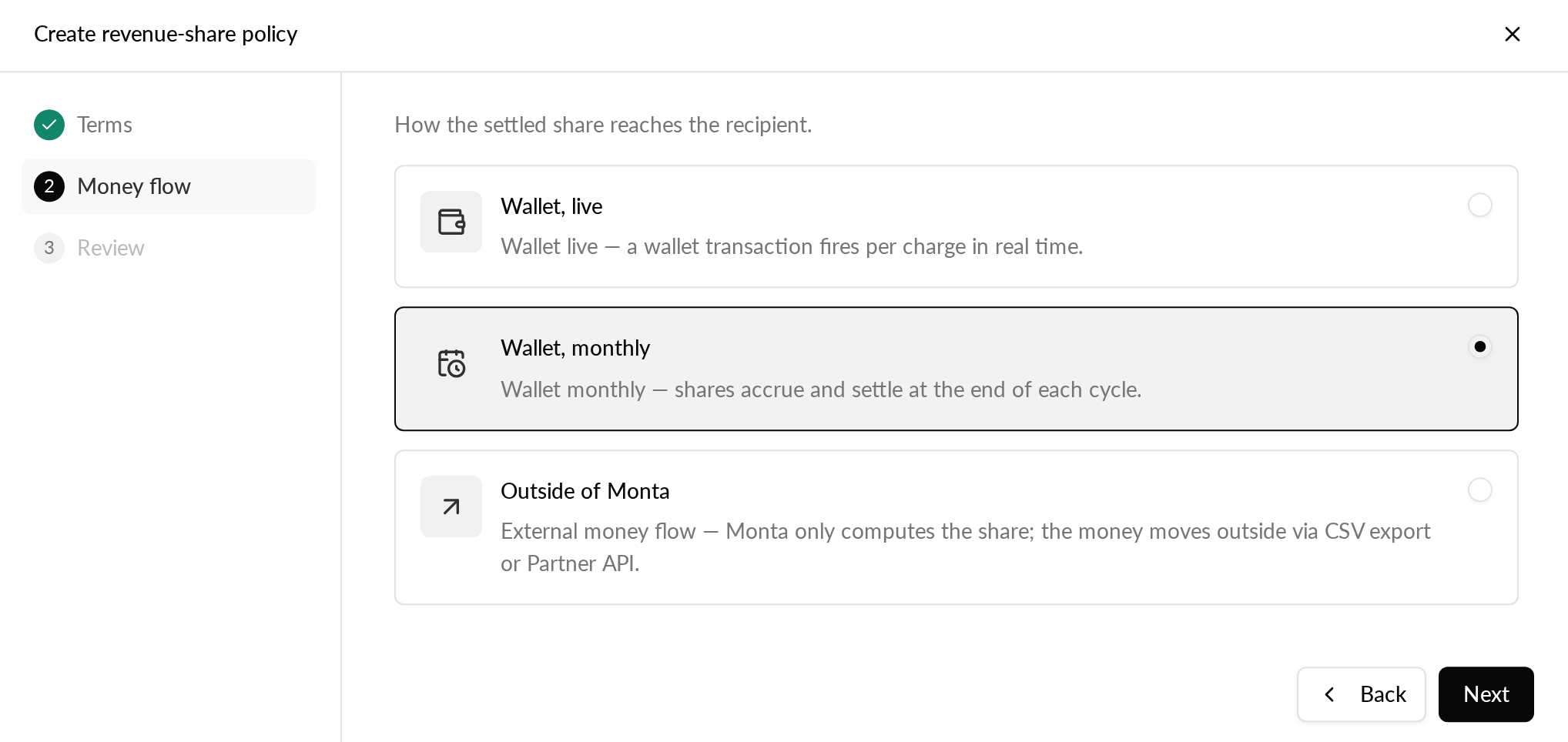
Revenue share policies can now use the Wallet, monthly money flow. Instead of a wallet transaction for every charge, Monta adds up each agreement's shares for the calendar month and pays them to the recipient in one transfer on the 1st of the following month.
Why it matters
Site owners and partners get one payment and one receipt a month, which suits contracts that settle once a month and makes reconciliation easier.
Who it's relevant for
Operators using revenue share in Monta Hub (early access) to pay site owners or partners a share of their charging revenue.
How to use it
- In Hub, go to Finance > Revenue share and create a policy. At the "Money flow" step, choose "Wallet, monthly".
- Apply the policy to your accounts as usual. Each charge's share appears in the Calculations tab during the month.
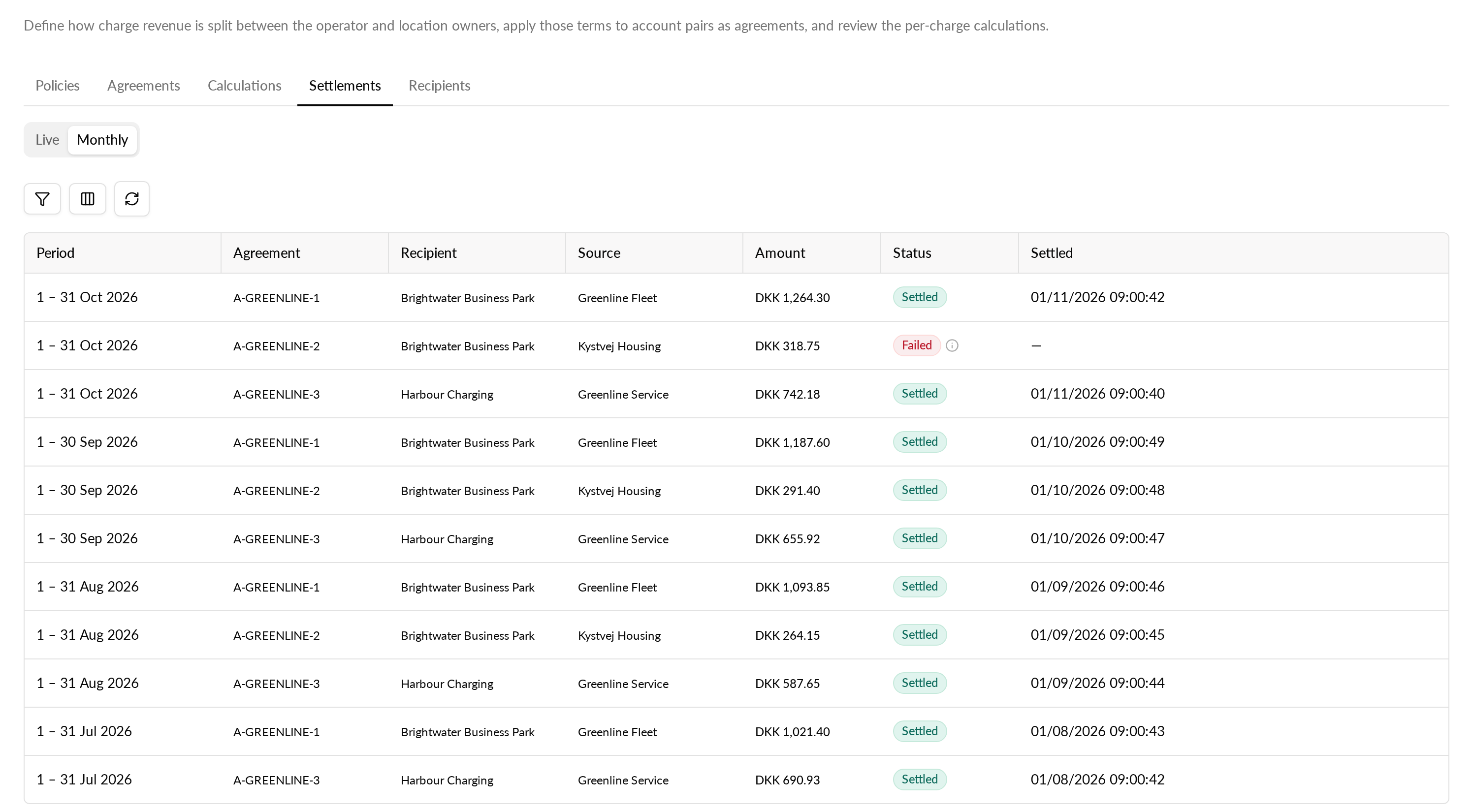
- After the 1st, open Settlements and select "Monthly" to see each agreement's settlement for the month, its status and its receipt.
If you end an agreement that still has unpaid shares, you choose whether they are paid in the next monthly settlement or cancelled.
A monthly settlement that fails is retried every day. Monta never takes money from a frozen account: if the paying account is frozen, for example for unpaid invoices, its settlement waits and is paid once the account is unfrozen.
Policies that use Wallet, live or Outside of Monta work as before.
Read more in What is revenue share?