
New feature
Plan and track field service jobs in Monta Hub
Create, assign and review installation, repair and maintenance jobs in one place, with checklists and a no-login link for technicians.
- Stage
- Early access
- Available to all customers
- To be confirmed
- Product
- Monta Hub
- Posted
What's new
Field service brings installation, repair, maintenance and inspection work on your EVSEs and locations into Monta Hub. It is available now in early access.
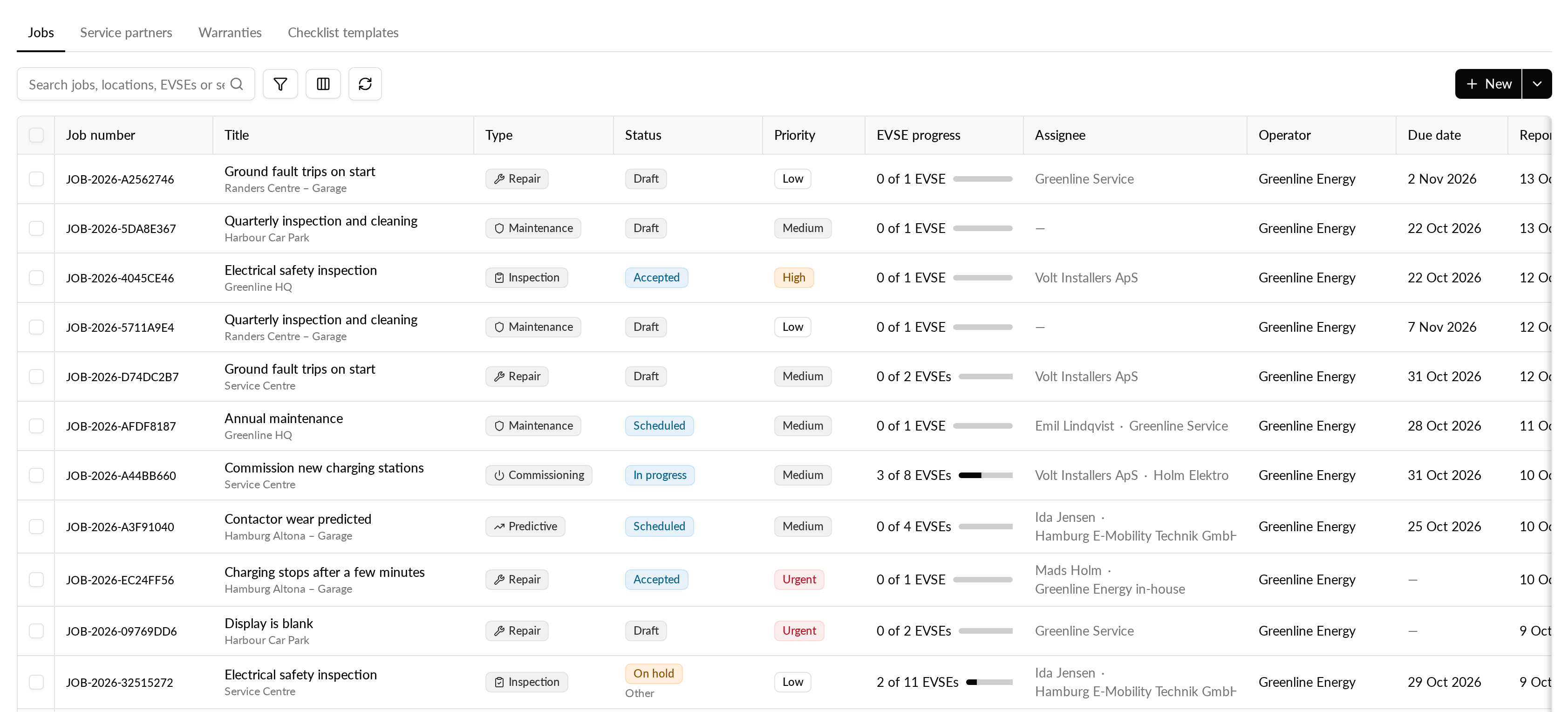
- A jobs list where you start, assign, cancel or archive jobs, with search, filters and a CSV export.
- Checklists of the steps a technician must complete, such as safety checks, readings, photos and questions. Monta provides default checklists for commissioning, corrective and preventive work.
- A job link technicians open on their phone, without a Monta login.
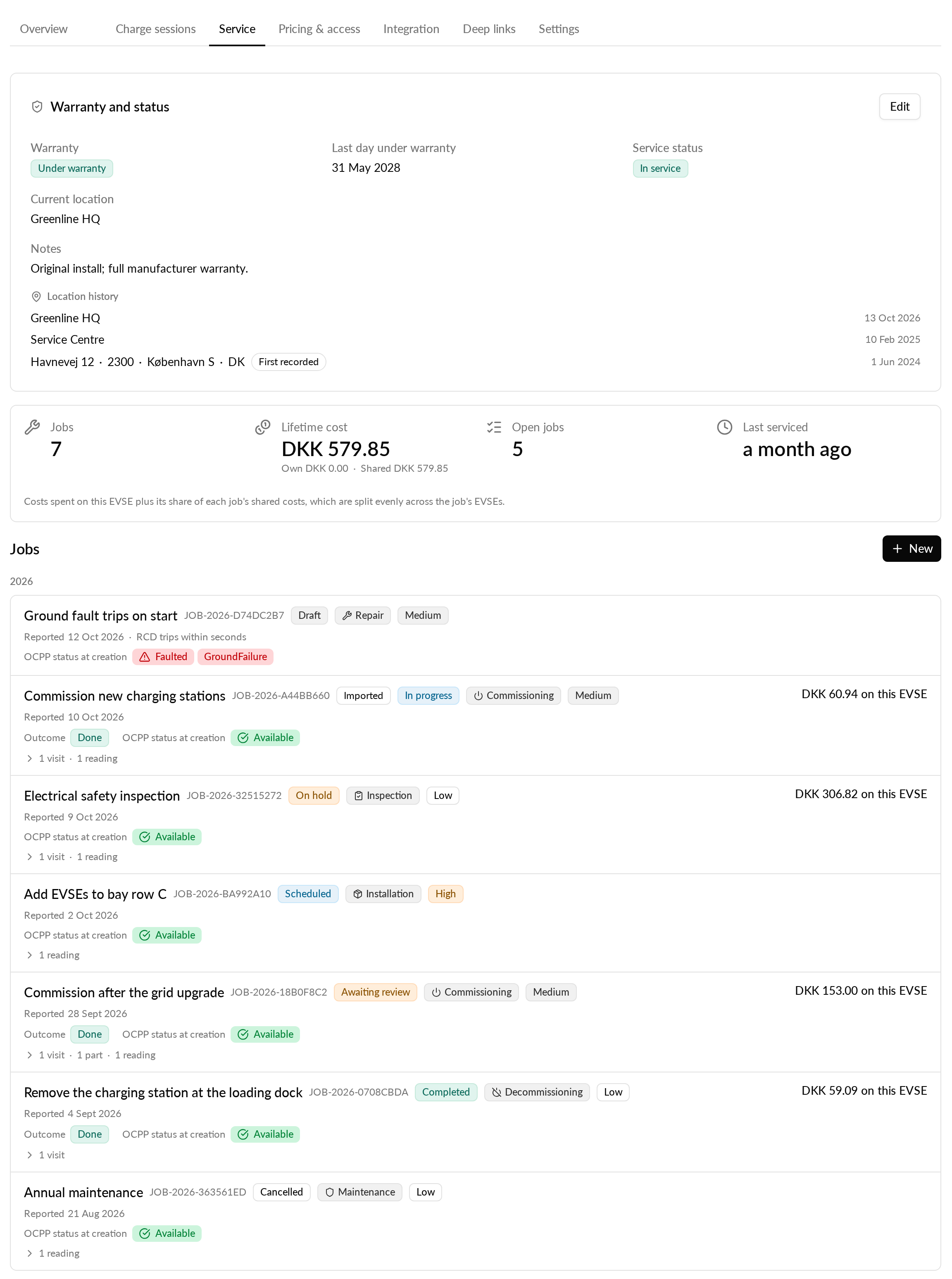
- A new Service tab on the EVSE page with everything done to the EVSE, its warranty and what its jobs cost.
- Past repairs can be logged as completed jobs, so an EVSE's history is complete.
Why it matters
Field work moves out of spreadsheets and email into one system. You can see what has been done to each EVSE, by whom and at what cost, and technicians get only the actions their job needs, never admin access.
Who it's relevant for
Operators and installers who manage installation and maintenance work on their EVSEs, with their own technicians or through service partners.
How to use it
- Create a job for a location from the jobs list. Choose its type and checklist, and assign it.
- Send the technician the link to the job. They open it on their phone, record their visits, work through the checklist, upload photos and add parts and expenses.
- Review the cost lines the technician adds, and accept or reject each one.
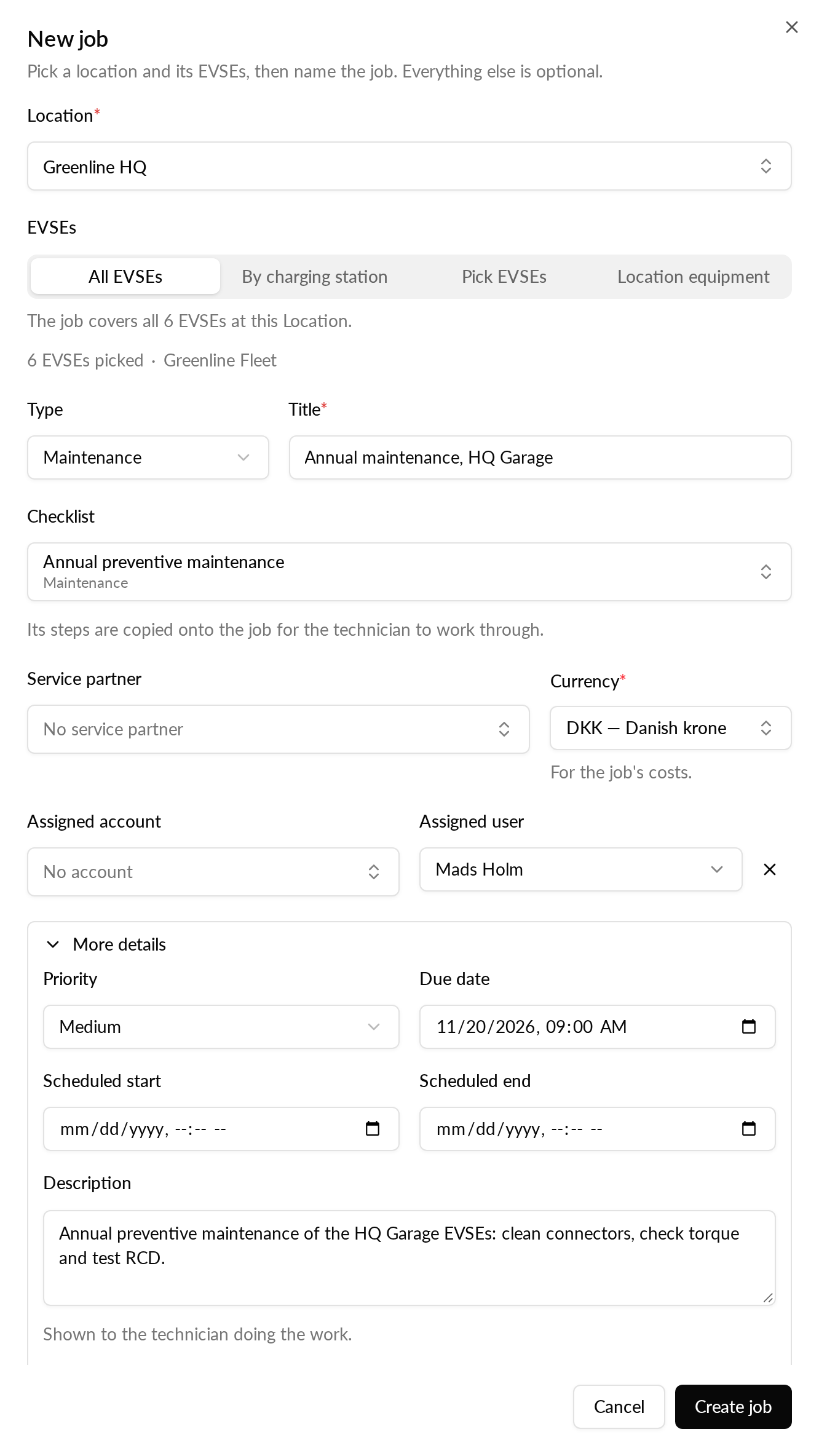
To see the full history of an EVSE, open the Service tab on its page.
Where to find it
Hub → CPO / Network → Field service
Availability
Field service is in early access. It is available to operators on the Early access release channel in Monta Hub.