
New feature
Compare the EVSEs of a charging station or location side by side
Spot the EVSE that is set up differently from the others, and bring it in line.
- Stage
- Coming soon
- Expected release
- To be confirmed
- Product
- Monta Hub
- Posted
What's new
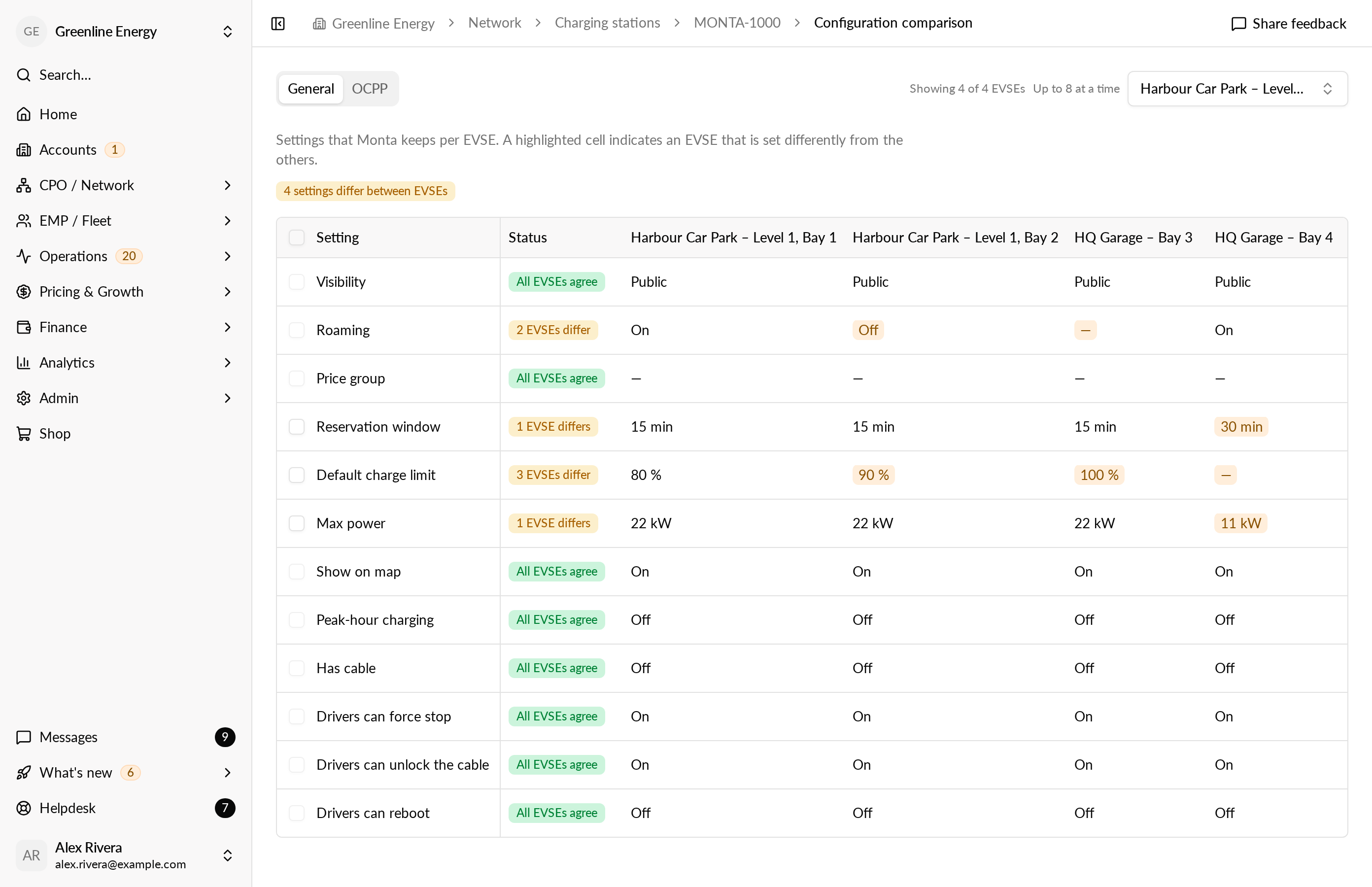
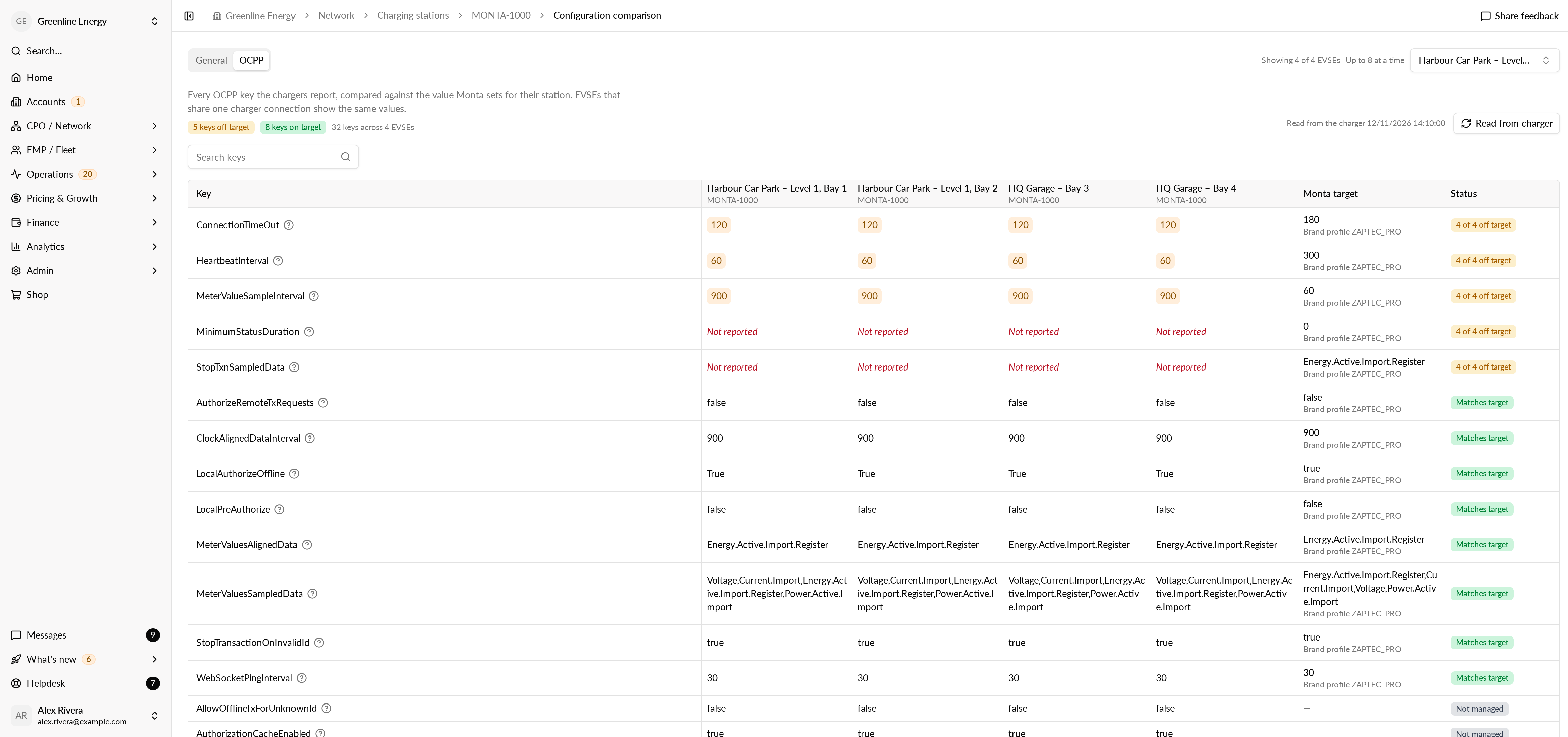
We're working on Configuration compare in Monta Hub. A Compare button on a charging station's page and on a location's page will put up to 8 EVSEs side by side, on two tabs:
- General will show the settings of each EVSE, such as visibility, price group, max power, reservation window and default charge limit. A setting that differs from most of the EVSEs is highlighted. You'll be able to align it, or change a setting for the EVSEs you choose, after a review step that shows what each EVSE is now and what it becomes.
- OCPP will show every OCPP configuration key the charging stations report, checked against the value Monta sets for each station. Keys that are off target come first, and you'll be able to read the latest values from the charging station again.
Roaming will be shown on the General tab, but you'll still change it on the EVSE itself, because turning it on also needs a roaming price group.
Why it matters
When one EVSE was set up by hand, it can behave differently from the one next to it: a different price group, a lower power cap, or an OCPP setting nobody asked for. Configuration compare shows that difference at a glance, so your team can find the cause and fix it.
Who it's relevant for
Operators and support teams who manage charging stations with several EVSEs, or locations with several charging stations.