
New feature
Operator notes on accounts and EVSEs
Keep notes on an account or EVSE that only your own staff can see.
- Stage
- Early access
- Available to all customers
- To be confirmed
- Product
- Monta Hub
- Posted
What's new
Operator notes are now in early access in Monta Hub. Your staff can keep notes on an account or EVSE, and open them from a Notes button in the page header, on every tab of that account or EVSE. The button shows how many notes there are, and opens the latest three.
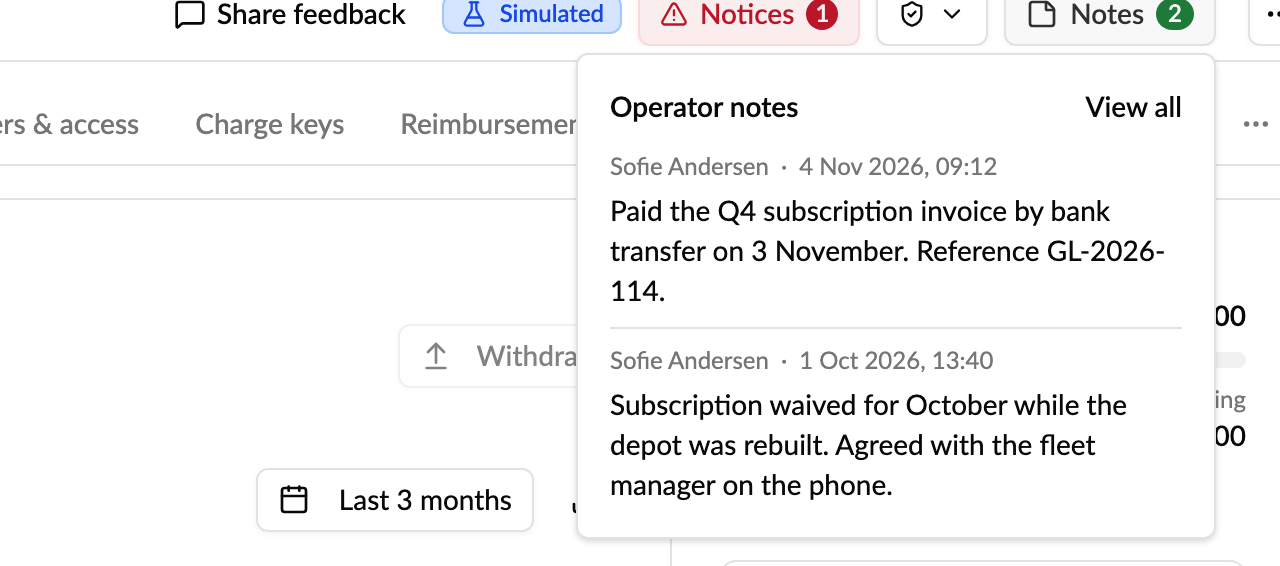
Your staff can:
- See the latest three notes from any tab, with who wrote them and when.
- Add a note of up to 5,000 characters, which records who wrote it and when.
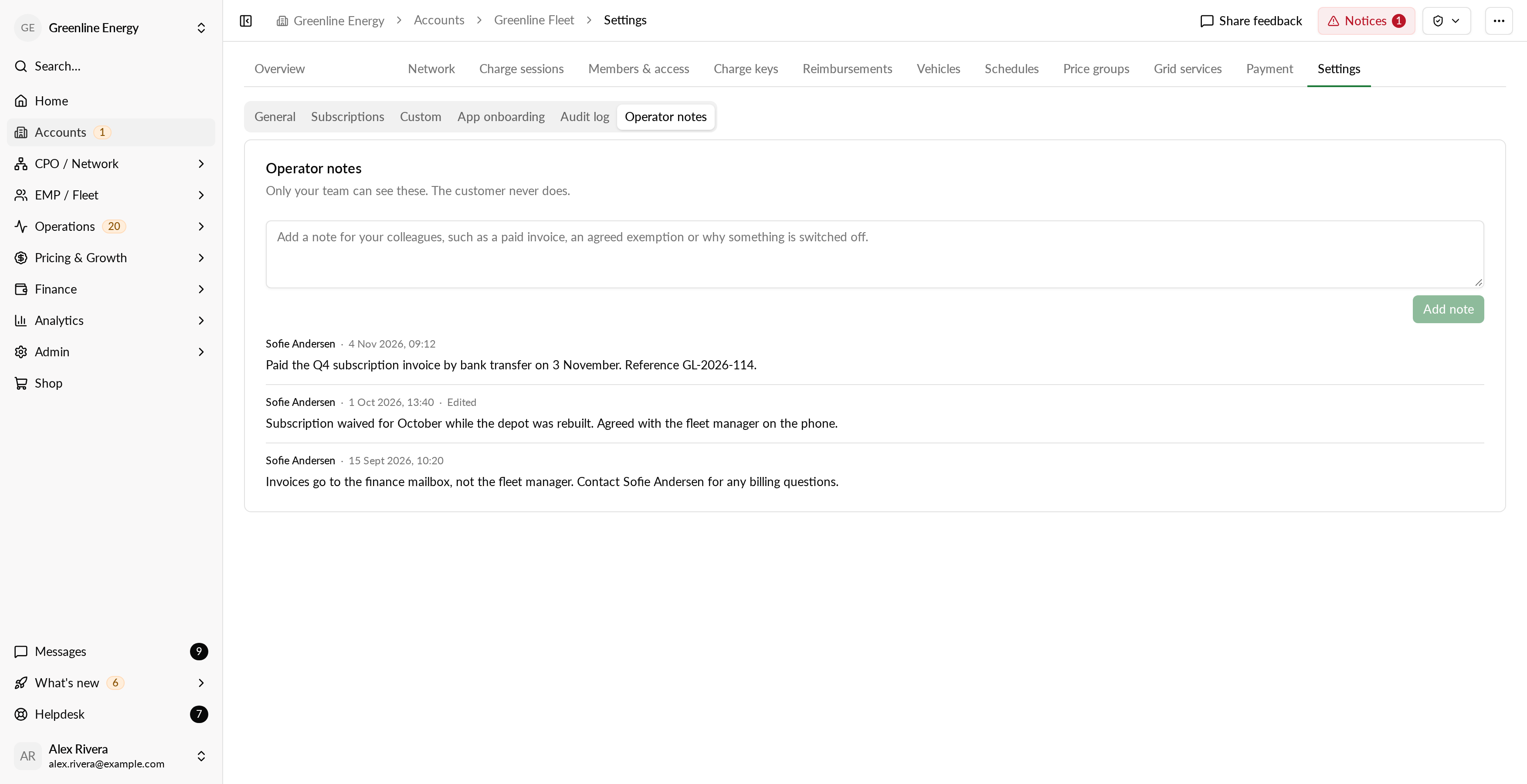
- Read every note on the account or EVSE, newest first.
- Edit or delete their own notes. A colleague's notes stay as they wrote them, and an edited note is marked "Edited".
How to use it
- Open an account or EVSE in Monta Hub.
- Select Notes in the page header to see the latest three notes.
- Select View all to open Settings, Operator notes. If there are no notes yet, the link reads Add note.
- Type your note and select Add note.
Why it matters
Notes such as "paid the Q4 invoice by bank transfer", "exempt from the subscription in December" or "set to inactive until the cable is replaced" no longer have to live on paper or in a shared calendar, where colleagues miss them. The context sits on the account or EVSE it is about, one click away from any tab, without taking space from the page itself.
Who it's relevant for
Operators whose staff share context about their accounts and EVSEs. Operator notes are in early access, so not every operator has them yet. Notes are visible to your own staff, and to the staff of a parent operator. The account's own users and drivers never see them.