
Browse Nearby Charge Points in a List View
- Stage
- Live
- Product
- Monta Charge
- Posted
What's New
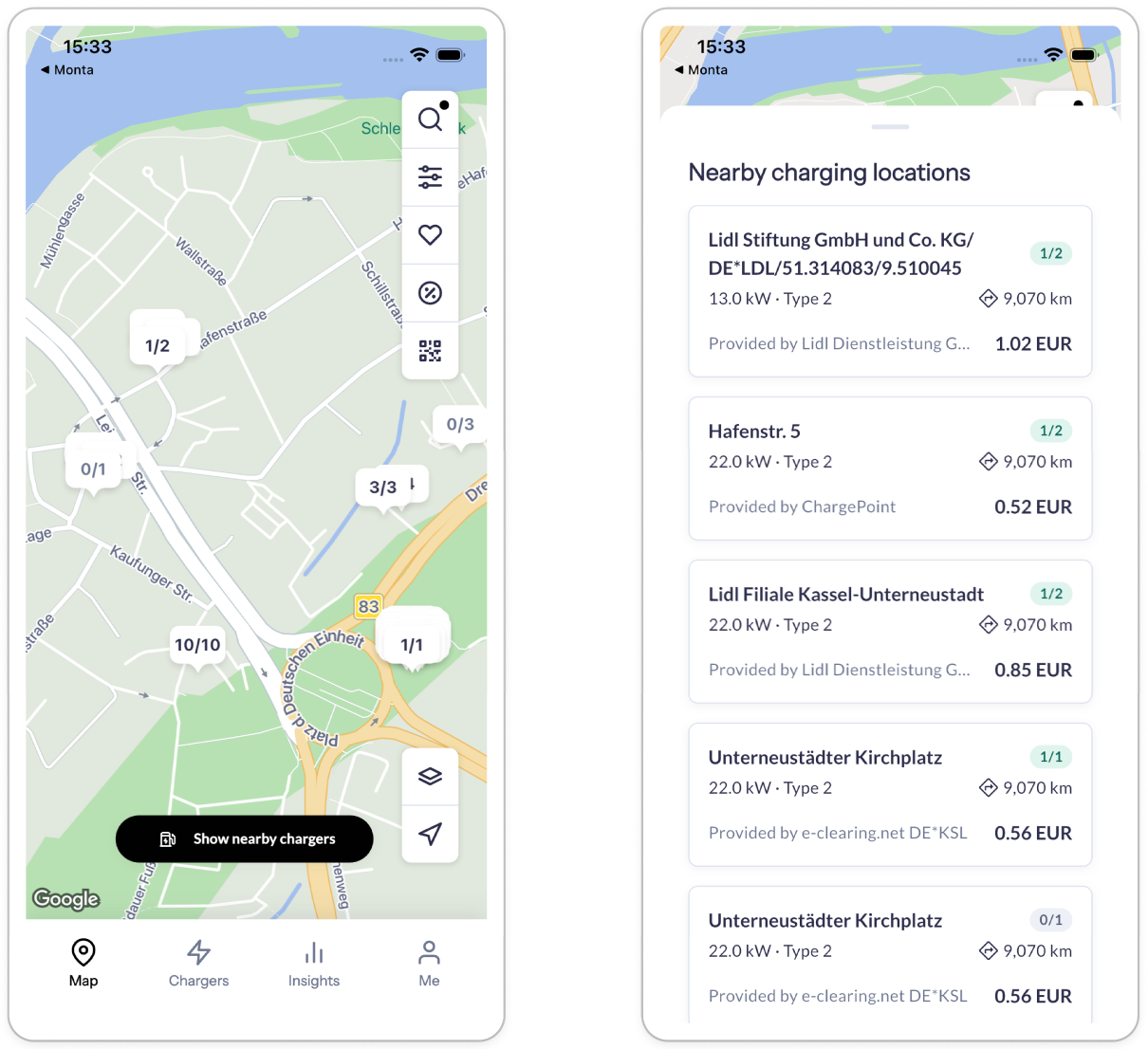
We're introducing a list view for charge points in the Monta app. Alongside the map, your users will be able to browse nearby charge points in a structured list - seeing availability, pricing, connector types, and distance at a glance, without tapping individual map pins.
The list view will show:
- Availability status - See which charge points are free right now
- Pricing - Compare costs before driving to a location
- Connector types - Filter to what works for your users' vehicles
- Distance - Quickly identify the closest options
The list view sits alongside the existing map - drivers who prefer navigating the map can continue doing so.
Why It Matters
Finding the right charge point today often means tapping through multiple map pins one by one. A list view lets your users scan and compare options at a glance, reducing the friction between opening the app and starting a charge.
For operators with multiple locations, this also means your sites are easier to discover and compare - increasing the likelihood drivers choose your network.