Improvement
Capped charging subscription discounts
A charging subscription discount can now carry a Budget cap, so a percentage never gives away more than a set amount per driver.
- Stage
- Live
- Products
- Monta Hub, Operator API
- Posted
What's new
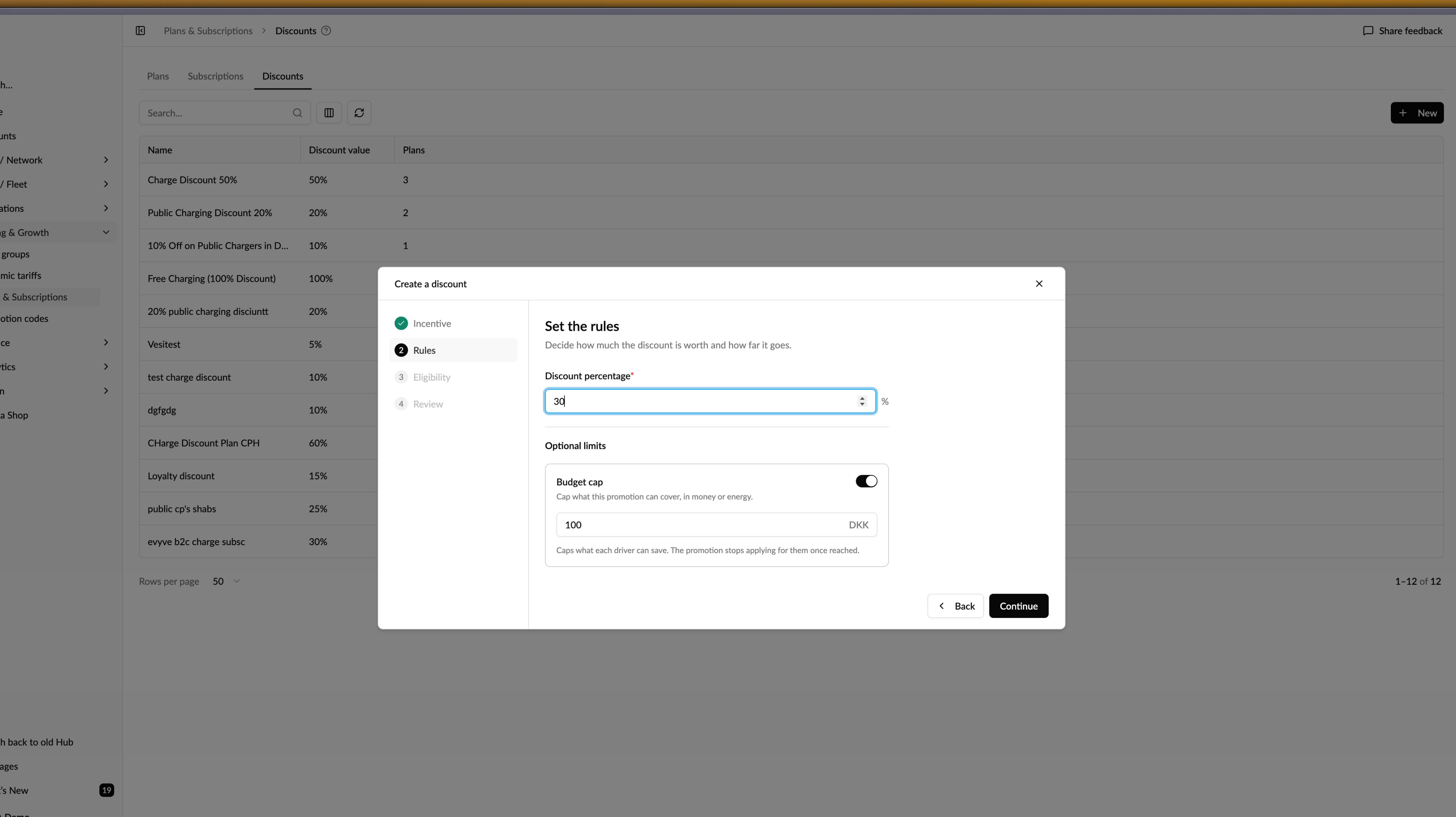
Charging subscription discounts can now carry a Budget cap. Set a maximum in your currency or in kWh, and a percentage discount will never give away more than that amount per driver. Once a driver reaches the cap, the discount stops applying for them and their charging is priced normally.
Creating a discount now walks you through four steps — Incentive, Rules, Eligibility, Review. Editing an existing discount runs through the same four steps, so what you set up is what you come back to. The Budget cap sits under Rules, next to the percentage.
And yes, of course, this is also available via the Operator API.
Why it matters
Until now a charging subscription discount was a bare percentage with no ceiling, so what it cost you depended entirely on how much each subscriber charged. A heavy user on a 30% discount was an open-ended commitment. A cap turns that into a number you can budget for per driver, without giving up the percentage model your subscribers already understand.
Who it's relevant for
Operators selling charging subscriptions with a percentage discount attached to a plan.
How to use it
- Go to Pricing & Growth → Plans & Subscriptions → Discounts and click New.
- Name the discount on Incentive.
- On Rules, set the discount percentage, then turn on Budget cap and enter the maximum per driver in your currency or in kWh.
- Choose who the discount applies to on Eligibility, then confirm everything on Review before it goes live.