
Improvement
Apply a price group to whole accounts, lists and more
Bulk-apply price groups — including your global price groups
- Stage
- Early access
- Available to all customers
- To be confirmed
- Product
- Monta Hub
- Posted
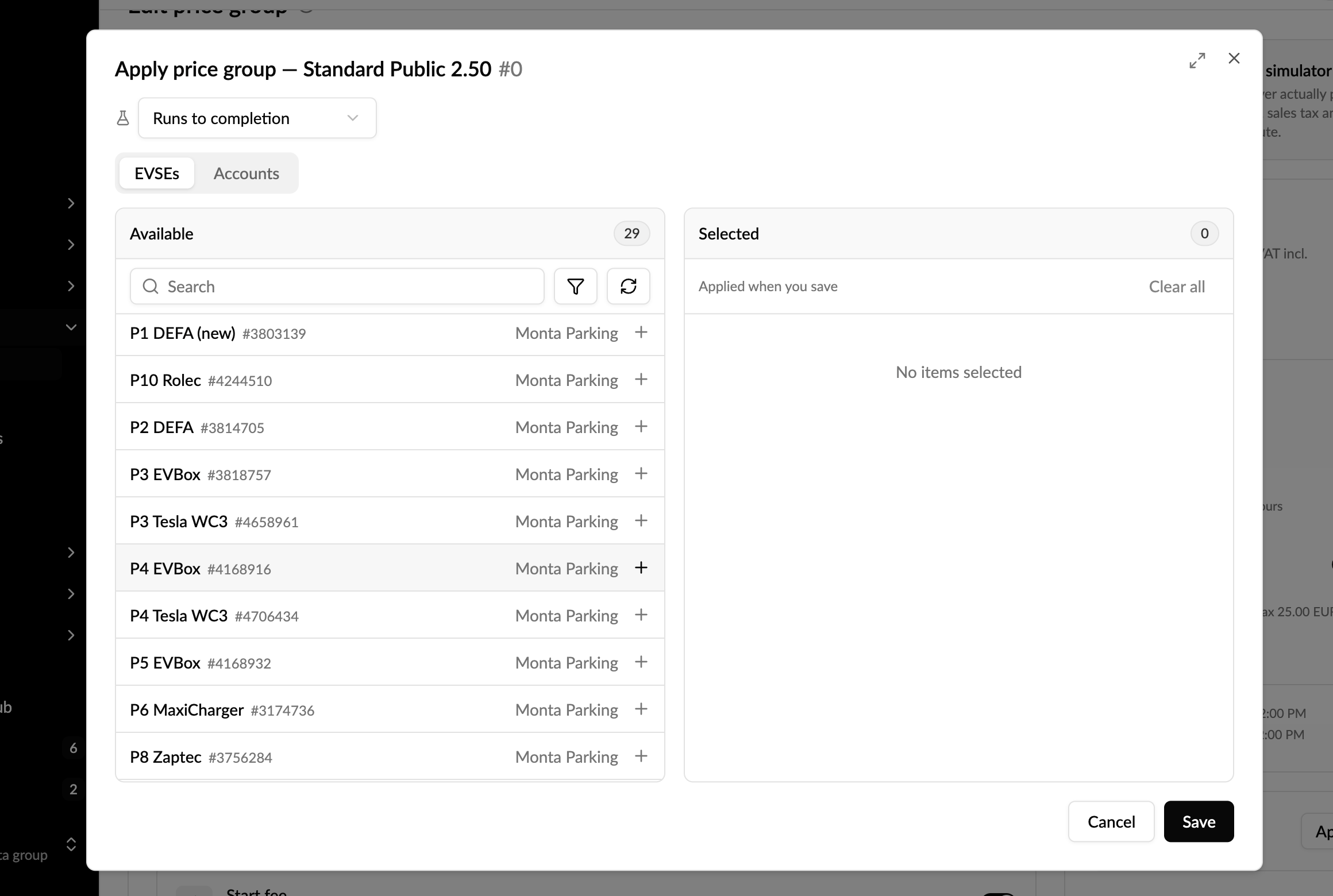
What's new — apply a price group to many charge points in one action, instead of one by one.
You can now apply a price group to a whole account, a saved list, a member group, a site, or hand-picked EVSEs — including your operator-owned (global) price groups, which previously could only be added to chargers individually.
-
Whole accounts & lists — price thousands of charge points at once; large lists are resolved in full, with no silent cut-off.
-
Global price groups — apply across all your accounts, including your sub-operators'.
-
Runs in the background — start it and close the tab; you get a message in your Hub inbox when it finishes.
-
Review before you apply — a per-account summary shows how many EVSEs are moving onto the price group versus already on it.
-
Right price, every type — public, cost, roaming and sponsored price groups each set their own price; applying one never touches the others.
-
Undo — an apply can be reverted.
Activate it in Release channel
Learn more in the Help Center