
All updates
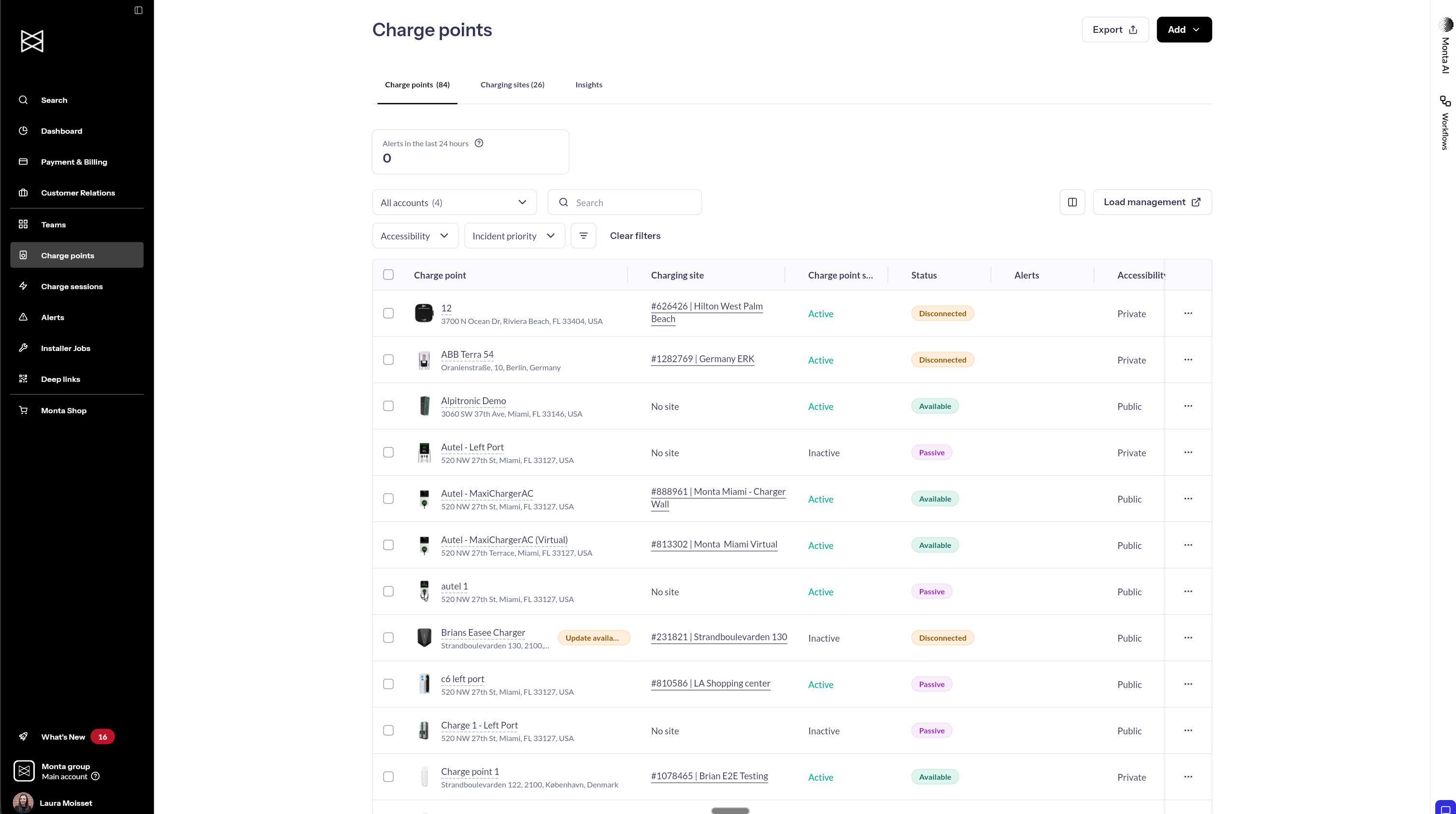
Column Selection & Better Filters in Monta Hub
- Stage
- Live
- Product
- Monta Hub
- Posted
What's New
We're improving how your team works with tables in Monta Hub:
Column Selection
- Show or hide columns to focus on what matters
- Search to quickly find specific columns
- Available on Charge points and Teams tables
Better Filters
- Select multiple values at once (e.g., filter charge points by both "Disconnected" and "Faulted" status in one view)
- Active filters clearly visible as chips
- One-click "Clear filters" to reset your view
- Consistent filtering across charge points, teams, sessions, and audit logs
Full-Width Tables
- Tables now use the full width of your screen on larger displays
Why It Matters
Spot issues faster. Identify public charge points with high incident priority in seconds, filter charge sessions by "Failed" to see problem sessions at a glance, or filter by connection status to find charge points needing attention—all without scrolling through your entire network.
Coming Next
We're continuing to expand filtering and table options, including:
- Filter by user ID
- Filter by charge point model
- More columns and filter attributes across tables
- Connect Monta AI to filters