
New feature
Spending limits for your drivers
Cap how much your drivers spend, how often they charge, what price they pay and when
- Stage
- Early access
- Available to all customers
- To be confirmed
- Product
- Monta Hub
- Posted
What's new
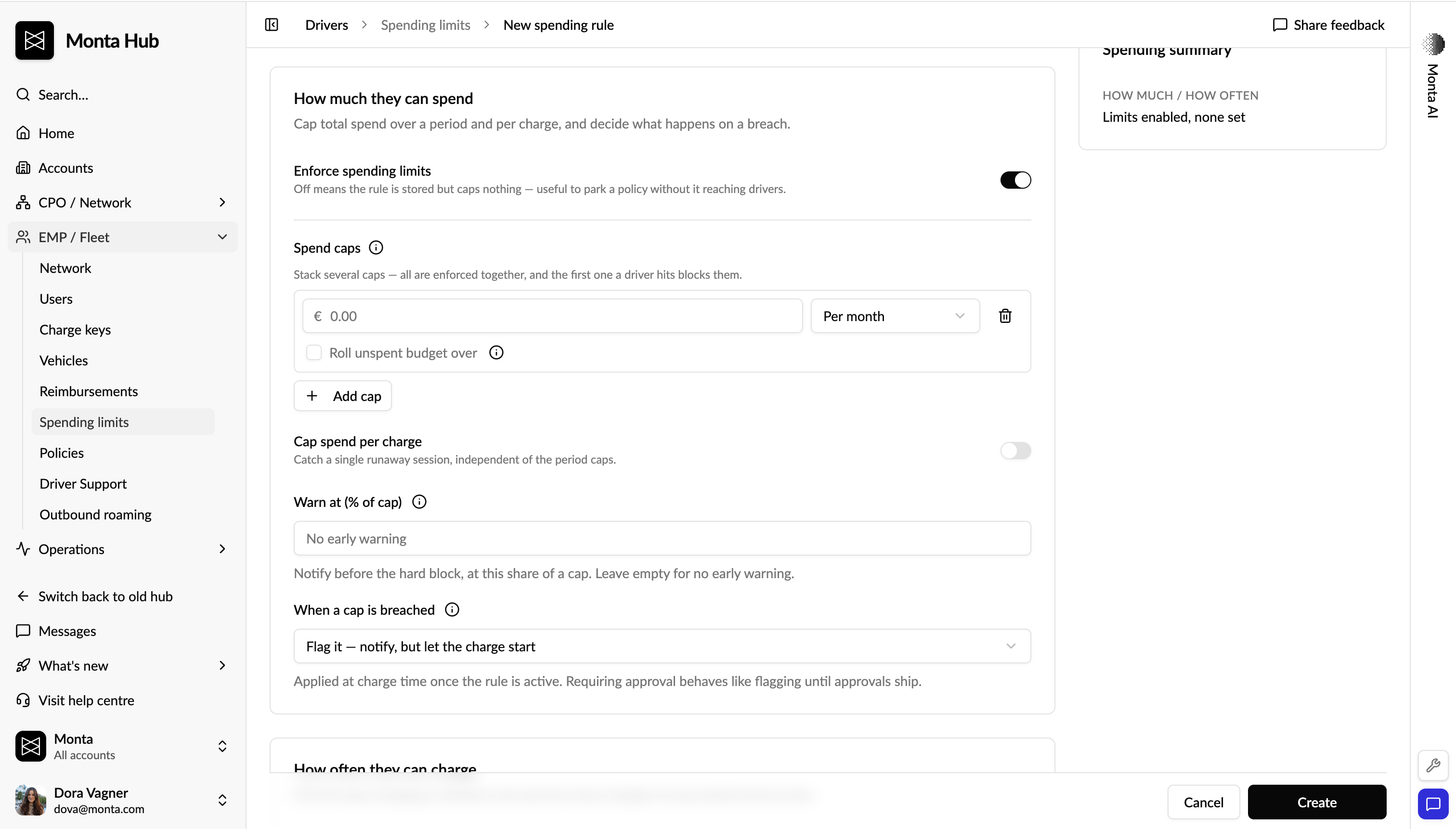
Spending limits let you put guardrails on how your drivers charge — how much they can spend, how often they can charge, what price they may pay, and when they can charge. You build a reusable spending rule once and assign it to the accounts, drivers, vehicles or charge keys it should govern. A rule can combine any of the four dimensions below, and each one is optional.
-
How much — total spend per period plus a cap on any single charge, for example €300 per 30 days, €50 per day, €60 per charge. You decide which cost components count: energy, minimum price, idle fee and session fee.
-
How often — number of charges per period and number of simultaneous charges, for example 4 charges per day, 1 at a time.
-
What price — maximum price per kWh, set separately for AC and DC, plus caps on session fee and idle fee.
-
When — which weekdays charging is allowed, measured in the driver's local timezone.
Caps can be measured over a calendar period or a rolling window, and multiple caps stack — a charge is refused as soon as any one of them is reached. As you build a rule, Hub shows a live plain-English summary of what it will do.
Why it matters
Today a sponsored driver can charge without limit. There is no way to bound what they spend, how often they charge, or what they pay per kWh — which means runaway costs, unpredictable monthly spend, and no protection against one expensive fast-charge draining a budget or an abusive repeat pattern going unnoticed. Spending limits turn that into a budget you configure once and apply wherever it belongs, with refusals recorded so you can explain afterwards why a charge was stopped.
Who it's relevant for
Fleet operators and employers who sponsor charging, and the finance teams that own the budget.
How to use it
-
Go to EMP / Fleet → Spending limits in Hub and select New to create a spending rule.
-
Turn on the dimensions you need (spend, frequency, price or weekdays), set each cap and the period it is measured over (daily, weekly, monthly or rolling 30 days), and choose which cost components count toward your spend caps.
-
New rules are saved as drafts. Activate a rule to start enforcing it at charge time.
-
Apply the rule to the accounts, drivers, vehicles or charge keys it should govern, or attach it to a policy. A rule limits nobody until it is activated and applied.
Availability
Available now in early access.
Where to find it
Hub → EMP / Fleet → Spending limits.