New feature
See who has access to your operator, and remove people who have left
A dashboard overview to navigate your members in one place and revoke access for people who are no longer with your organisation.
- Stage
- Live
- Product
- Monta Hub
- Posted
As people join and leave your organisation, access to your operator builds up: leavers who still have a login, admins who never signed in, invites that were never accepted. It has been hard to see who should still have access.
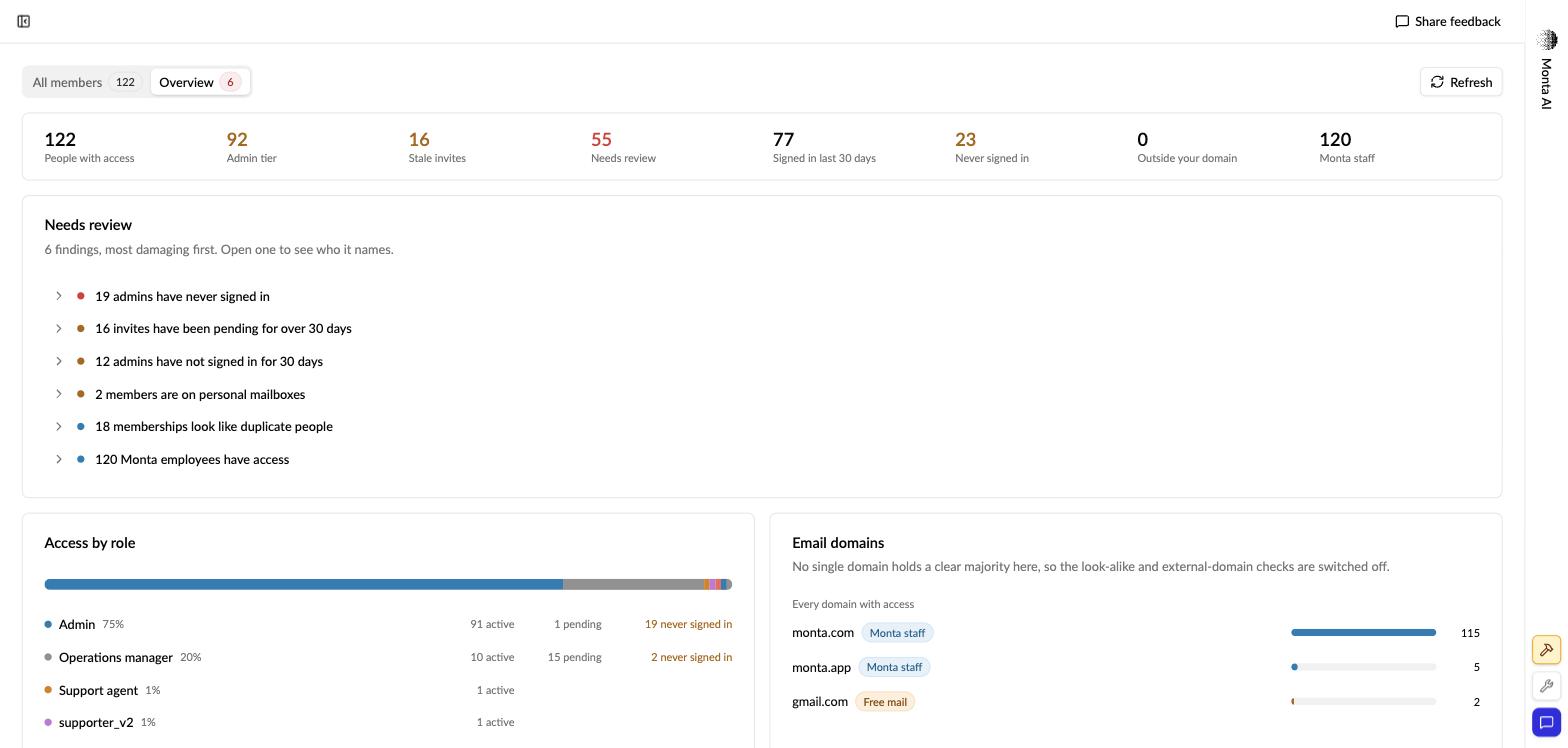
Under Admin → Members → Overview you now get one place to navigate everyone with access to your operator. It puts the access worth reviewing first (people who have left, stale invites, admins who never signed in, personal email addresses instead of company ones, and look-alike duplicates) so you can spot who no longer belongs and revoke their access in a few clicks. Alongside it, you get a breakdown of access by role and by email domain.
Overview surfaces what needs review. The All members tab is where you manage everyone day to day: search and filters, single or bulk invite, per-member role and access-expiry, and bulk set-role, set-expiry and remove.