Improvement
Show roaming prices in your app without the Monta fee line
Operators that sell charging in their own name can now keep Monta's share out of what drivers read. The price stays the same.
- Products
- Monta Hub, Monta Charge, White Label
- Posted
What changed
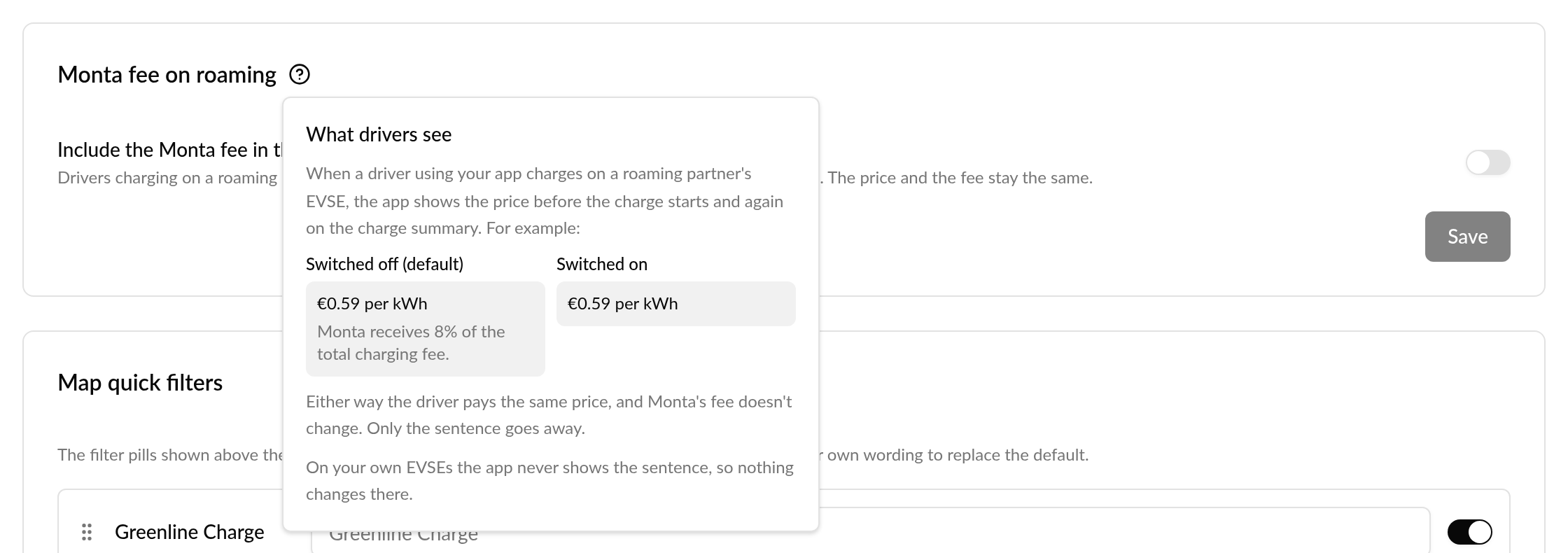
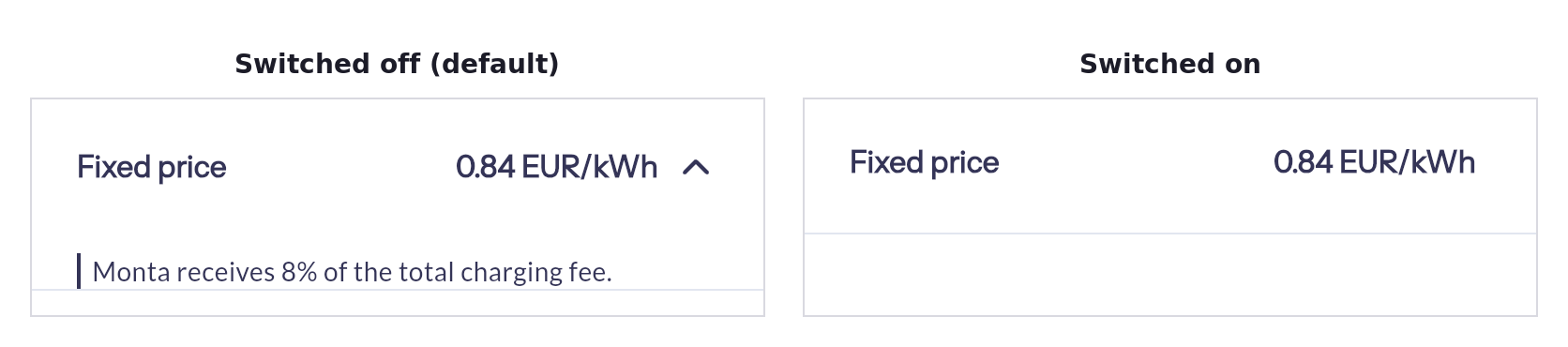
Until now, when a driver using your app charged on a roaming partner's EVSE, the app added a line saying what Monta receives of the price, on the start-charge screen and on the charge summary. Now you can switch that line off for your app, so drivers see the price alone.
Your existing setup stays as it is: the line keeps showing until you switch it off.
Only the line changes. The price drivers pay and the fee Monta charges stay the same, and drivers see the change within a few minutes, without an app update.
Why it matters
When you sell charging in your own name, your drivers have no agreement with Monta, so a line naming Monta's share of the price can confuse them. With it switched off, drivers see one price, from the company they charge with.
Who it's relevant for
Operators with their own white-label app whose drivers charge on roaming partners' EVSEs. Your own EVSEs never showed the line, so nothing changes there.
How to use it
- In the Hub, open Admin, then Mobile app under Branding & apps.
- On the Monta fee on roaming card, switch on Include the Monta fee in the price.
- Select Save.
The question mark beside the card's title shows what drivers see with the switch off and on. Admins of your operator can change the setting.