
New feature
See what reimbursing an EVSE costs before you set it up
Hub shows which subscriptions a reimbursed EVSE counts towards, the price per EVSE and who is billed, before you invite or approve.
- Stage
- Early access
- Available to all customers
- Product
- Monta Hub
- Posted
What's new
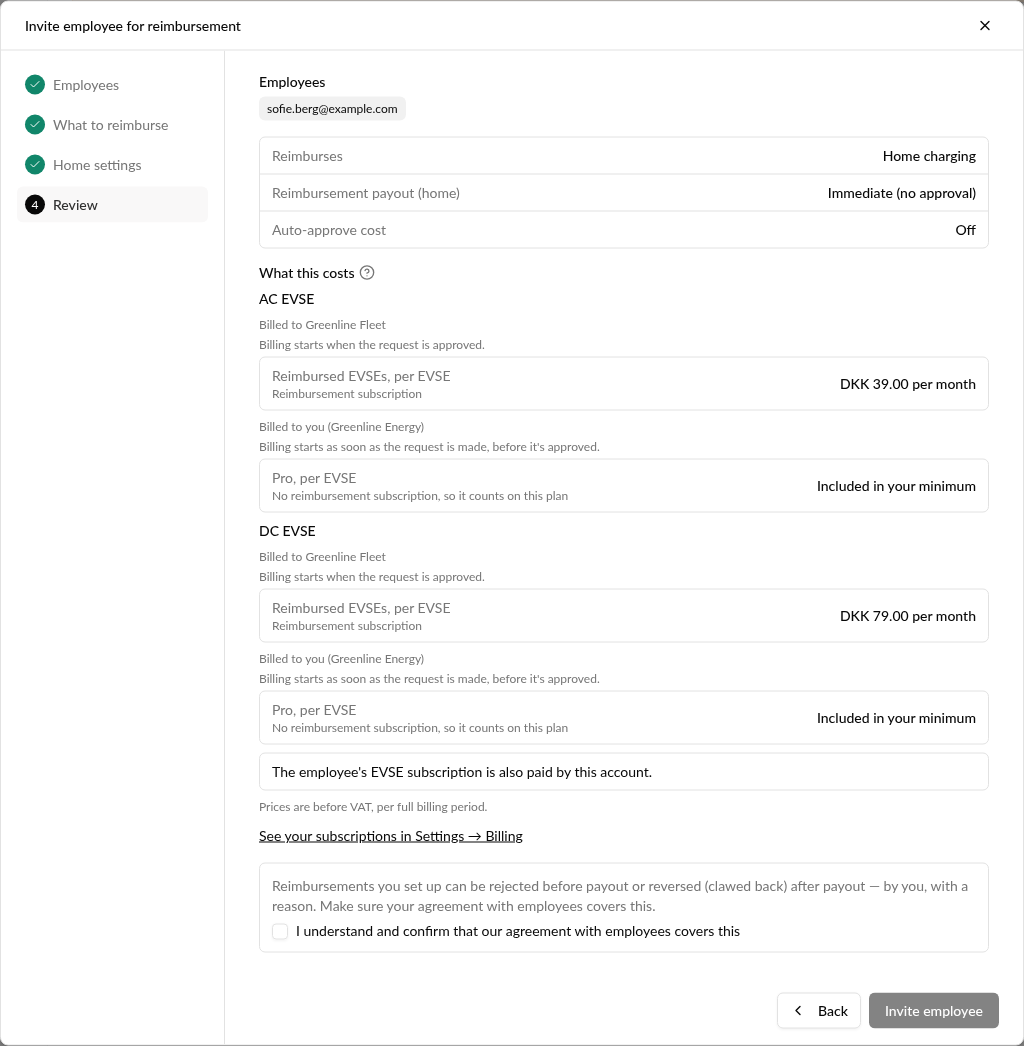
When you invite an employee for home reimbursement, or approve a waiting reimbursement request, Hub now shows a "What this costs" summary before you confirm. It lists each subscription the reimbursed EVSE counts towards, its price per EVSE and billing period, who is billed and when billing starts. Under each line it says whether the EVSE counts on a reimbursement subscription or on another plan, such as Business or Enterprise.
Why it matters
Until now, the cost of a reimbursed EVSE first showed up on the next invoice. Now you see it at the moment you decide, so the subscription units on your invoice are no surprise and your team asks support fewer questions about them.
Who it's relevant for
Operators and account admins who set up home reimbursement for employees in Hub. Account admins see only what their own account pays.
How to use it
- Open an account's Reimbursements tab and select "Invite employee", or open a waiting request.
- Go to the review step, or scroll to just above "Apply & approve".
- Read "What this costs". Hover the help icon next to it to see how a reimbursed EVSE is billed.
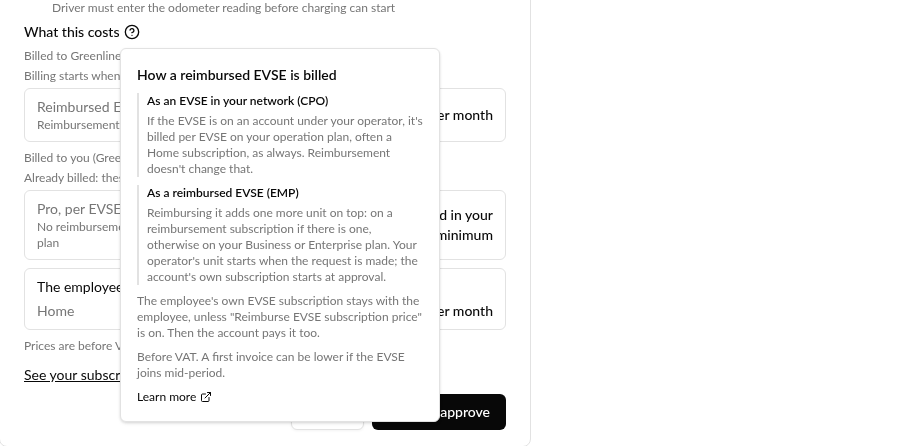
Prices are shown before VAT, per full billing period. The summary is information only and never blocks an invite or an approval.
Availability
Available now in early access to all operators. Switch on "Reimbursement cost preview" in Hub's list of early access features to try it.