
New feature
Let account owners set their electricity cost without editing cost groups
A separate account template setting decides who can enter the electricity cost of their own EVSEs in the app.
- Stage
- Live
- Products
- Monta Hub, Monta Charge
- Posted
What's new
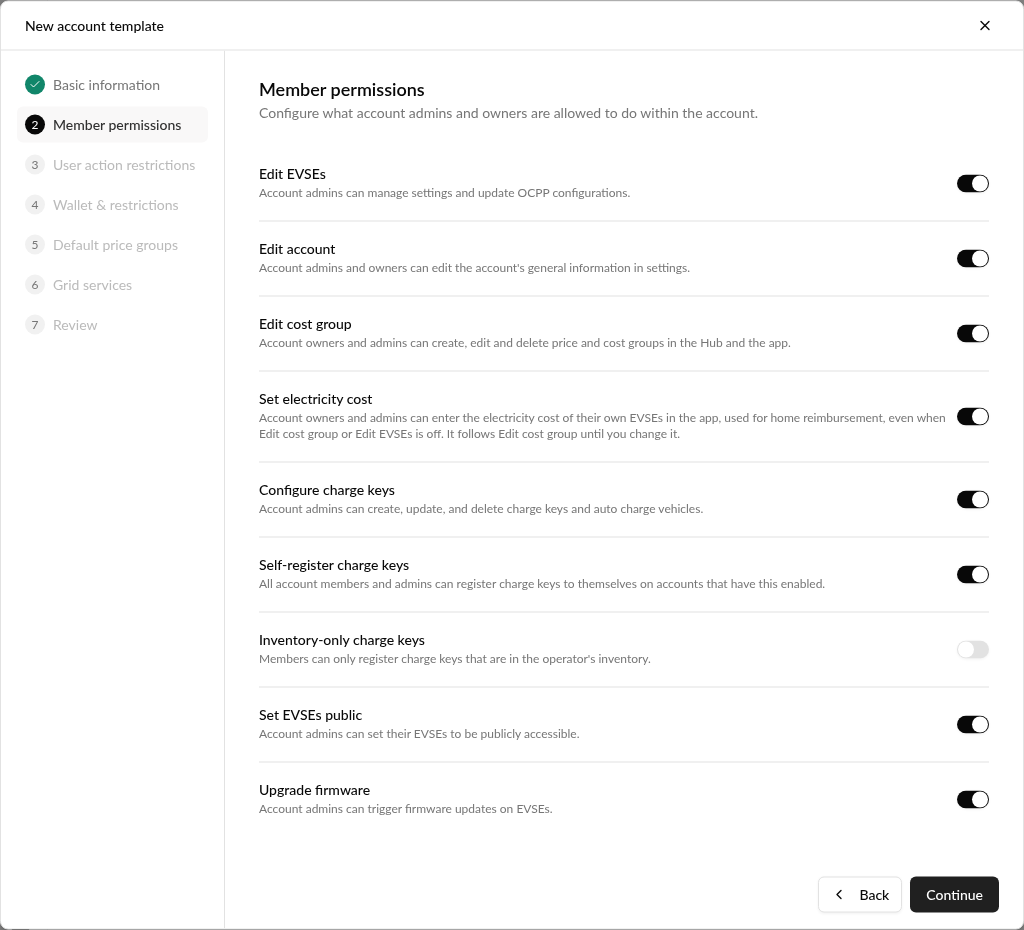
Account templates in Monta Hub now have a "Set electricity cost" setting next to "Edit cost group". You can let account owners and admins enter the electricity cost of their own EVSEs in the Monta app, while "Edit cost group" decides on its own whether they can create, edit and delete price and cost groups in Monta Hub and the app.
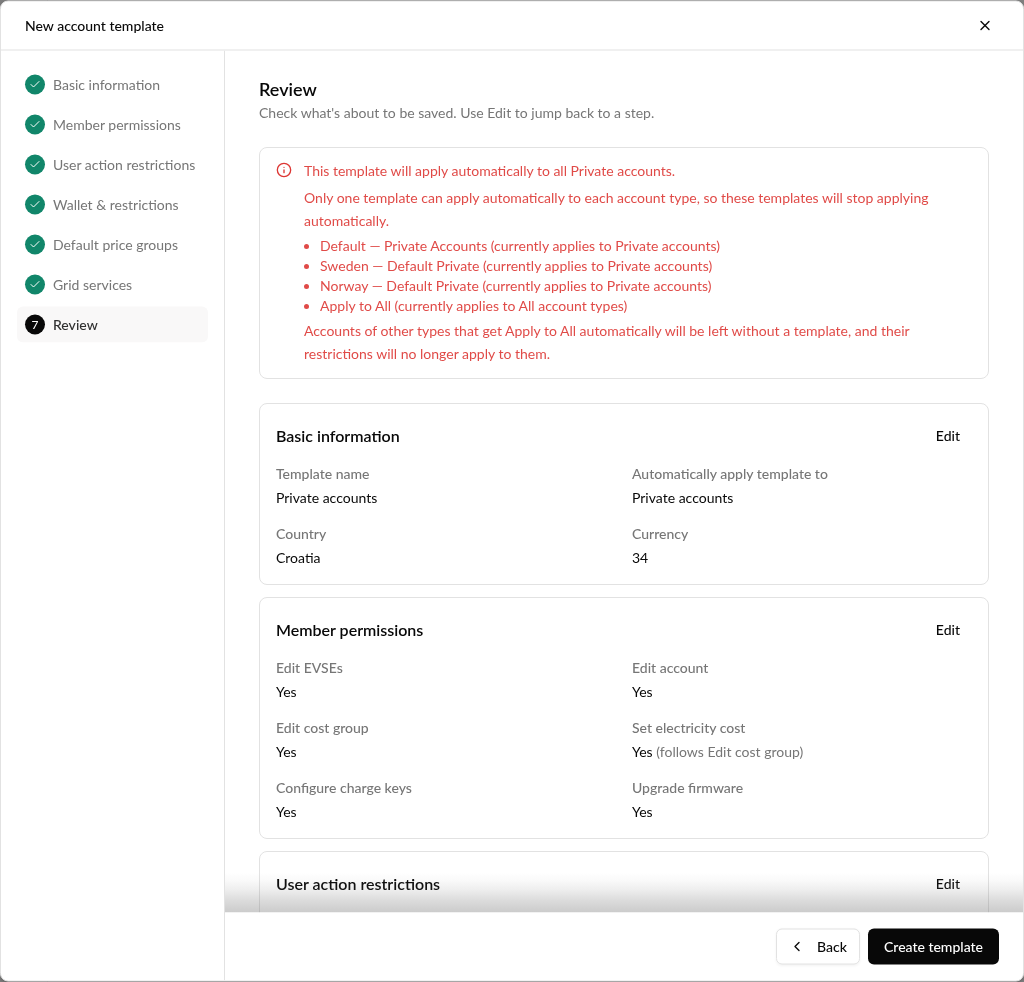
Your existing templates stay as they are. Until you change "Set electricity cost" on a template, it follows that template's "Edit cost group".
Why it matters
If you reimburse home charging, your customers can enter their own electricity price for reimbursement while price and cost groups stay locked for them in both Monta Hub and the app. You no longer have to choose between allowing both or blocking both.
Who it's relevant for
Operators that use account templates for accounts with home charging reimbursement.
How to use it
- In Monta Hub, open Account settings and edit a template on the Templates tab.
- On the Member permissions step, switch on "Set electricity cost".
- Switch off "Edit cost group" if account owners and admins should not manage price and cost groups.
- Save the template.
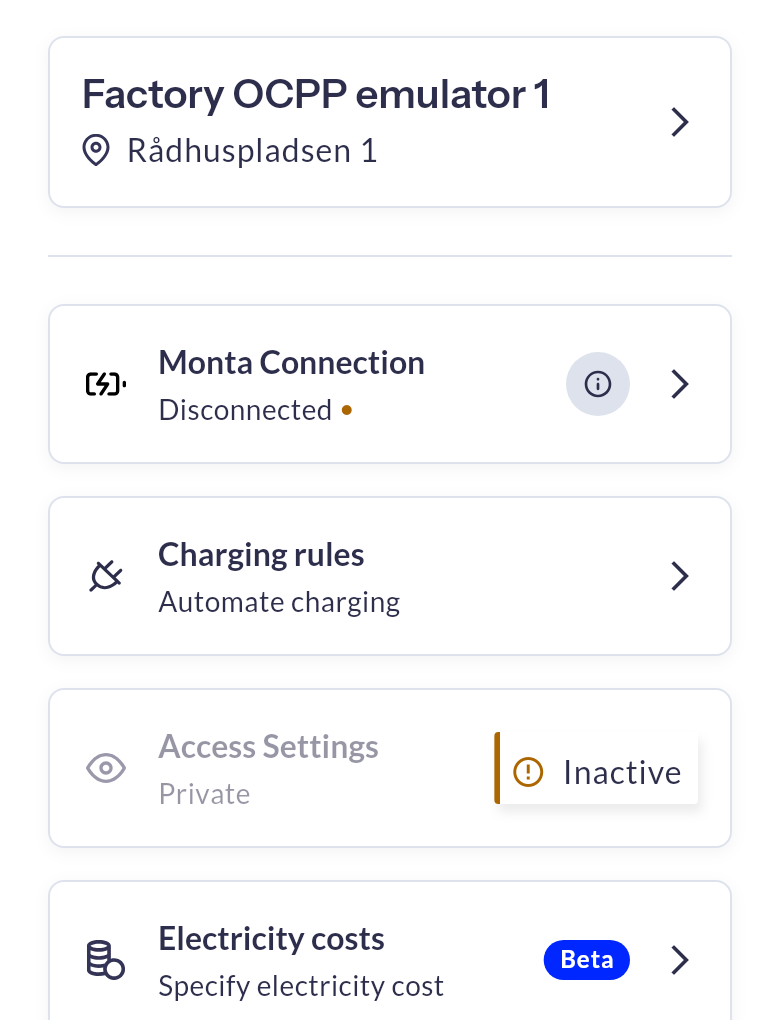
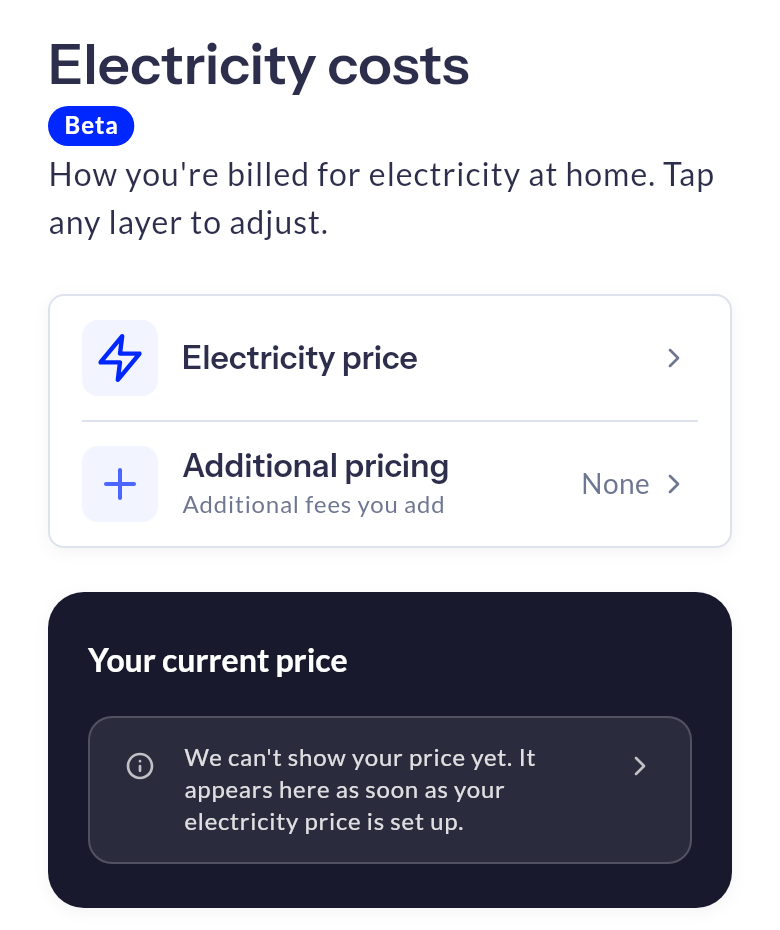
In the Monta app, account owners and admins then open their charger's settings and tap Electricity costs to enter their electricity price.
Availability
The setting is available in Monta Hub now. Account owners and admins get it in the Monta app from version 2.105.0. On older app versions, the Electricity costs screen keeps following "Edit cost group" until they update.