New feature
Request a charging station integration from the Hardware Portal
Send Monta a new charging station model from inside the portal, save it as a draft and follow its status.
- Stage
- Live
- Product
- Hardware Portal
- Posted
What's new
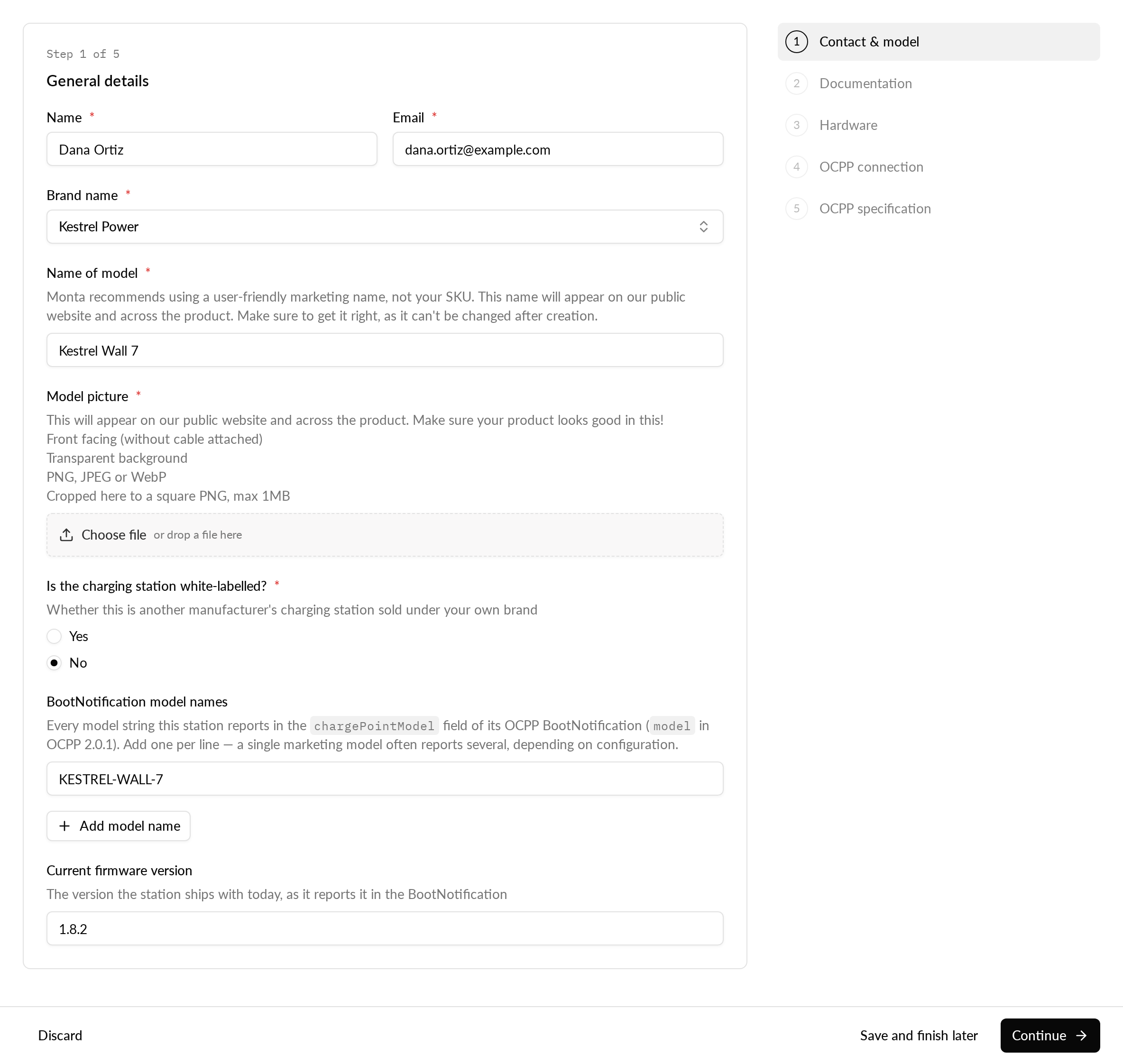
You can now ask Monta to integrate a charging station model from inside the Hardware Portal. A five-step form covers the model, its documentation, its hardware, its OCPP connection and its OCPP specification.
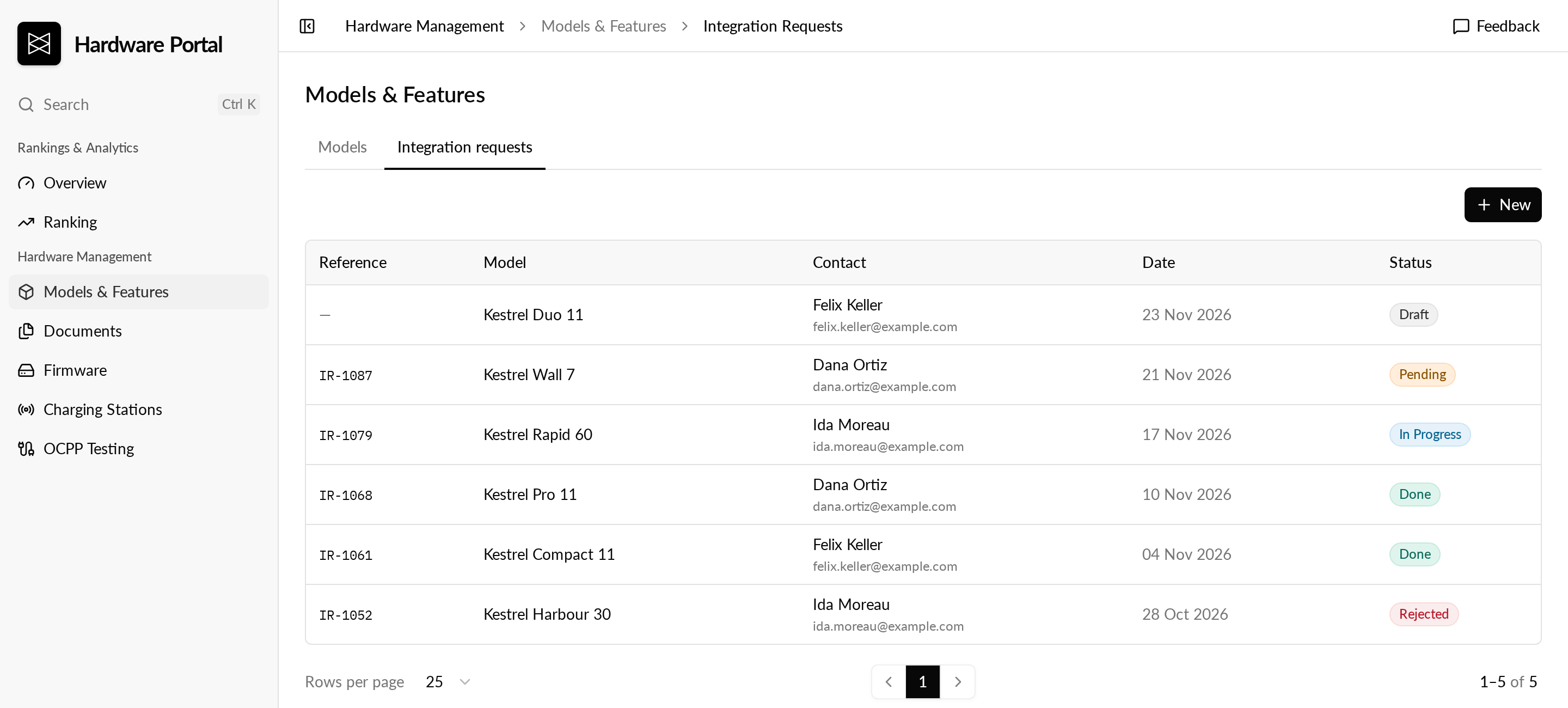
Each request gets a reference that starts with "IR-" and a status you can follow: "Pending", "In Progress", "Done" or "Rejected". Everyone with access to your brand sees its requests and the drafts still being filled in.
Why it matters
A request comes from your signed-in account, with your name and email already filled in. The form asks for the documents Monta needs to integrate and test the model, such as the error codes and the OCPP setup guide, so the request is complete from the start.
Who it's relevant for
Manufacturers who want Monta to support a new charging station model.
How to use it
- Open "Models & Features" and go to the "Integration requests" tab.
- Select "New".
- Fill in the five steps. To finish later, select "Save and finish later" and pick up where you left off on any device.
- Submit the request, then follow its status in the "Integration requests" table.