
All updates
Improvement
Alert Source Filters for Alert Groups
- Stage
- Live
- Product
- Monta Hub
- Posted
What's New
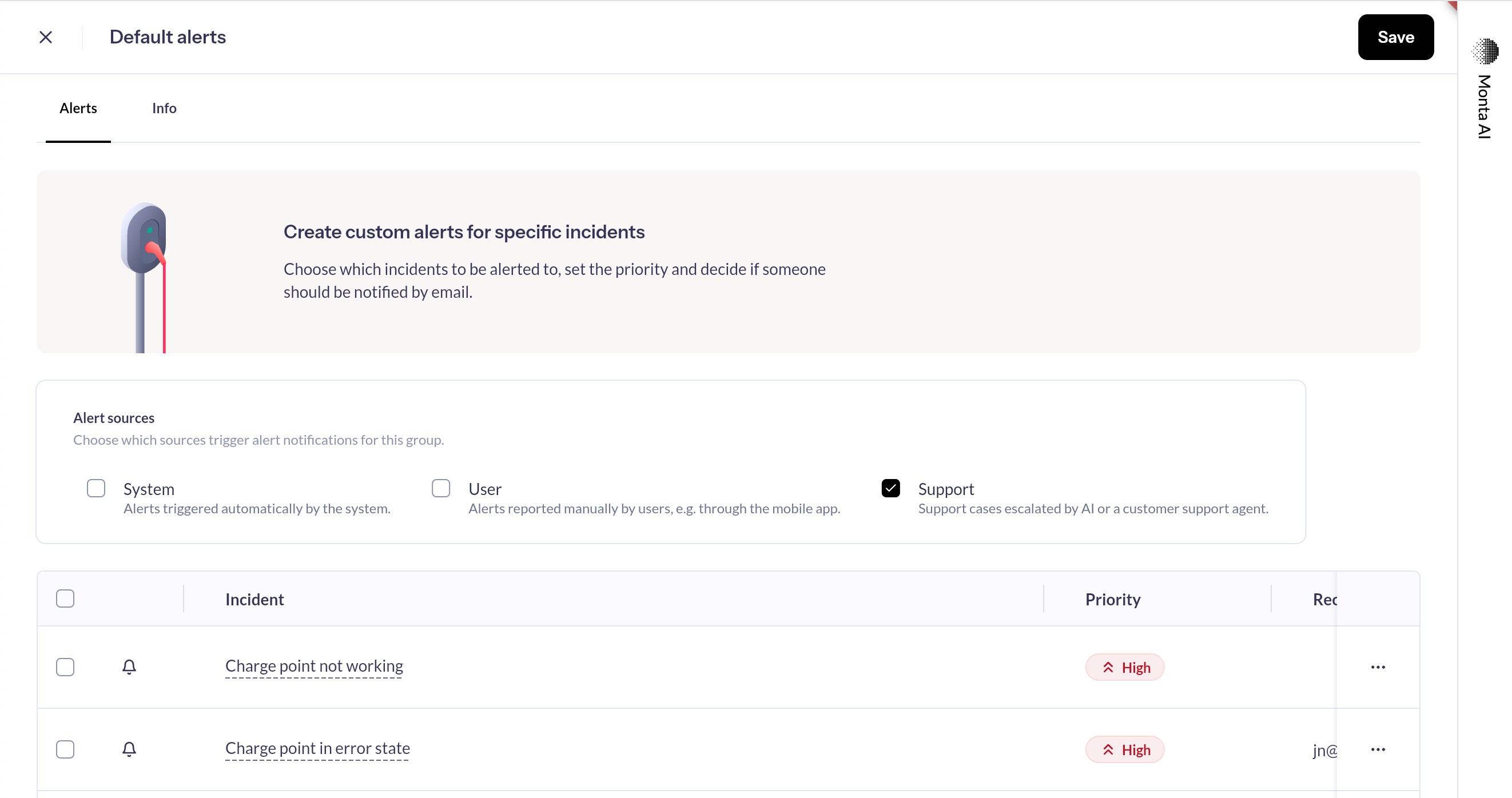
You can now control which alert sources trigger notifications for each of your alert groups. A new "Alert sources" section on the alert group edit screen lets you enable or disable notifications by source:
- System — alerts triggered automatically by the system (e.g. disconnections, errors)
- User — alerts reported manually by drivers through the mobile app
- Support — support cases escalated by AI or a customer support agent
All sources are enabled by default, so your existing alert groups continue to work as before. Simply uncheck a source to stop receiving notifications from it. We have also increased the loading performance of the Alerts overview significantly.
Why It Matters
This gives your team finer control over which alerts reach their inbox. If your operation only needs system-generated alerts for a particular group of charge points, you can now filter out user reports and support cases — reducing noise and helping your team focus on what matters most.