
New feature
See which charge keys roaming partners refuse, and why
A Roaming conflicts tab on Charge keys and a Roaming partners tab on each key show when an RFID UID clash stops a key working on partner networks.
- Stage
- Early access
- Available to all customers
- Product
- Monta Hub
- Posted
What's new
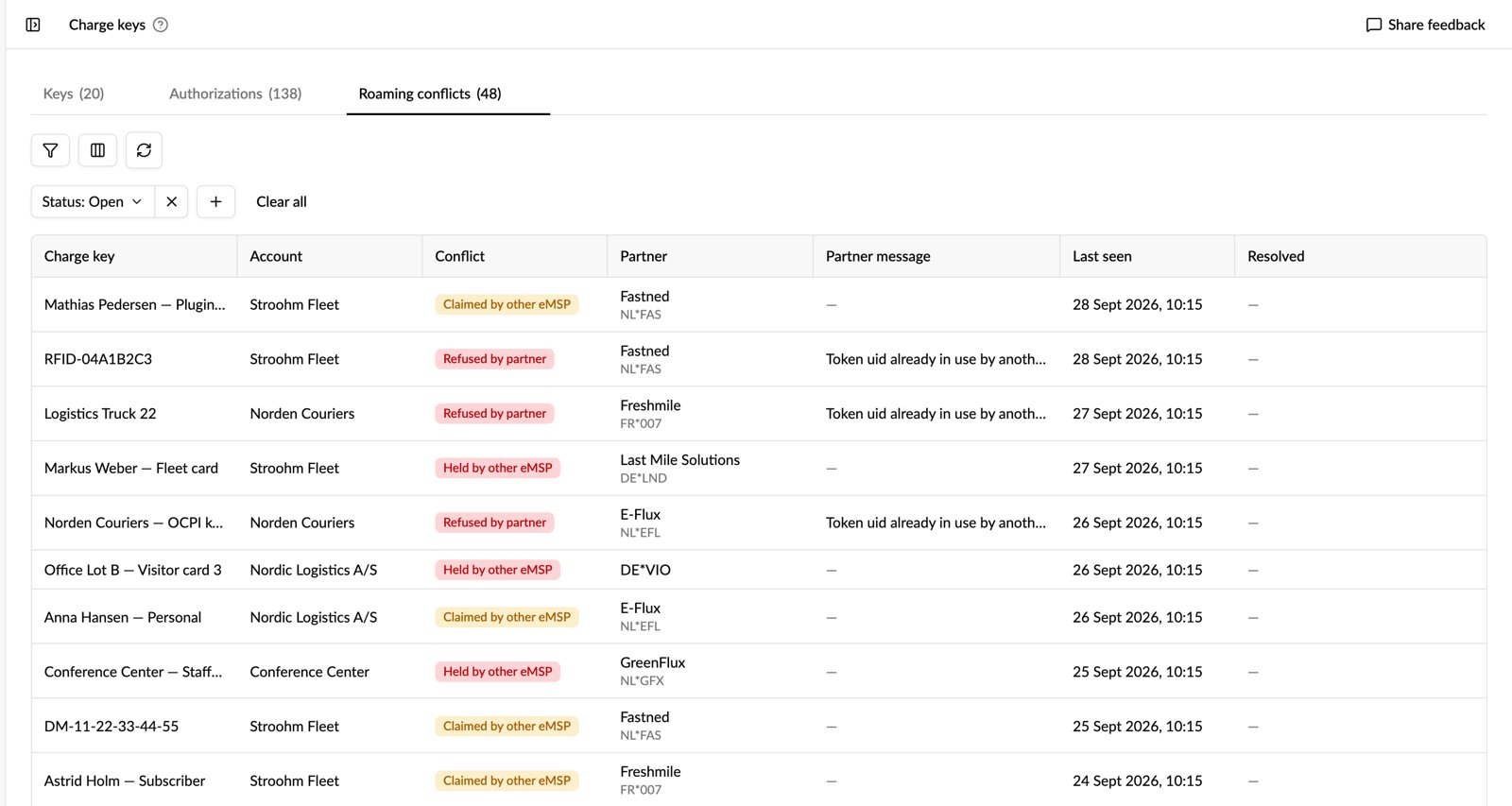
Available now in early access: Hub shows when a charge key's RFID UID is in conflict on roaming networks, and what that means for the key. A new Roaming conflicts tab on Charge keys lists every open conflict across the keys in your selected accounts. A new Roaming partners tab on each key shows whether every roaming partner accepted it, with the partner's last error.
Why it matters
A charging station only reads a card's RFID UID, so each network can link a UID to just one eMSP. When another eMSP holds the same UID, your key is refused on partner networks, and until now nothing in Hub told you why. Your support team can now answer "my card works at home but not on partner X" in Hub, and see which keys aren't reaching partners at all.
Who it's relevant for
Operators who issue charge keys that drivers use on roaming partner networks.
How to use it
- Open Charge keys (EMP / Fleet) and select the Roaming conflicts tab.
- Filter by status, conflict type, partner or account. For example, pick a partner to see every key it refused.
- Select a row to open the key's Roaming partners tab. It shows each partner's status (Accepted, Retrying, Rejected, UID conflict or No data), when the key was first and last accepted, and what the partner sent back.
- After you change a key, use Push to partners to send it to every partner again.
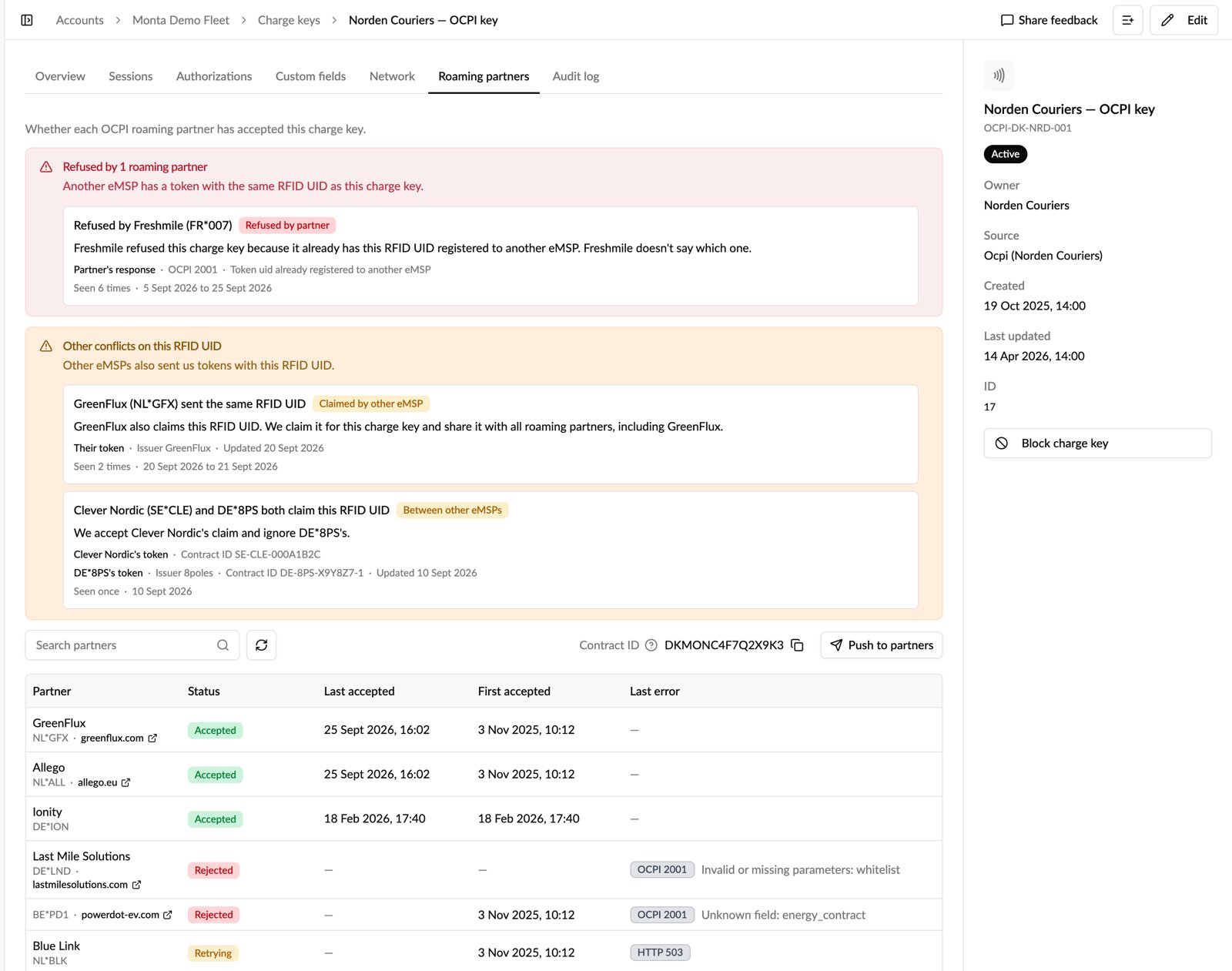
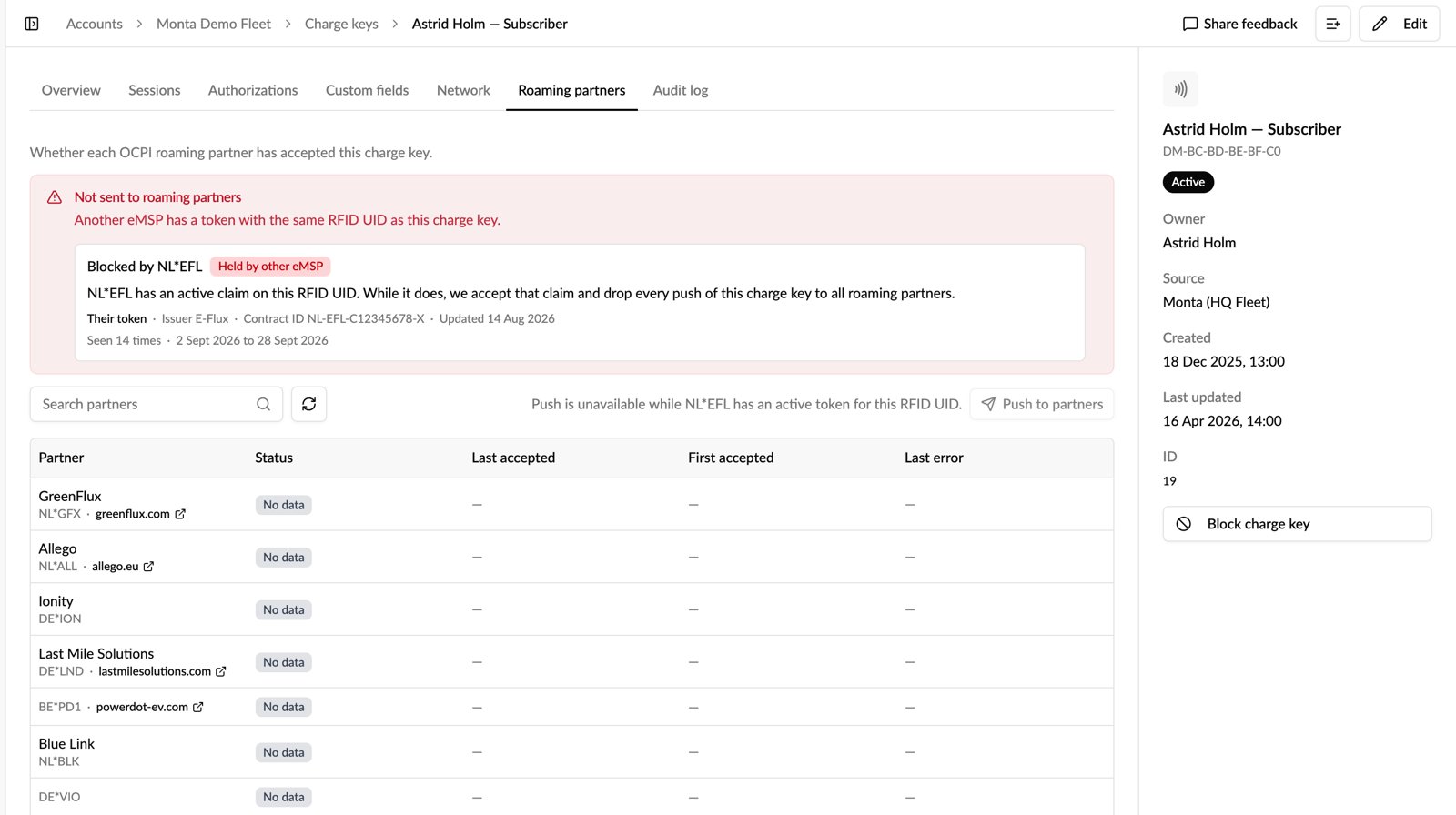
Each conflict is labelled by who holds the RFID UID. Held by other eMSP means another eMSP holds it, so the key isn't sent to any partner. Refused by partner means one partner won't accept the key. Claimed by other eMSP and Between other eMSPs don't stop Monta sending your key to partners, but because another eMSP also uses the RFID UID, the key may not work on every part of a partner's network.
To work through conflicts offline, export the Charge Key Roaming Conflicts dataset from Analytics → Data exports.
Availability
Accounts on the Early access release track have it already. On any other track, an operator admin can turn on Charge key roaming conflicts in Release channel, or try it on one login first with Try myself.
Learn more
How do I find charge keys with roaming conflicts in Monta Hub?