
All updates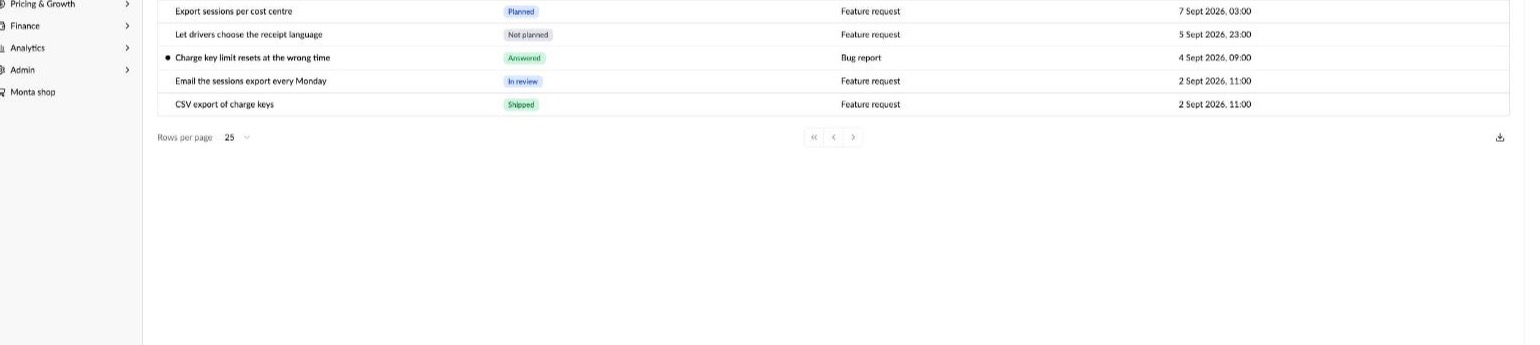
New feature
Track every bug report and feature request to Monta in the Helpdesk
- Stage
- Live
- Released
- Product
- Monta Hub
You can now report bugs and request features to Monta from Monta Hub, and keep track of every one of them in one place. The Helpdesk shows all your tickets to Monta with a live status, so you always know what's been received, what's confirmed, what's planned and what has shipped. And our promise: every ticket gets a reply from Monta within 5 business days.
What's New
- A reply within 5 business days: Monta replies to every bug report and feature request within 5 business days, so no ticket is left waiting without an answer.
- All your tickets in one overview: Helpdesk in the sidebar lists every bug report and feature request your organisation has sent to Monta, with its status, type and last activity. Search, filter by status and export the list.
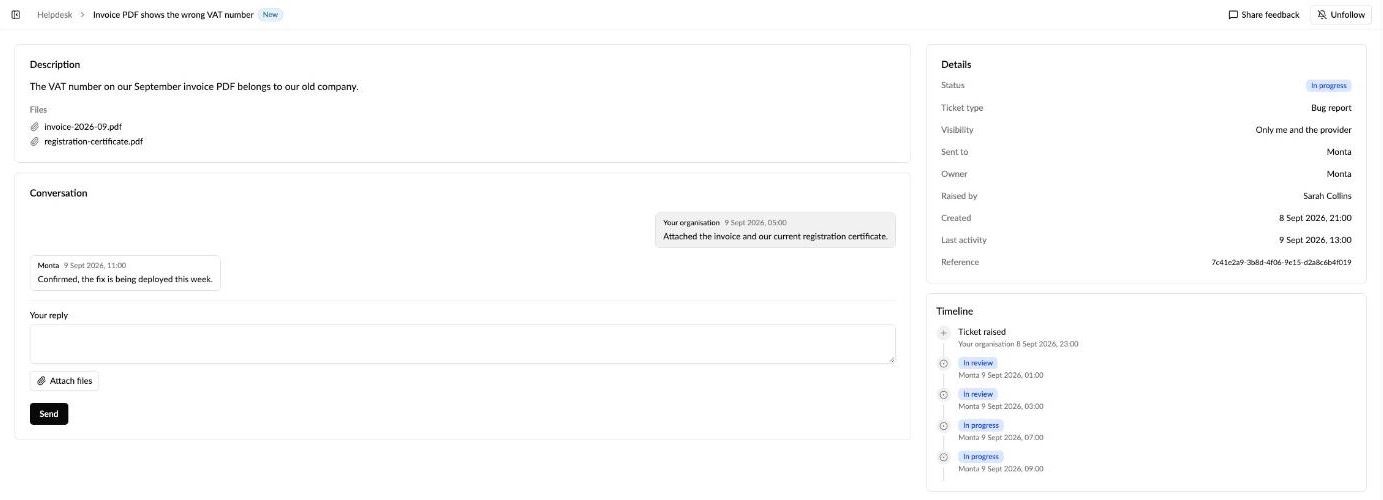
- Follow every status: each ticket moves through clear statuses: Received, In review, Needs your input, Confirmed (we agree it's a bug), Planned, In progress and Shipped, or Answered and Not planned with the reason in the ticket.
- Get notified: you follow the tickets you raise automatically and get an email and a Hub message when Monta replies or changes the status. Follow a colleague's shared ticket to get the same updates. Unread news is marked in the list and counted in the sidebar.
- The full story on every ticket: a timeline shows every status change, and the conversation with Monta stays on the ticket, so anyone on your team can catch up.
- Bug reports and feature requests: attach screenshots and screen recordings to bug reports. Feature requests ask for the product area, the impact on you and your current workaround, and go straight to Monta's product team.
- Share feedback opens a ticket: the Share feedback button now starts a bug report or feature request to Monta, so your feedback gets a reply.
Why It Matters
Until now, bugs and ideas reached Monta by email, calls and survey forms, and it was hard to know what happened next. Now your teams can see every open bug and request at a glance, know when Monta needs their input, and see when a fix or feature has shipped, without chasing anyone.
How to Use
- In Monta Hub, select Helpdesk in the sidebar to see all your tickets.
- Select New, or Share feedback on any page, and pick Bug report or Feature request.
- Open a ticket to see its timeline, reply to Monta, or Follow it for updates.
Additional Info
- A good bug report says what you did, what you expected and what happened instead. A screenshot or short recording helps us fix it faster.
- Monta's product team reads every feature request, but can't promise when or whether it ships.