
New feature
Turn reimbursed charging on or off for many EVSEs at once
Make sure employees' home charging is reimbursed by their employer, without asking each driver to change it in the app.
- Stage
- Live
- Product
- Monta Hub
- Posted
What's new
If you run a reimbursement programme for employees who charge at home, you can now switch reimbursed charging on or off for many EVSEs at once, straight from Monta Hub.
Until now, an employee's home EVSE was only reimbursed once the driver marked its charging rule as reimbursed in the Monta app. If they didn't, the employer never paid for their charging and someone had to fix it by hand. Now you can do it for them, for the whole selection.
How to use it
- Go to CPO / Network → Network → EVSE. You can also start from an account's or a location's Network tab.
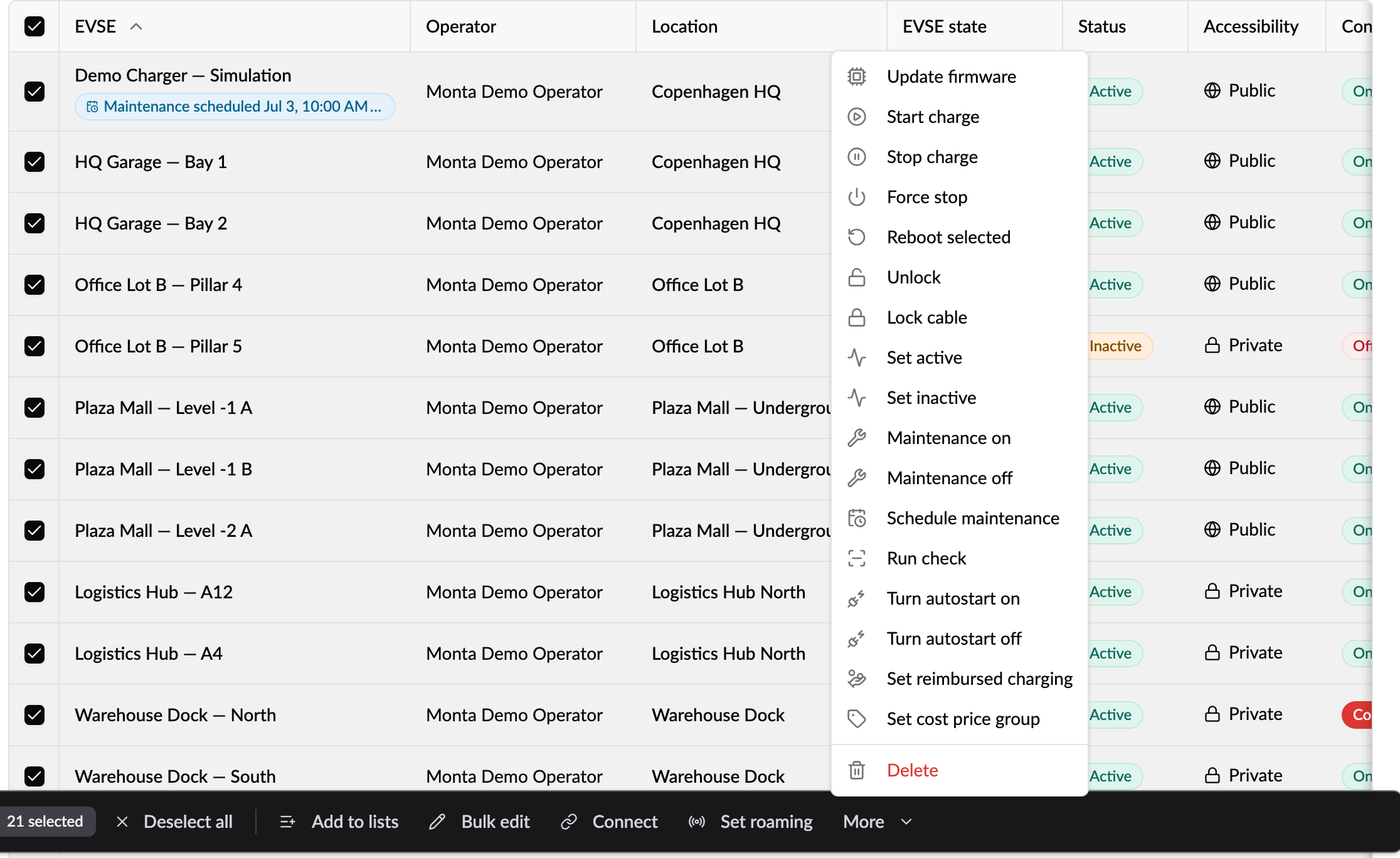
- Select the EVSEs, then choose More → Set reimbursed charging in the bar at the bottom.
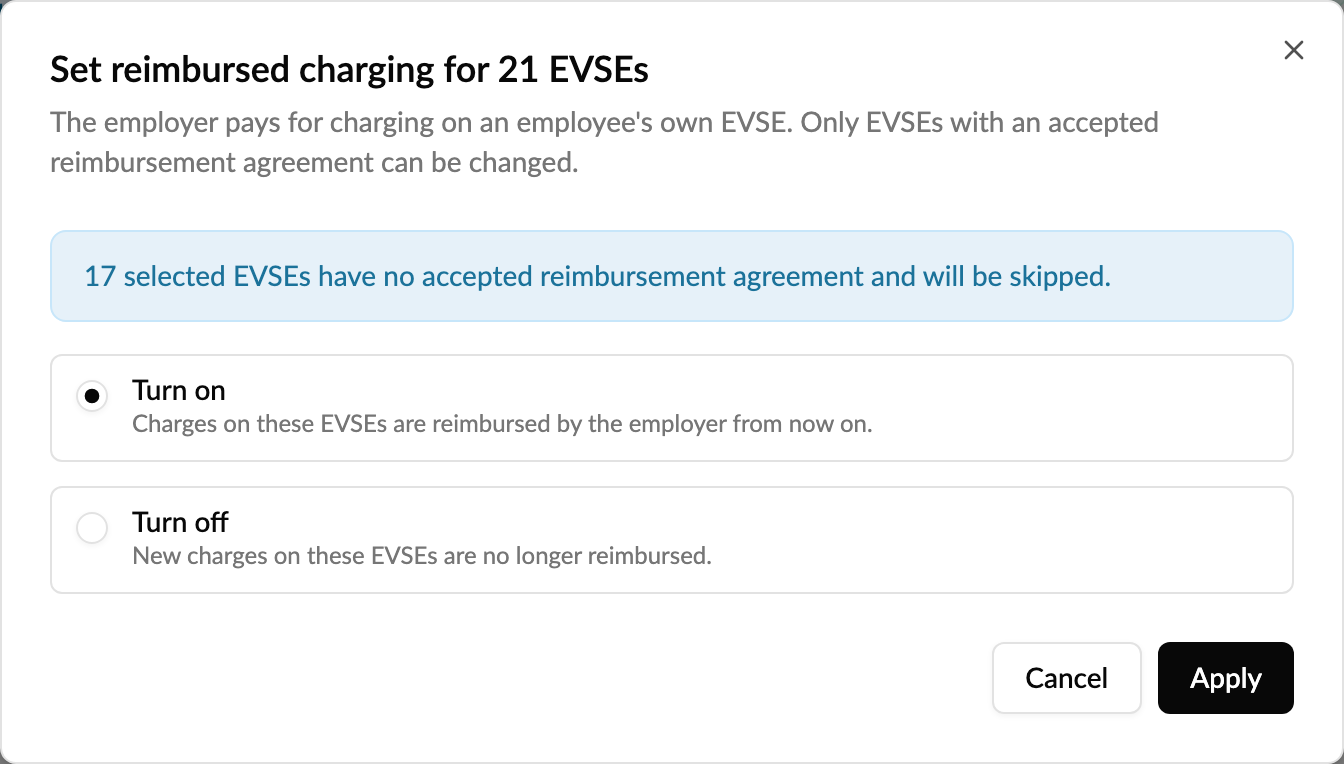
- Choose Turn on or Turn off and click Apply. Before you apply, the dialog tells you how many of the selected EVSEs have no accepted reimbursement agreement and will be skipped.
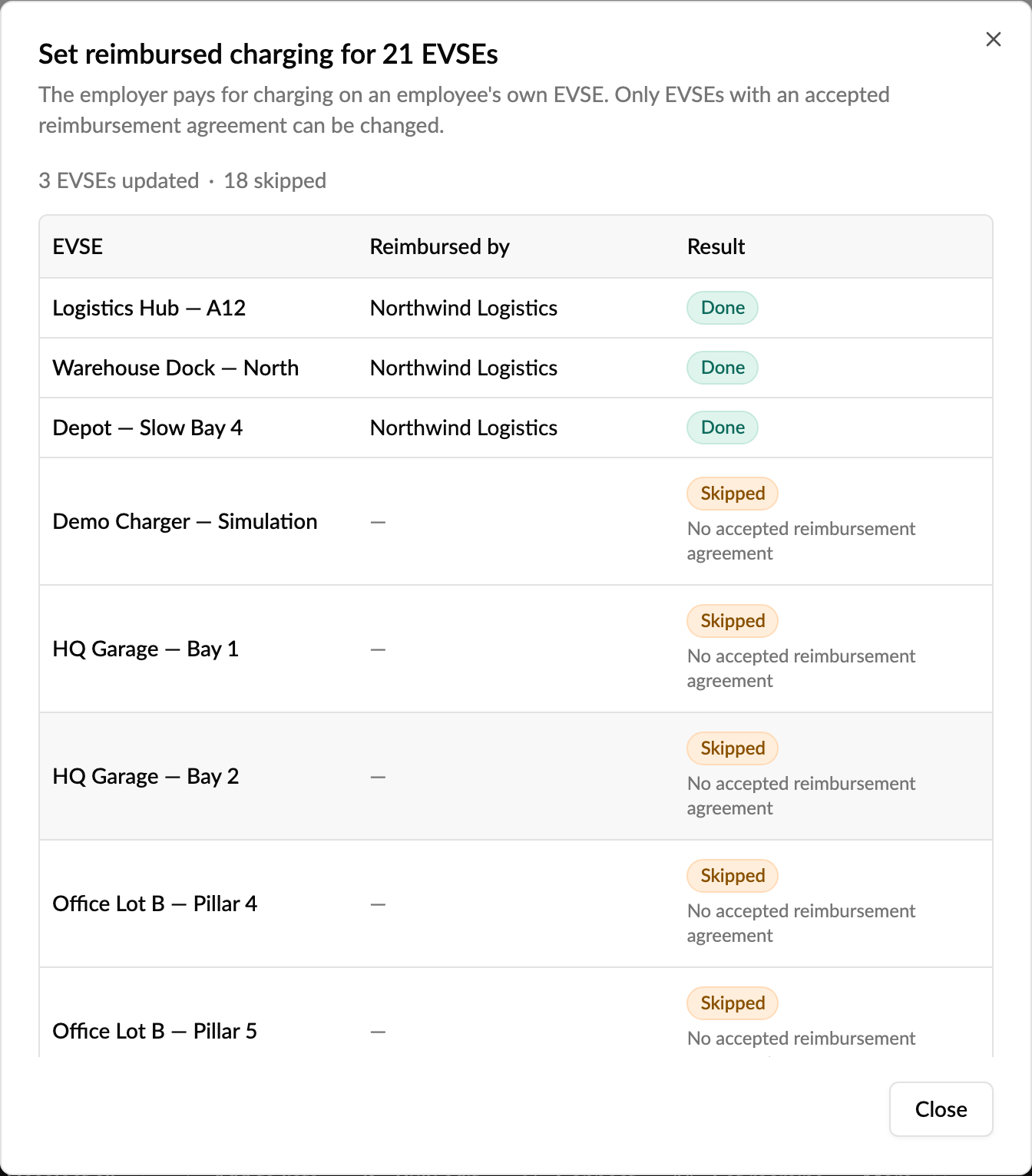
When it's done, every EVSE is listed as Done, Skipped with the reason, or Failed, along with who reimburses it. If any EVSE failed, it stays selected so you can try again.
Good to know
- Only EVSEs owned by an employee's personal account, with an accepted reimbursement agreement, can be changed. Everything else is skipped and the reason is shown.
- The change applies to new charges from now on. Charges that already happened aren't reimbursed after the fact.
- You need permission to update EVSEs to see the action.
Who it's relevant for
Operators who manage home-charging reimbursement for employers, for example on NRG Kick or Ohme cables, and support teams fixing EVSEs that weren't being reimbursed.