
Improvement
Updates on how subscriptions are billed for “Pay as you go” Teams
- Stage
- Live
- Products
- Monta Hub, Monta Charge
- Posted
🆕 What's changing
We're changing how subscription payments work for teams using Pay as you go as their billing method.
Currently, if a team doesn't use Invoicing or Operator Transaction, the subscription payments are deducted from the Team Wallet. This can lead to negative wallet balances and unpaid subscriptions.
Starting from 20.05.2026, a payment card will become mandatory for “Pay as you go” teams with active subscriptions. After this, teams without a payment card are at risk of being frozen.
Note: This change does not apply to teams using Operator Transaction or Invoicing, or that have subscriptions with a monthly price of 0 - and only affect you if you have active subscriptions, which you manage via Customer Relations > Plans & Subscriptions.
🗓️ Important dates:
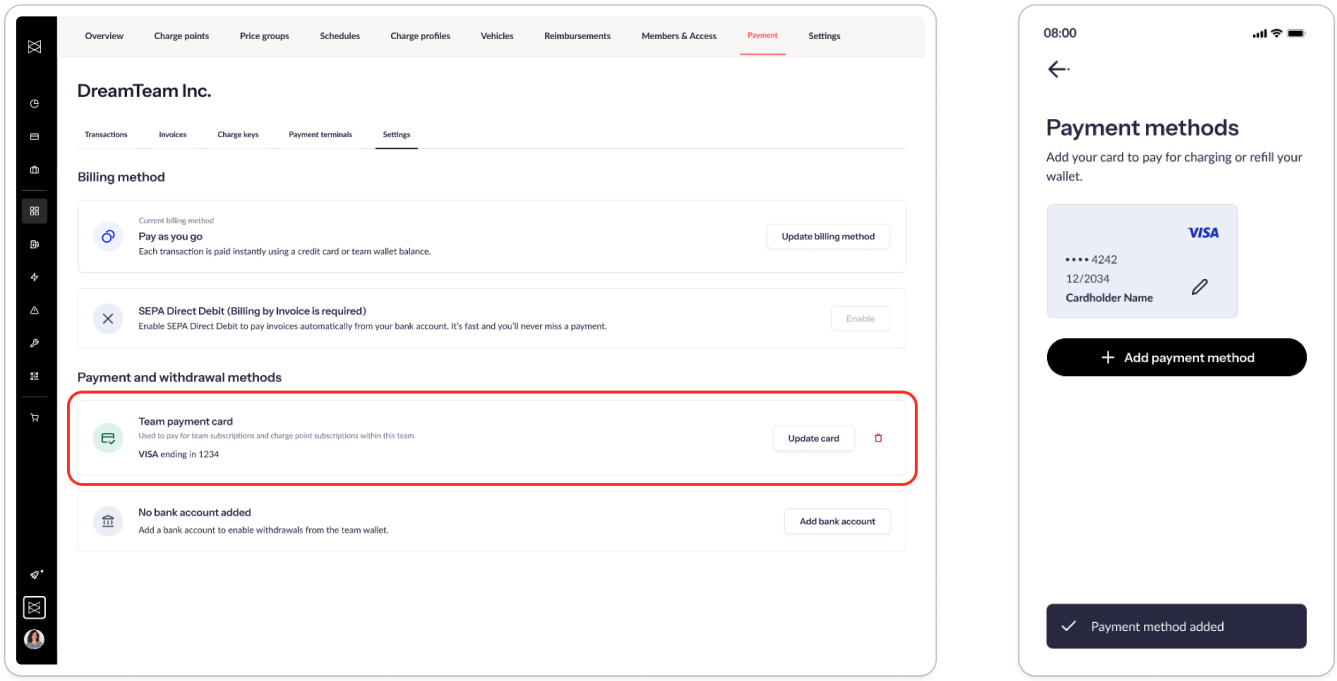
From 10.03.2026 - Ability to add card to a team
Team owners and admins who have access to team wallet management can add a payment card to the team.
👉🏼 See how to add a credit card via Hub and via mobile app in our HelpCenter.
From 30.04.2026 - Subscription payment via card is possible and required for new subscriptions:
Teams with a payment card are charged for existing and new subscriptions via the card. Teams without a card still pay for subscriptions via the team wallet.
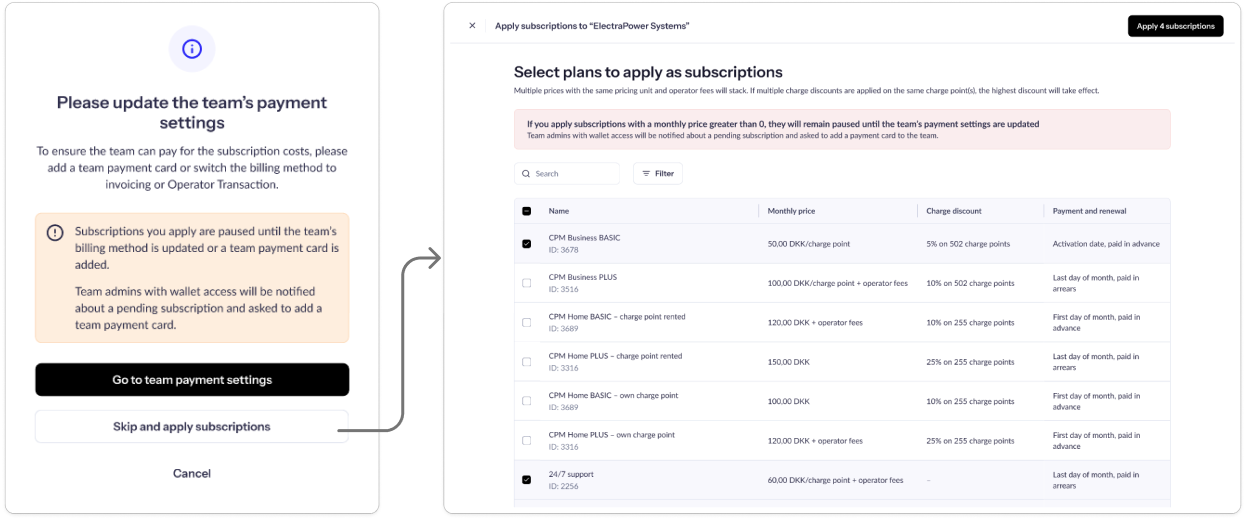
New subscriptions applied to a “Pay as you go” team require a card:
- If the team has a card, the subscriptions activate immediately
- If the team doesn’t have a card, the subscriptions stay paused until a card is added
👉🏼 Learn more here in our HelpCenter.
From 20.05.2026 - Subscription payment via card is mandatory:
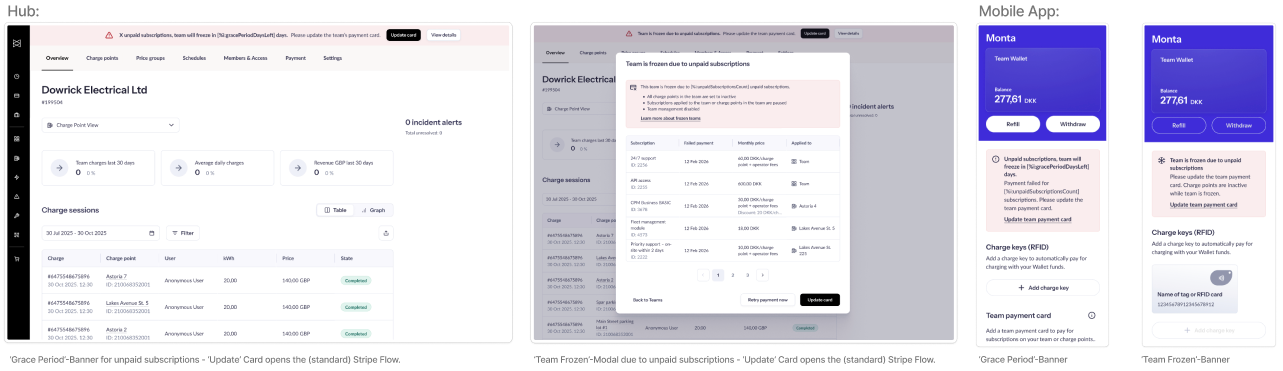
Existing subscriptions on “Pay as you go” teams without a card are automatically moved to 'Unpaid' status.
Team owners or admins have 14 days to add a card to the team. After 14 days, the team is frozen. This means:
- Charge points become inactive
- Access to team management is disabled
- Subscriptions are paused
Team owners and admins are notified multiple times during this period via email. Adding a card and resolving payment unfreezes the team.
👉🏼 Learn more here in our HelpCenter.
💳 Recommended actions
To avoid disruptions to your team's subscription services, we strongly encourage you to start preparing now by either:
- Informing your teams to add a payment card via the Hub or via the mobile app
- Switching your team's billing method to Operator Transaction or invoicing
If you have any questions, please reach out to our Customer Support Team - we're happy to help!