
New feature
Send one message to your whole user base
Write your message once in the New Hub and reach accounts, lists, or everyone connected to your operator — by inbox, push, SMS, and email.
- Stage
- Live
- Released
- Products
- Monta Hub, Monta Charge
- Posted
What's new
Following Message your users directly from Hub, you can now message many users at once. Go to Pricing & Growth → Outreach in the New Hub, write your message once, and choose who gets it:
-
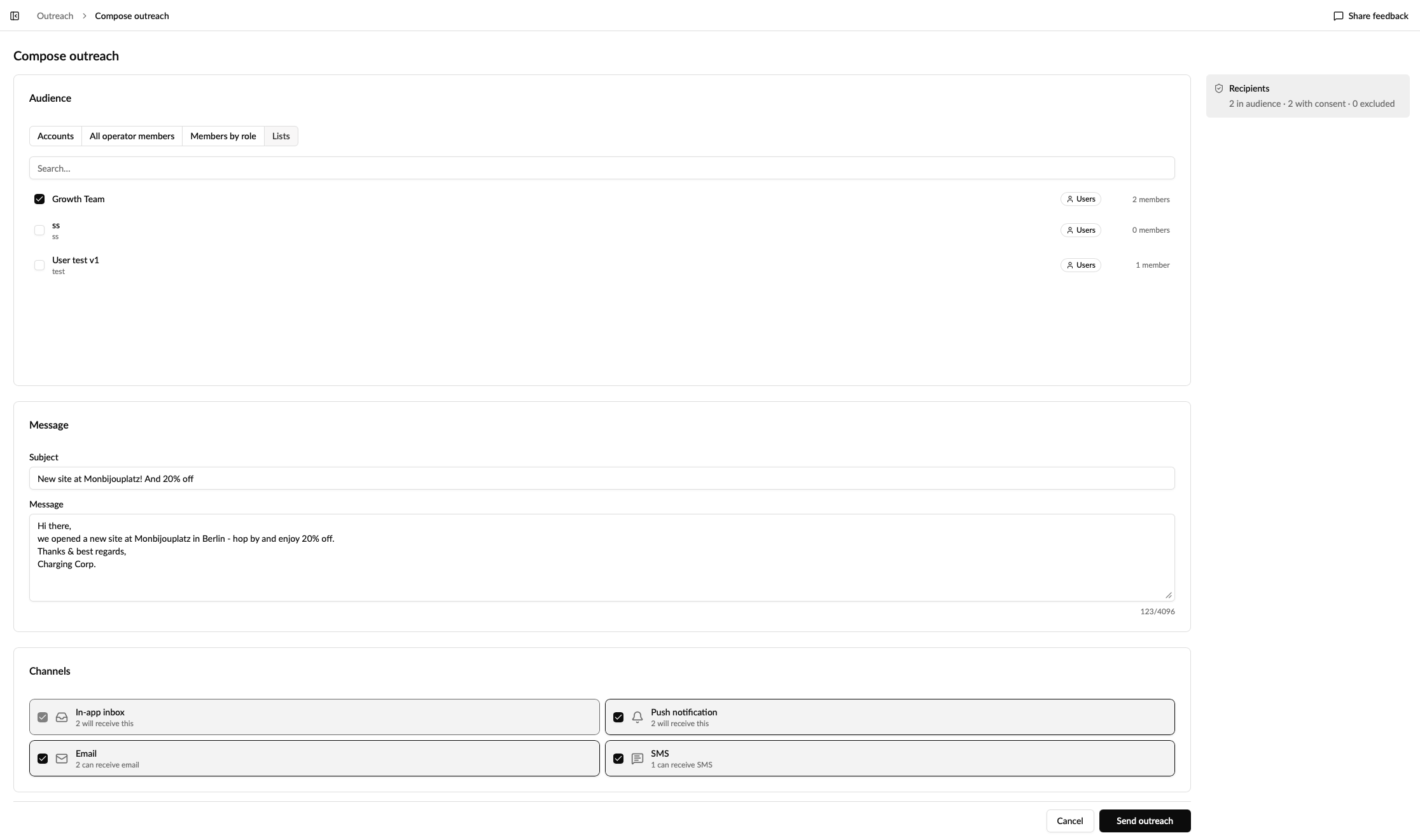
everyone in an account, or several accounts
-
Everyone connected to your operator
-
everyone on one or more of your lists
Everyone means members of your accounts, including sub-operator accounts, plus anyone who signed in through your app. It doesn't include people who only ever charged on your network.
Choose how it's delivered — it always lands in the user's inbox, and you can add push, SMS, and email. Before you send, each option tells you how many people can actually receive it, so you know if SMS only reaches half your audience.
Each person gets their own message, just as if you'd written to them one by one.
From the Hub
Compose your outreach, pick the audience, and see per channel how many people it will reach:
What your users see
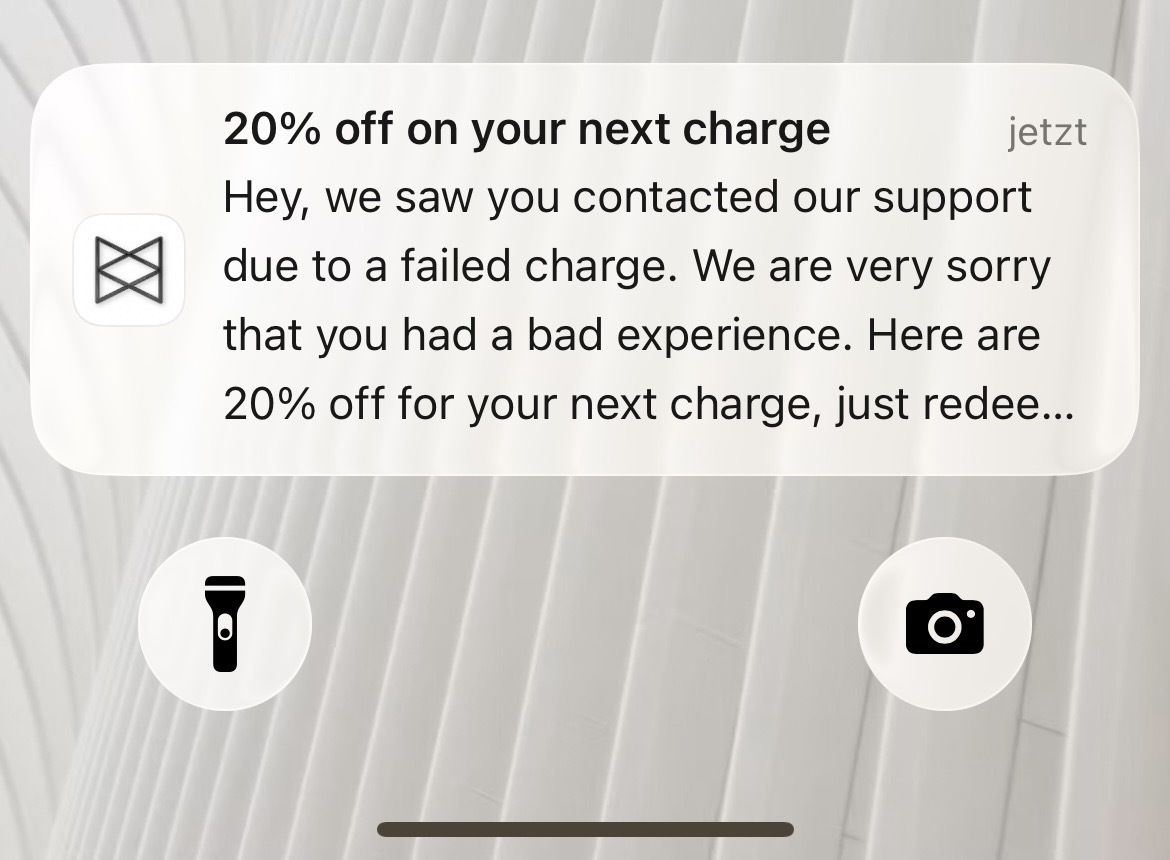
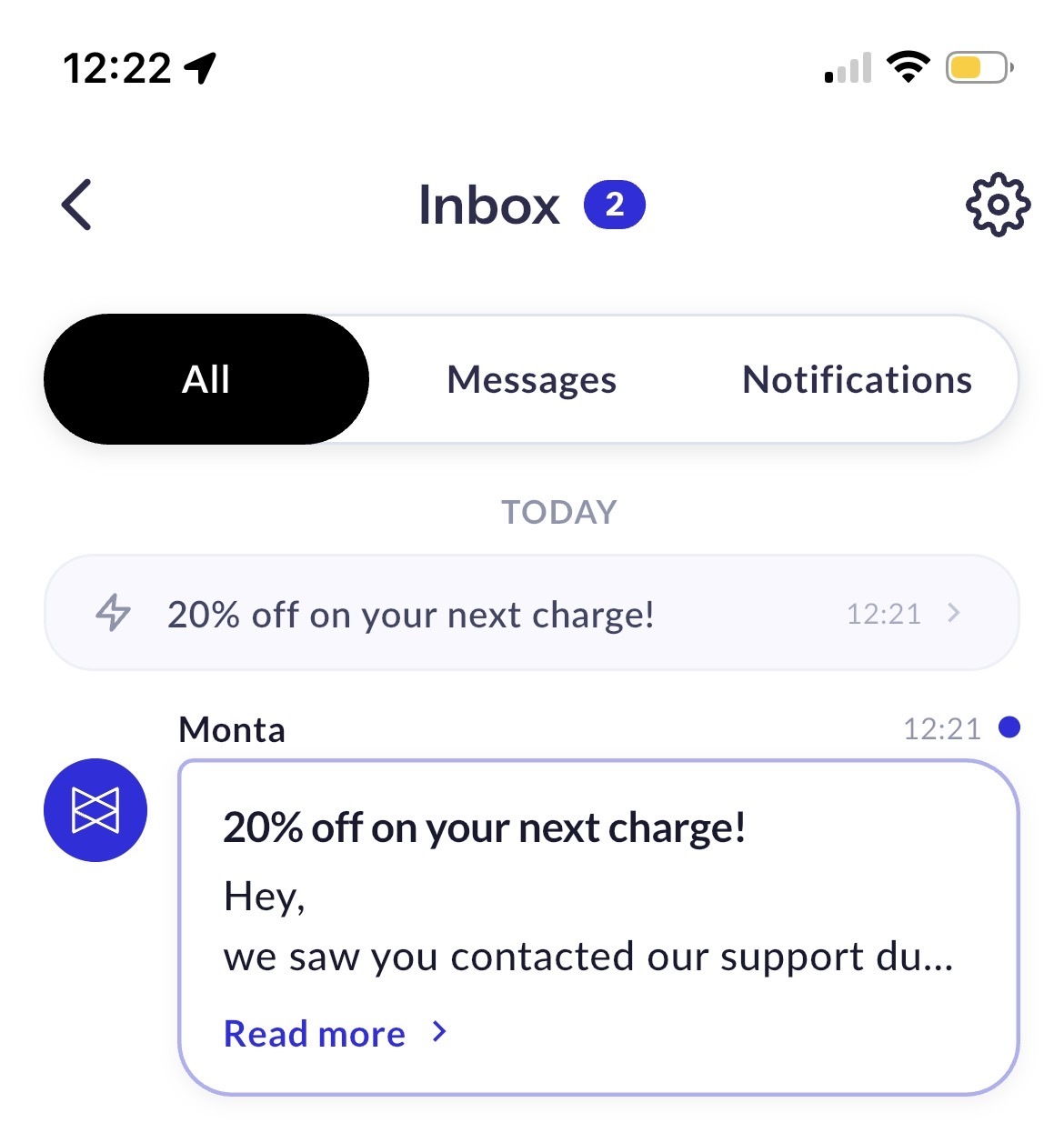
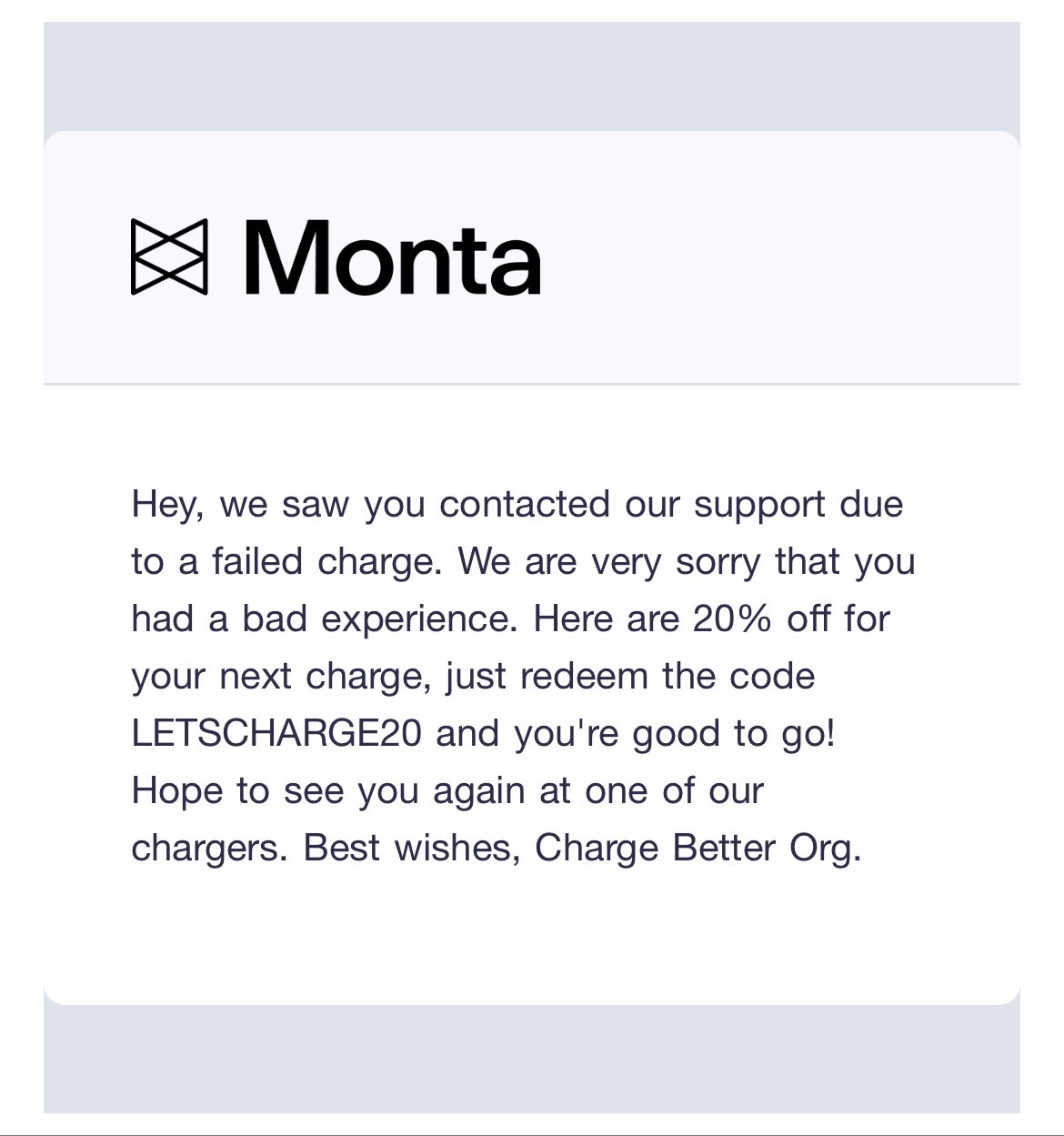
The message arrives as a push notification, in the app inbox, and as an email:
Only to users who want to hear from you
Outreach messages are marketing messages, so every send only reaches users who opted in to marketing messages. Before you send, you'll see exactly how many people are in your audience, how many will get the message, and how many are left out — no surprises after the fact.
See what happened
The Outreach page keeps a history of everything you've sent: who it went to, how many people, which channels, who sent it, and how it landed — delivered, skipped, or read. Open any message to see the full list of recipients, whether their push, SMS, or email arrived, whether they read it, and why anyone was left out.
Why it matters
Announcements, feature launches, seasonal campaigns, re-engagement nudges — you can now reach the right group of users from the New Hub in a few clicks, keep a record of every message you've sent, and see how it performed. No spreadsheets, no separate tool, and no risk of messaging someone who opted out.
Where to find it
New Hub → Pricing & Growth → Outreach
Coming later
Scheduling messages for later, saving drafts, and personalising the message per recipient.