
New feature
Schedule maintenance for many EVSEs and follow it while it runs
Plan maintenance windows across EVSEs, charging stations or locations, add a description of why, and see, end or cancel a running window from the new In progress tab.
- Stage
- Live
- Product
- Monta Hub
- Posted
What's new
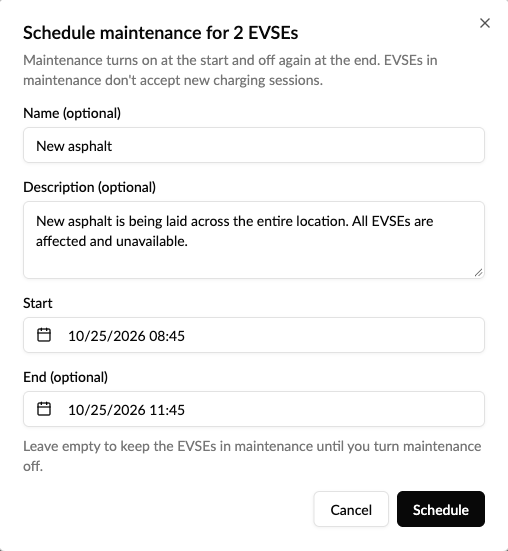
You can now schedule a maintenance window for many EVSEs at once and follow it from start to finish. Pick a start and an optional end, add a description of why, and Monta turns maintenance on and off again for you. Use it for planned closures such as road works, festivals or a technician visit booked ahead.
- In bulk: select EVSEs, charging stations or locations in a list and choose Schedule maintenance. You can also schedule from a location page or an EVSE page.
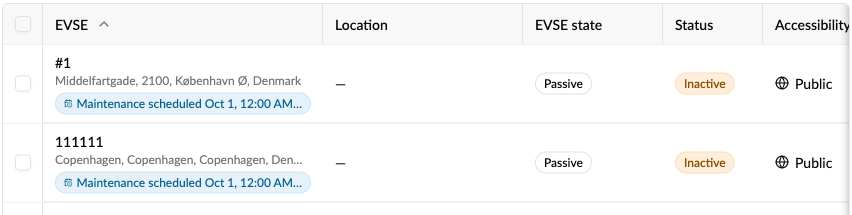
- Say why: add an optional Description, for example "New asphalt is being laid across the entire location". It's shown in Change requests and in the Maintenance scheduled badge in your EVSE lists.
- One window, not many changes: every EVSE in a window belongs together. Cancel for all EVSEs cancels the whole window, and an EVSE that's already in maintenance is never left stuck there.
- See what's running: a new In progress tab in Change requests lists every window that has started, with its description, number of EVSEs, start, end and who requested it.
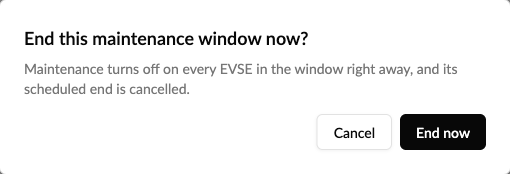
- End it early: works finished ahead of time? Select End now and maintenance turns off on every EVSE in the window straight away.

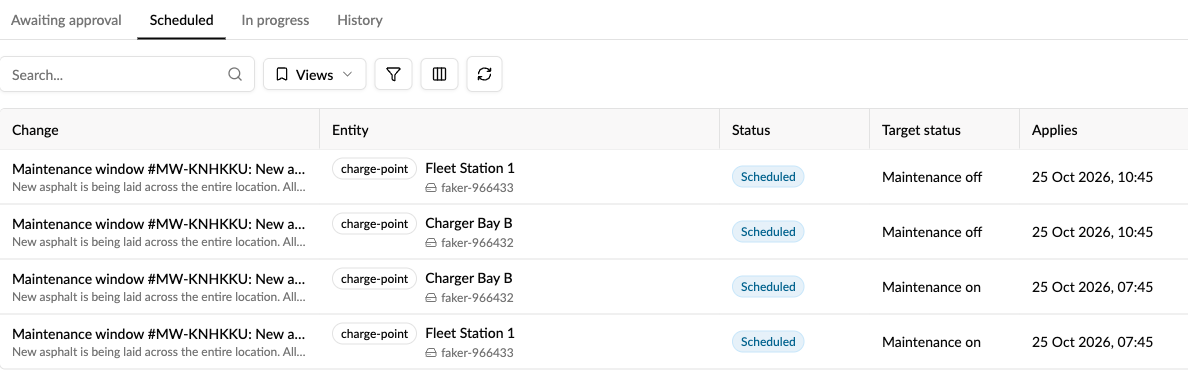
In Scheduled and History, a new Target status column shows what each change does: Maintenance on, Maintenance off, Active or Inactive. And Requested by and Approved by now show a name, also for people from a parent or sister operator. A change Monta approved shows Monta.
Why it matters
Until now, maintenance had to be switched on and off by hand, one EVSE at a time, at the right moment, and once a window had started it disappeared from view. Now a planned closure is one step, your team can see why EVSEs are down and until when, and nobody has to remember to turn maintenance off again.
How to use it
- Select the EVSEs, charging stations or locations in a list, or open a location or EVSE.
- Choose Schedule maintenance.
- Add an optional name and description, a start and an optional end, then select Schedule. Leave the end empty to keep the EVSEs in maintenance until you turn it off.
- Follow it under Operations → Change requests: Scheduled before it starts, In progress while it runs, History afterwards.
Good to know
- EVSEs in maintenance don't accept new charging sessions.
- If you use approvals for changes, members can request a window and an admin approves it. Operator admins can end a window early.
- The description can't be changed after scheduling. Cancel the window and schedule a new one instead.
Who it's relevant for
Operators who close locations or EVSEs for works, events or planned service.