
Improvement
Set a higher fee cap on chosen EVSEs
Ask Monta for a higher maximum, then raise the fee cap only on the EVSEs where idle fees need to keep counting.
- Stage
- Live
- Product
- Monta Hub
- Posted
What changed
Until now, the start, minute and idle fees of one charge together stopped at your country's fee cap, for example €50 in Germany. A price group could set a lower cap, never a higher one.
Now you can ask Monta for a higher maximum in Operator settings. Once Monta's Finance team approves it, you can set a fee cap on each EVSE that needs one, up to that maximum. The cap covers roaming charges on that EVSE too.
Your existing setup stays as it is: every EVSE keeps its country cap until you set its own, and a price group's Maximum total idle fee can still lower it. A maximum covers your own operator only: each sub-operator asks for its own.

Why it matters
On EVSEs where vehicles stay plugged in long after charging, such as truck charging, the idle fee is what frees the space again. With a €50 cap it could stop counting a couple of hours after charging ended. A higher cap keeps it counting on those EVSEs, while your other EVSEs keep the country cap.
Who it's relevant for
Operators with high-power or truck charging locations where vehicles stay on the EVSE after charging.
How to use it
- Go to Admin, then Settings under Operator. On the General tab, select Request change on the Fee cap card.
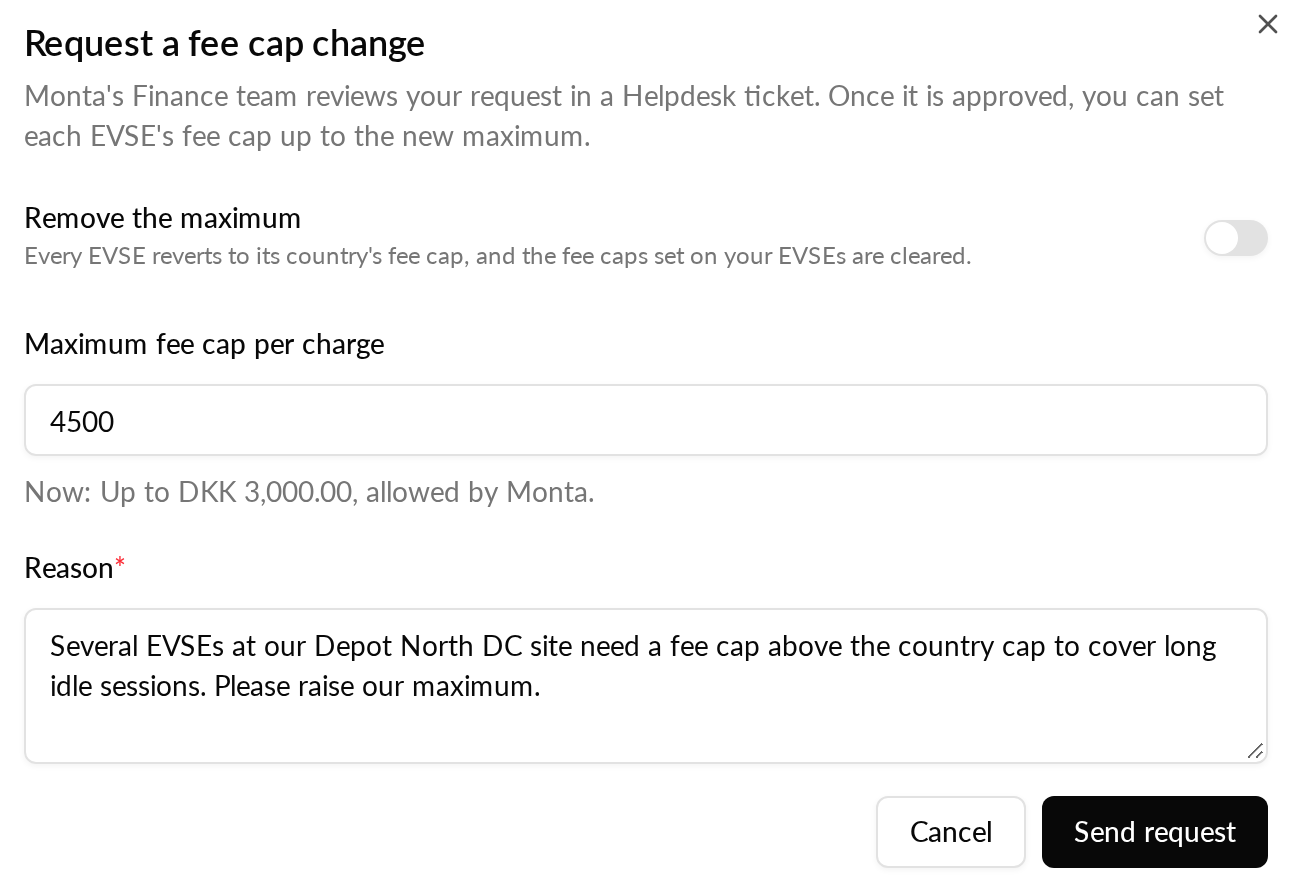
- Enter the Maximum fee cap per charge you need and a reason, then select Send request. Monta's Finance team reviews it in a Helpdesk ticket, and the card links to the ticket while you wait.
- Once it's approved, open the EVSE, go to Pricing & access and enter its Fee cap per charge, up to your maximum. Leave it empty to keep the country cap.
To request a maximum, you need edit rights on your operator and Helpdesk. To set an EVSE's fee cap, you need edit rights on your operator.
Until your operator has a maximum, an EVSE's Fee cap card shows its country cap and offers Request change, which opens the same request in Operator settings.
If you later ask Monta to remove the maximum, the fee caps on your EVSEs are cleared and every EVSE goes back to its country cap.