
New feature
See how much of each driver's allowances is left
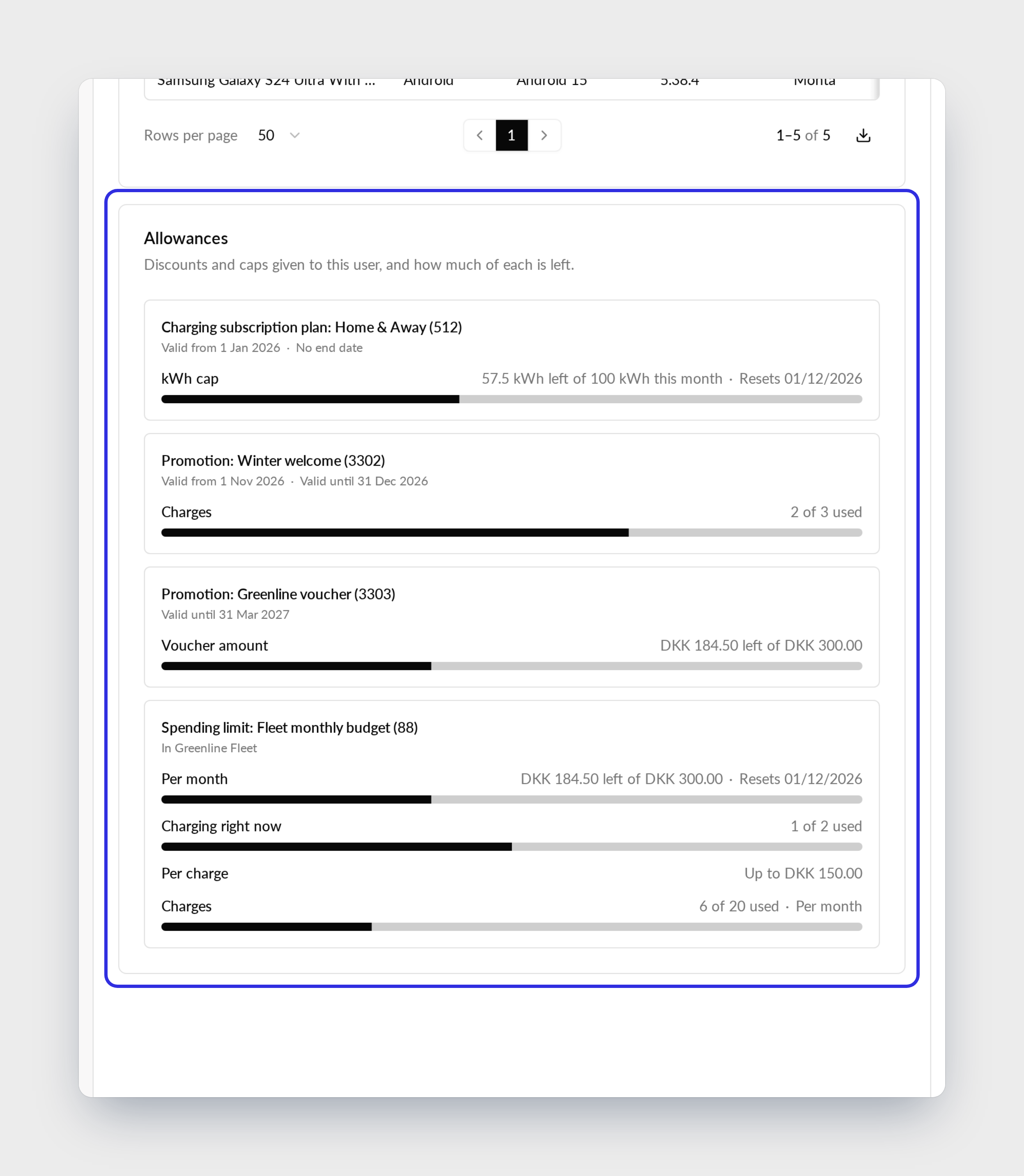
A new Allowances card on a driver's Overview tab shows their promotion, subscription and spending limits, with how much is used and left.
- Stage
- Live
- Product
- Monta Hub
- Posted
What's new
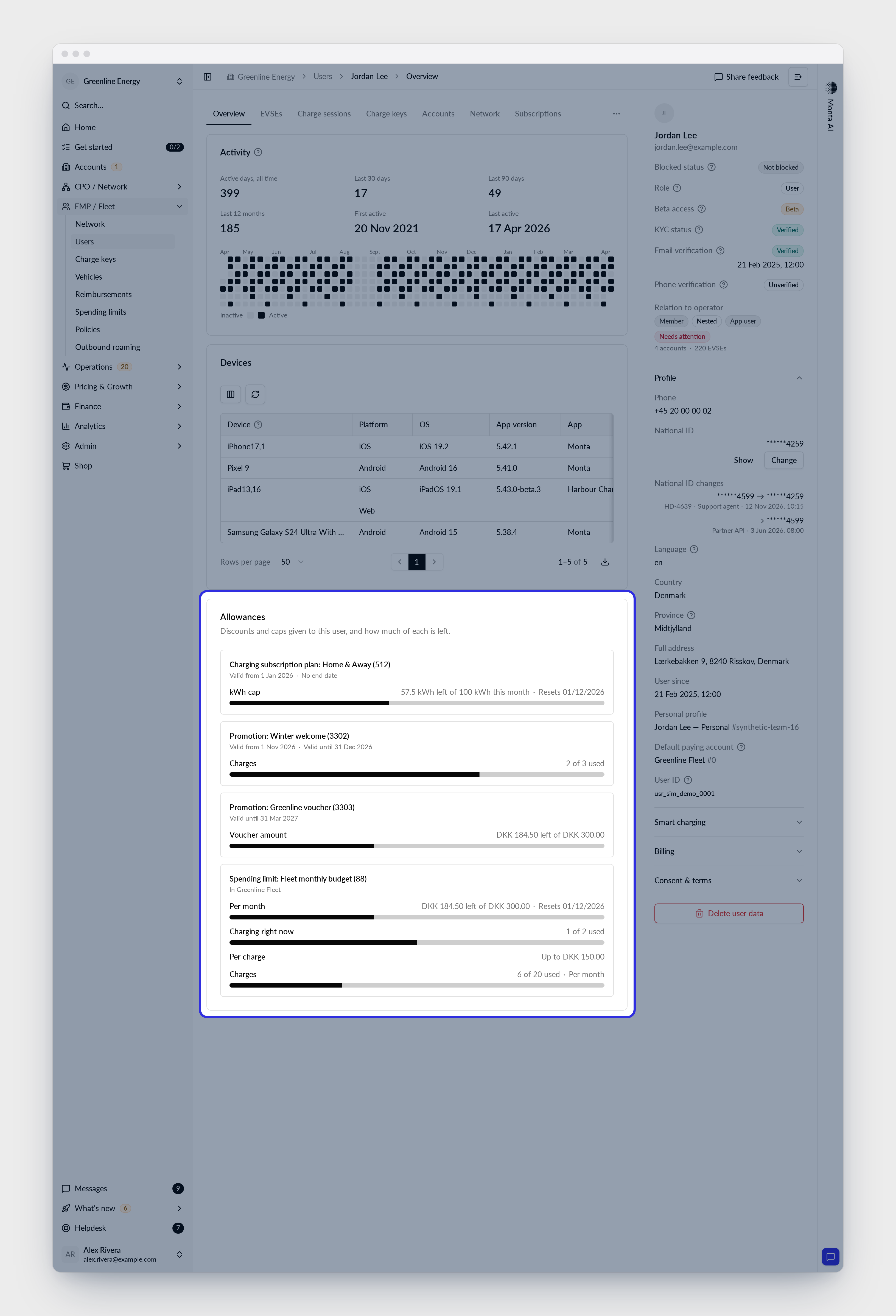
A driver's Overview tab in the Hub now has an Allowances card. It lists each active promotion and charging subscription plan that limits the driver, with a bar for every limit it sets: kWh used this month or in total, with the reset date, charges used of the maximum, and how much of a voucher or discount amount is left.
If you use Spending limits, the card also shows each spending limit applied to the driver in an account they belong to, with how much of each cap is used, when it resets, and any limit on charges. Limits set on a whole account, a member group, a vehicle or a charge key are not shown, because their budget is shared with other drivers.
The card only appears for drivers who have at least one of these limits.
Why it matters
Your support team can answer questions such as "why didn't my discount apply?" or "how much do I have left this month?" from the driver's page, without opening each promotion or spending limit. You can also see which drivers are close to their limits before they run out.
Who it's relevant for
Operators who give drivers charging subscription plans with a kWh cap, promotion codes with charge or amount limits, vouchers, or spending limits.
How to use it
- Open a driver's page in the Hub.
- On the Overview tab, find the Allowances card below Devices.
A monthly kWh cap starts again on the 1st of each month. A voucher or discount amount counts over the promotion's whole life and does not reset. A charge counts against a charge limit as soon as it starts.