
All updates
New feature
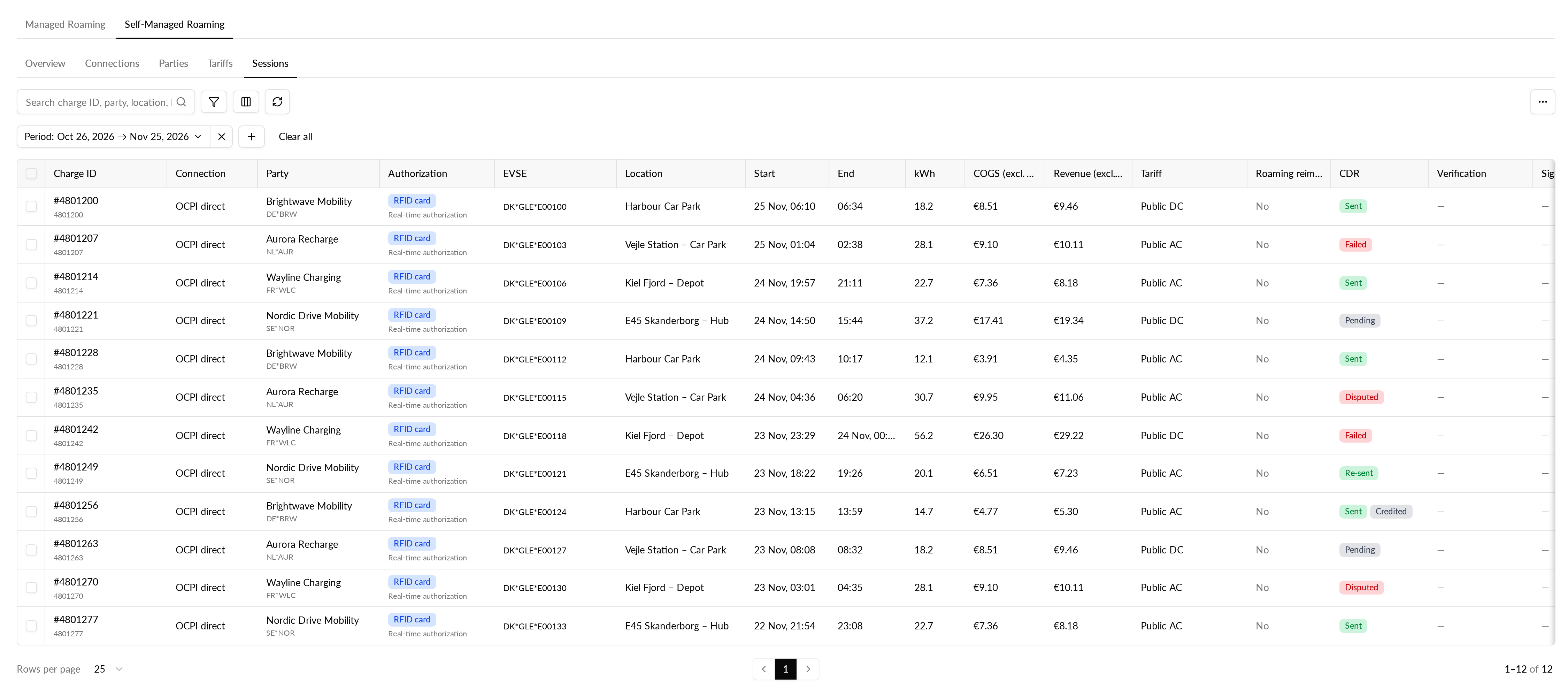
Fix CDR problems with roaming partners from the Sessions table
See whether a partner received each CDR, send CDRs again, and dispute or credit them, without asking Monta.
- Stage
- Live
- Released
- Product
- Monta Hub
- Posted
What's new
Operators on roaming can now handle CDR problems with their partners themselves, on the Sessions table, without raising a ticket with Monta.
- Did the partner get it: the CDR column shows whether each CDR is "Pending", "Sent", "Re-sent", "Failed" or "Disputed".
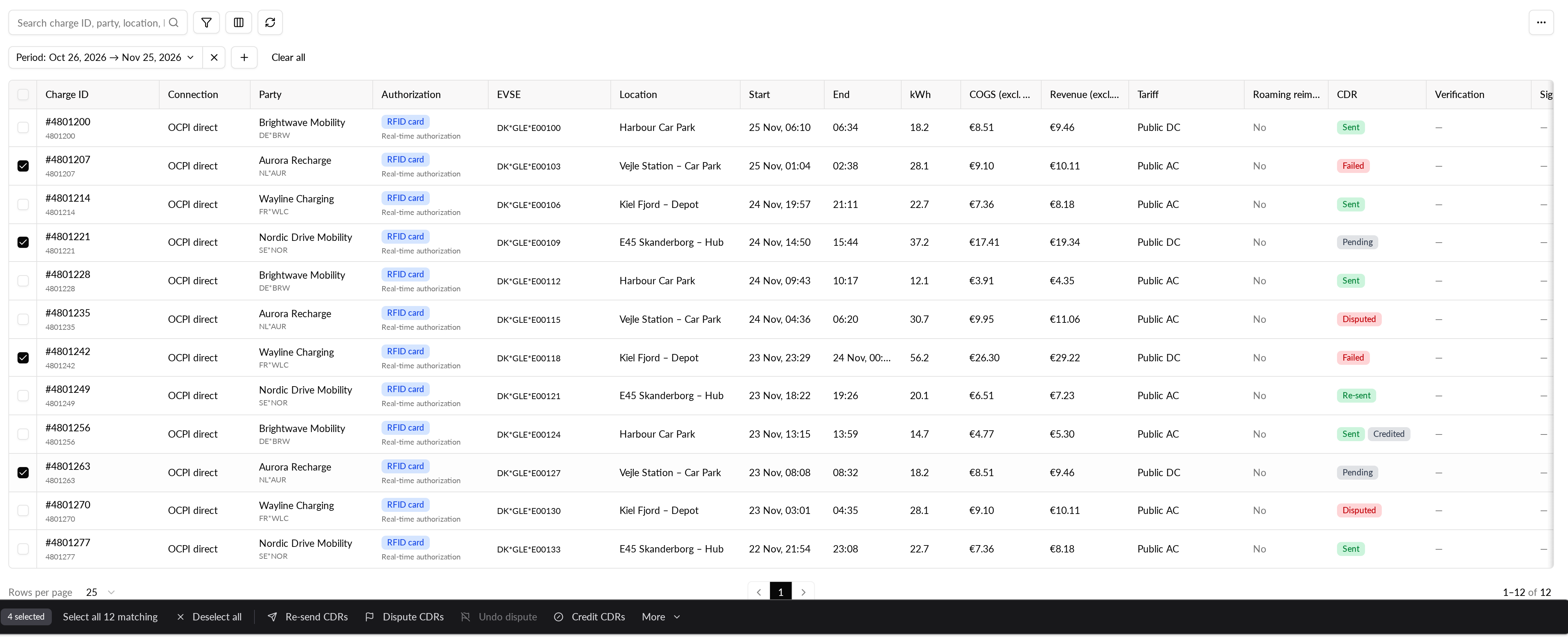
- Re-send CDRs: tick sessions, or use "Resend by charge IDs" to paste a partner's list of session IDs or charge numbers. The partner receives the same CDRs again, under their original IDs. "View resend history" shows how each one went.
- Dispute CDRs: mark CDRs as disputed, with a reason. The CDR column then shows "Disputed". Nothing is sent to the partner.
- Credit CDRs: leave CDRs out of the CDR exports you bill a self-managed partner with. Exports already sent stay as they are.
Why it matters
When a partner says CDRs are missing, or a charge should not be billed, you can check and settle it with the evidence in Hub instead of waiting for Monta to dig through logs. A CDR that never reached a partner is charging you never invoice, and now you can see it and send it again.
Who it's relevant for
Operator admins on roaming who bill partners for charging on their EVSEs, in particular on self-managed roaming.
How to use it
- Open the Sessions tab of your self-managed inbound roaming.
- Tick the sessions you need. To work from a partner's list, choose "Resend by charge IDs" in the "..." menu on the table's toolbar and paste it.
- In the selection bar, choose "Re-send CDRs", "Dispute CDRs" or "Credit CDRs" and confirm.
Where to find it
Inbound roaming > Self-managed > Sessions