
Improvement
Get told when a scheduled export is ready
Export Data steps in Workflows can now notify you, your staff or a list as soon as the file is ready to download.
- Stage
- Live
- Product
- Monta Hub
- Posted
What's new
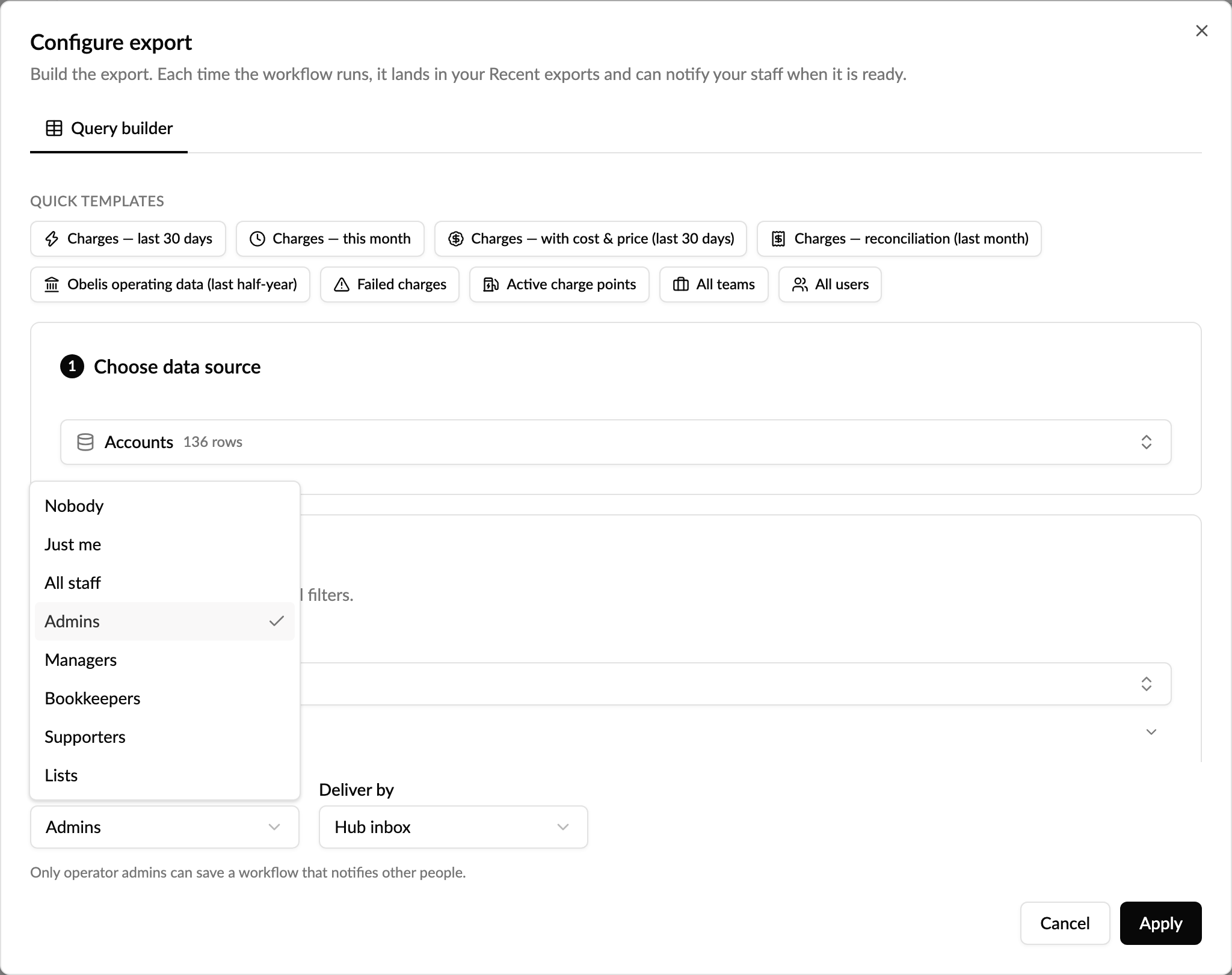
The Export data step in Workflows builds an export on a schedule and saves it to your Recent exports. Until now nobody knew it was there unless they went looking. The step now has two new settings in Configure export:
- Notify when ready: who hears about the file. Choose Just me, All staff, a staff role (Admins, Managers, Bookkeepers or Supporters), or one or more of your Lists. Leave it on Nobody to keep things as they were.
- Deliver by: a message in their Hub inbox, or in their Hub inbox and by email.
When the workflow runs, the step waits for the export to finish and then sends one message with a link to Recent exports, where the file can be downloaded. If the export fails or takes longer than an hour, no message goes out and the run shows the step as failed, so you are never pointed to a file that is not there.
Good to know
- Anyone who can edit workflows can send an export to themselves with Just me. Notifying staff roles or lists can only be set up by operator admins, like the Send notification step.
- Recipients open the file from Recent exports in Monta Hub, so they need access to Data exports.
- Messages are in English for now.
Why it matters
A weekly or monthly export is only useful if the right people know it has arrived. Now finance, operations or your own inbox gets a heads-up the moment the file is ready, without anyone checking Hub or running the export by hand.
Who it's relevant for
Operators who use Workflows to produce recurring exports for finance, reporting or operations.