
Improvement
AFIREV quality KPIs in the Charge verification dashboard
See your session success, start-failure and abnormal interruption rates per period and per EVSE, and export them as CSV.
- Stage
- Live
- Product
- Monta Hub
- Posted
What's new
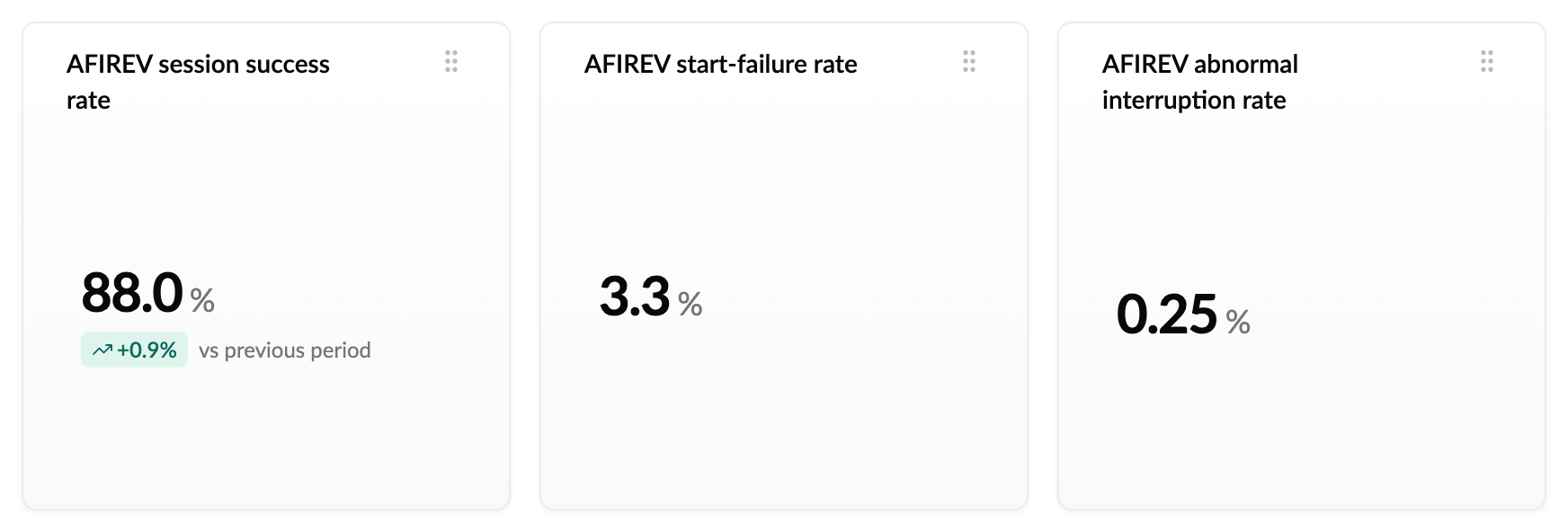
The Charge verification dashboard in Monta Hub now shows the three charging quality KPIs defined by AFIREV, calculated for you for any period:
- Session success rate: the share of charging attempts at your EVSEs that ended in a valid session, compared with the previous period.
- Start-failure rate: the share of attempts your EVSEs failed to start.
- Abnormal interruption rate: the share of started sessions the EVSE ended itself, for example after a power loss, reset or fault.
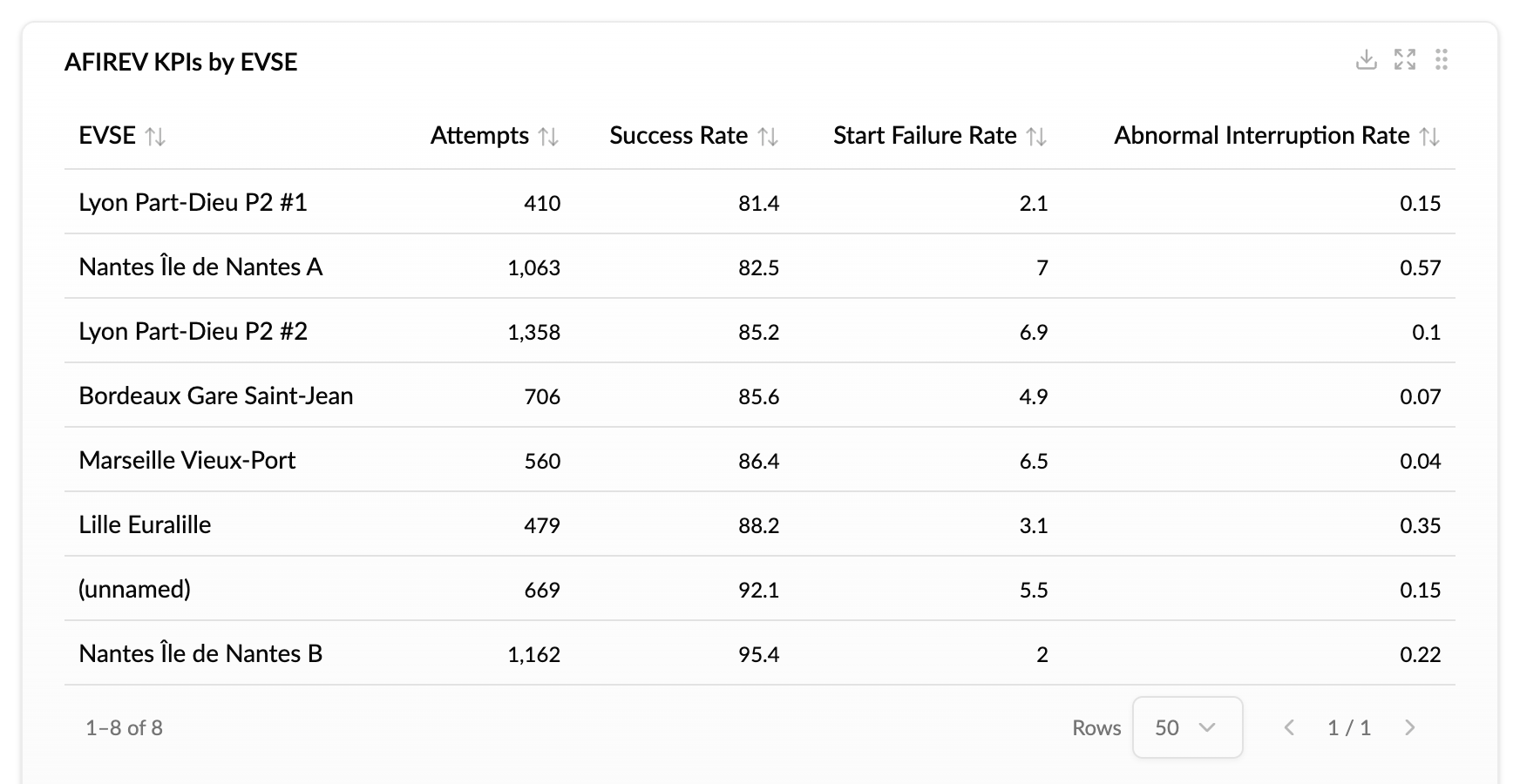
A new AFIREV KPIs by EVSE table lists every EVSE with an attempt in the period, lowest success rate first, so you can see straight away which stations pull your numbers down. Download it as CSV from the table.
The KPIs only count sessions on EVSEs you own, and a payment or authorisation refusal by the driver doesn't count against you. Read How do I report the AFIREV quality KPIs? for exactly how each one is calculated.
How to use it
Go to Analytics → Dashboards, open Charge verification and pick the period you want to look at.
To see it per charge too, turn on the Not a valid AFIREV session check under Operations → Charging sessions → Verification → Configure rules. Each session on your EVSEs that falls outside the AFIREV limits is then flagged on its own charge page, and you can open the list of every flagged session from the Verification tab. The check is off by default, and you can adjust its duration and energy limits.
Why it matters
Getting these numbers used to mean exporting sessions and rebuilding the KPIs in a spreadsheet. Now they are calculated the same way every time, for any period, and you can spot weak EVSEs early.
Who it's relevant for
Charge point operators who report on charging quality, and anyone who wants a clear view of how reliably their EVSEs start and complete sessions.