
Improvement
Start new private accounts with auto withdrawal on
Account templates can now turn on auto withdrawal for every new private account, so drivers are paid out to their bank account automatically.
- Stage
- Live
- Product
- Monta Hub
- Posted
What's new
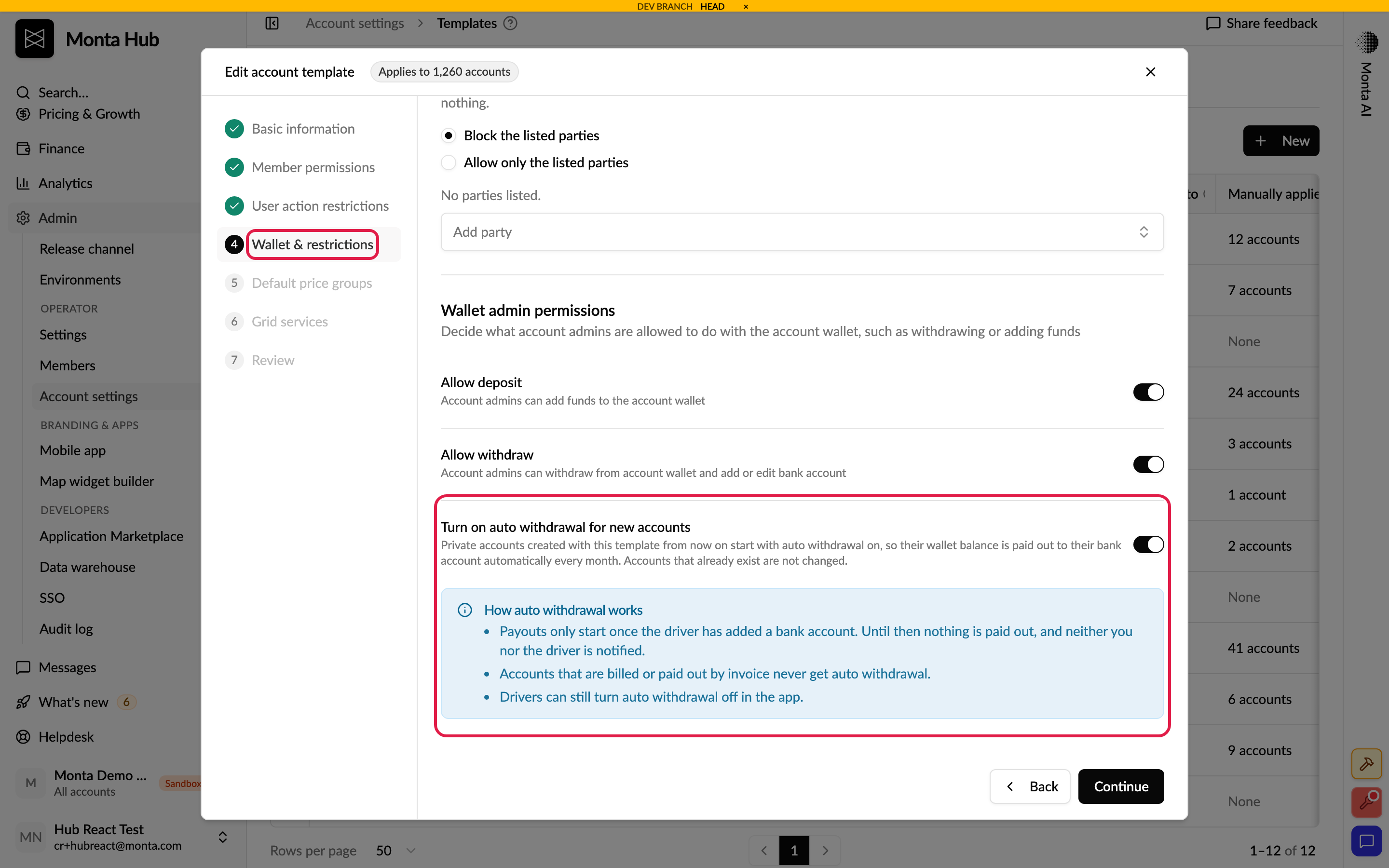
Account templates now have a Turn on auto withdrawal for new accounts setting on the Wallet & restrictions step. When it's on, every new private account created with the template starts with auto withdrawal on, so the driver's wallet balance is paid out to their bank account automatically. Drivers no longer have to turn it on themselves in the Monta app.
How to use it
Go to Admin → Operator → Account settings, open a private template on the Templates tab and go to the Wallet & restrictions step. Make sure Allow withdraw is on, turn on Turn on auto withdrawal for new accounts and save. Read more in Account settings.
Good to know
It only applies to accounts created after you turn it on. Existing accounts aren't changed.
The first payout happens as soon as the balance reaches the minimum payout amount, then monthly on that day.
Nothing is paid out until the driver has added a bank account, and neither you nor the driver is notified while it's missing.
Accounts that are billed or paid out by invoice never get auto withdrawal, and the setting isn't available on a template whose billing method is invoicing.
Drivers can still turn auto withdrawal off in the Monta app.
It's off by default for every template.
Who it's relevant for
Operators that reimburse employees for home charging and want the money to reach employees' bank accounts without asking each employee to set it up.