
New feature
Save your favourite list set-ups as views, and share them with your team
Save filters, sort and columns on 30 Hub lists as a view, switch to it in one click, and share it with everyone in your operator.
- Stage
- Live
- Product
- Monta Hub
- Posted
What's new
Stop rebuilding the same filters every morning. Set up a list the way you like it, with filters, search, sort, tab and columns, and save it as a view. Next time, pick the view and the list is back exactly like that in one click.
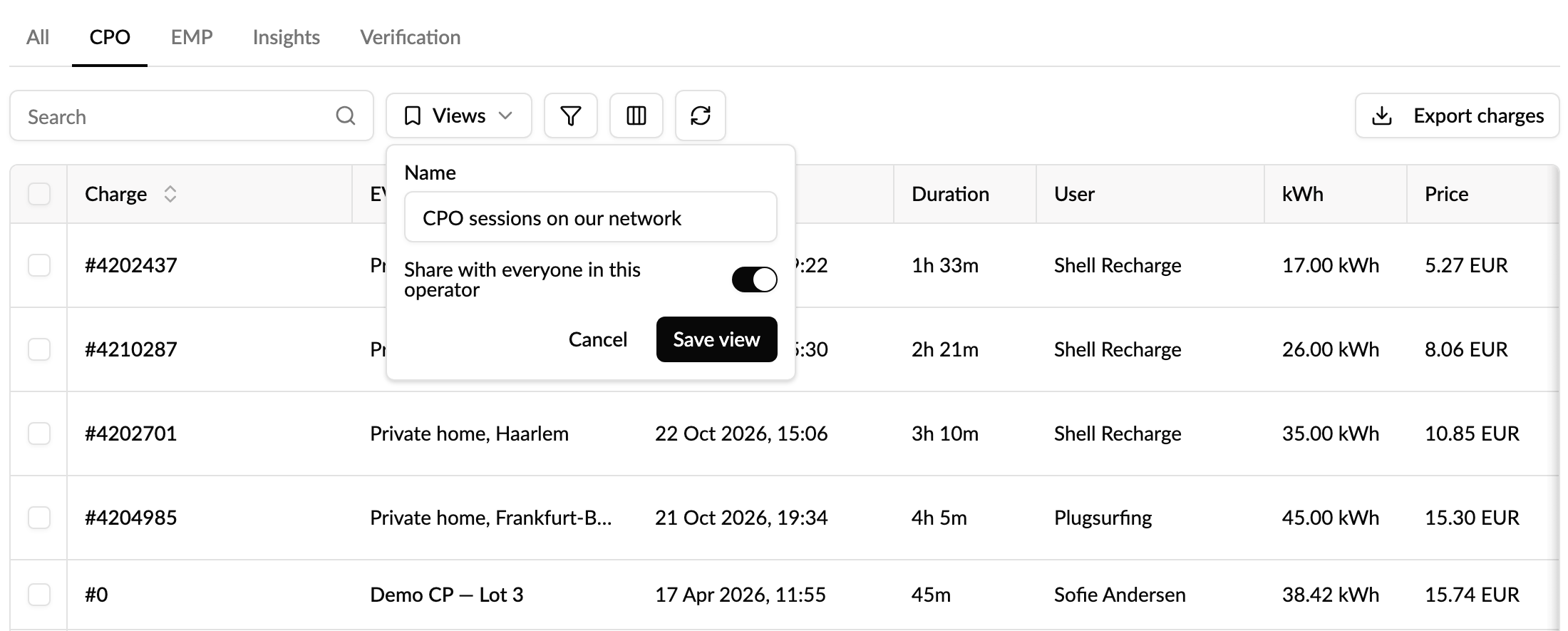
Keep a view to yourself, or share it with everyone in your operator so the whole team works from the same list.
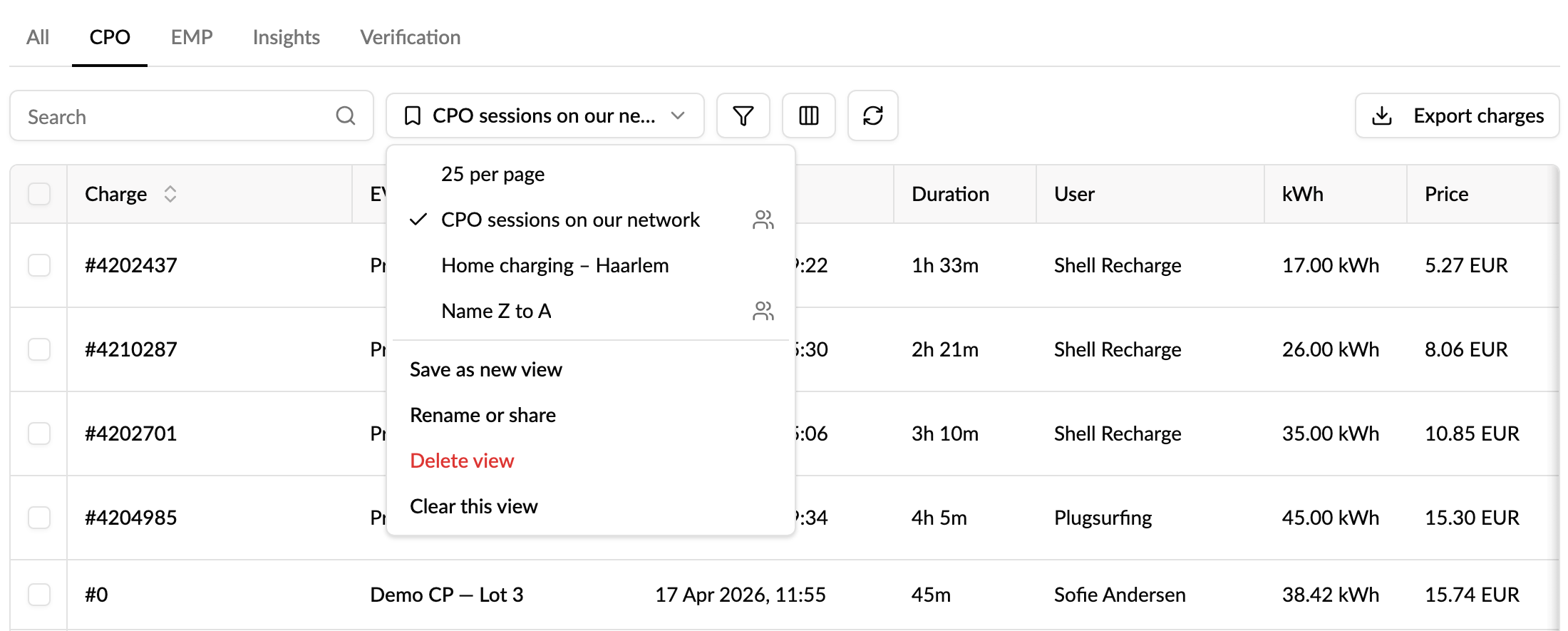
How to use it
- Open a list, for example Charging sessions, EVSEs or Accounts, and set it up.
- Click Views next to the search box, then Save as new view.
- Name it, choose whether to share it with your operator, and click Save view.
Change the list after picking a view and a dot appears on the button. Save the changes to the view, revert them, or save them as a new view.
Good to know
- Available on 30 lists, including EVSEs, Locations, Charging sessions, Alerts, Installer jobs, Accounts, Users, Charge keys, Vehicles, Subscriptions, Price groups, Invoices and the Audit log. Each list keeps its own views.
- Shared views can be changed by the person who made them and by your operator's admins and managers. Everyone else can use them, or save their own copy.
- The page link updates with the view, so you can still send a colleague the exact list you're looking at.
- Saved views are for operator users. Account owners and admins working in their own account don't see them.
Read more: How do I save and share views of lists in Monta Hub?
Who it's relevant for
Operator teams who work in the same lists every day, and admins who want everyone looking at a list the same way.