
All updates
New feature
High contrast appearance: an easier-to-read Monta Hub
Turn on High contrast for a blue sidebar, filled buttons, clearer section separation and stronger text, in Light or Dark.
- Stage
- Live
- Product
- Monta Hub
- Posted
What's new
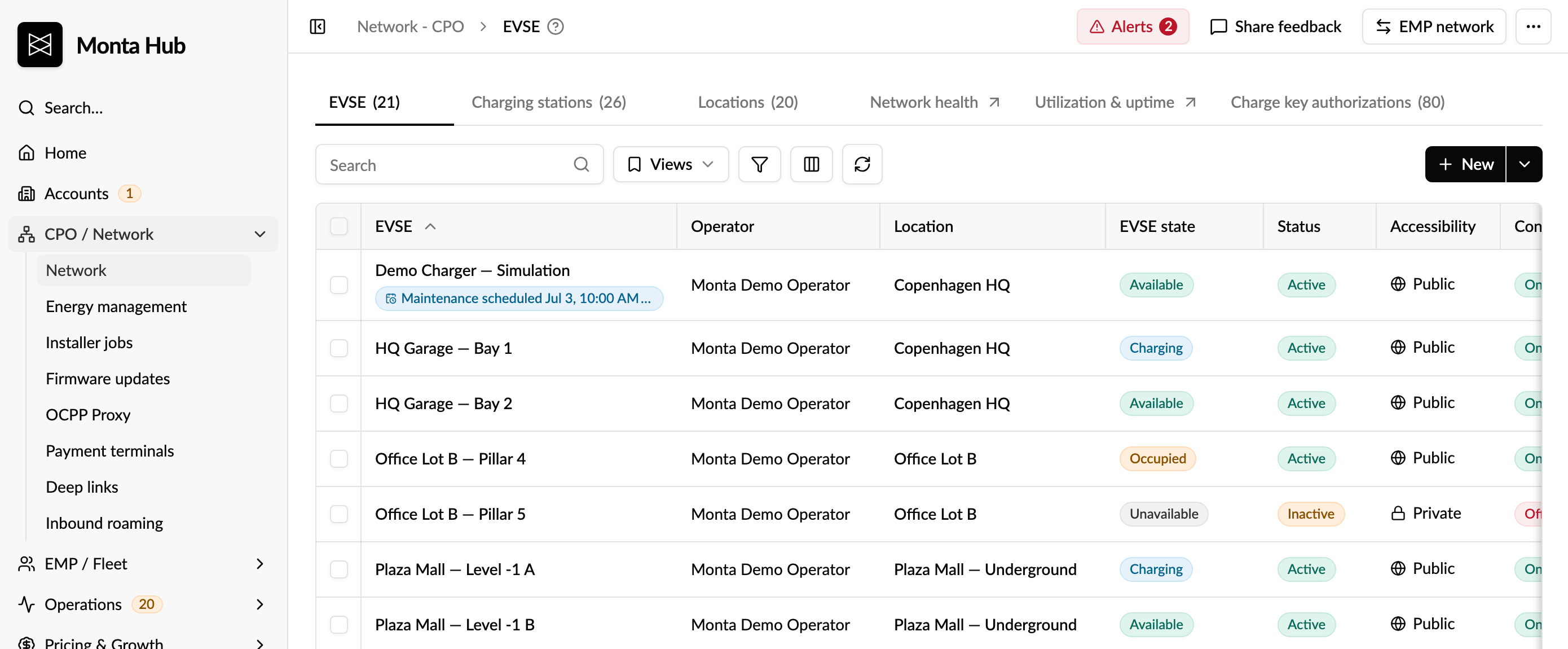
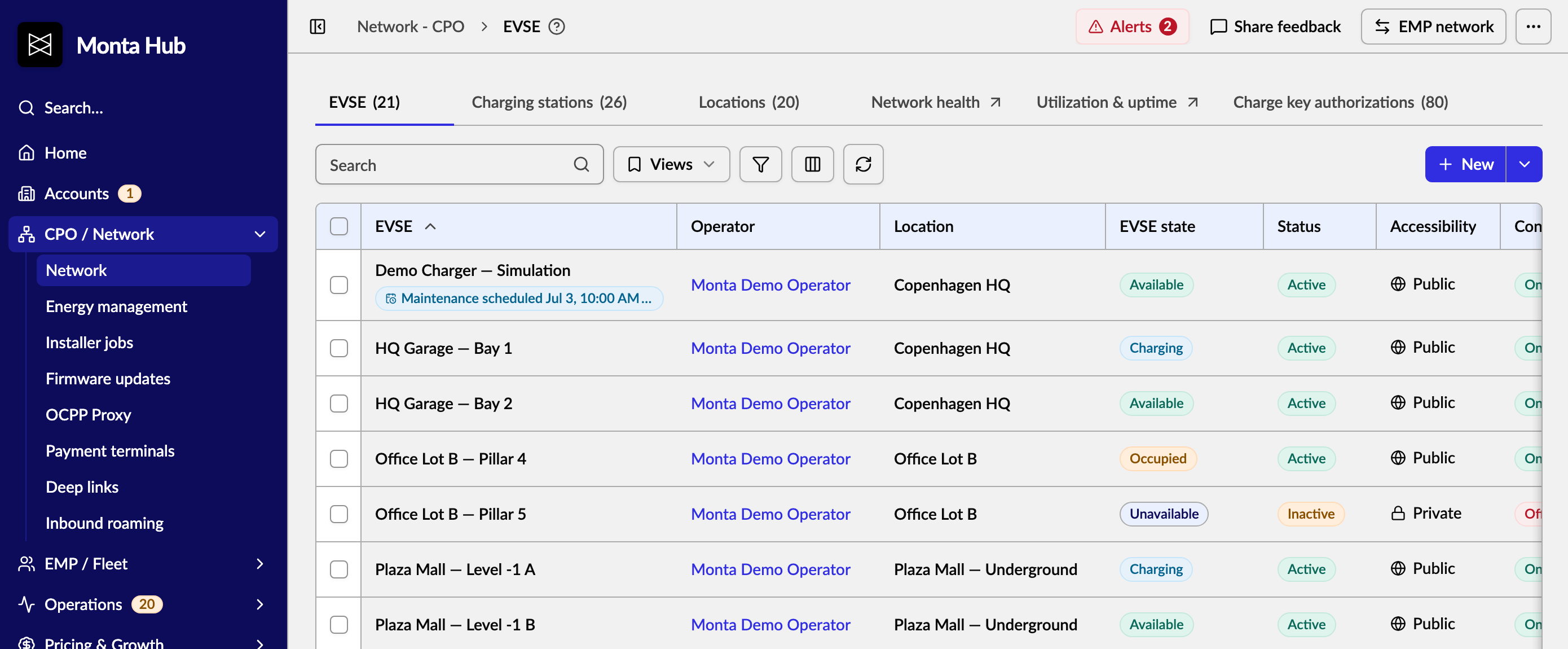
Monta Hub has a new High contrast appearance for anyone who finds the standard look too light. It makes the Hub easier to read and quicker to scan:
- a Monta Blue sidebar, so navigation stands apart from your work
- filled blue buttons, links and active tabs
- white cards and tables on a light grey page, so sections are clearly separated
- darker borders and secondary text, and slightly bolder text throughout
- coloured chart series instead of grey
Standard:
High contrast:
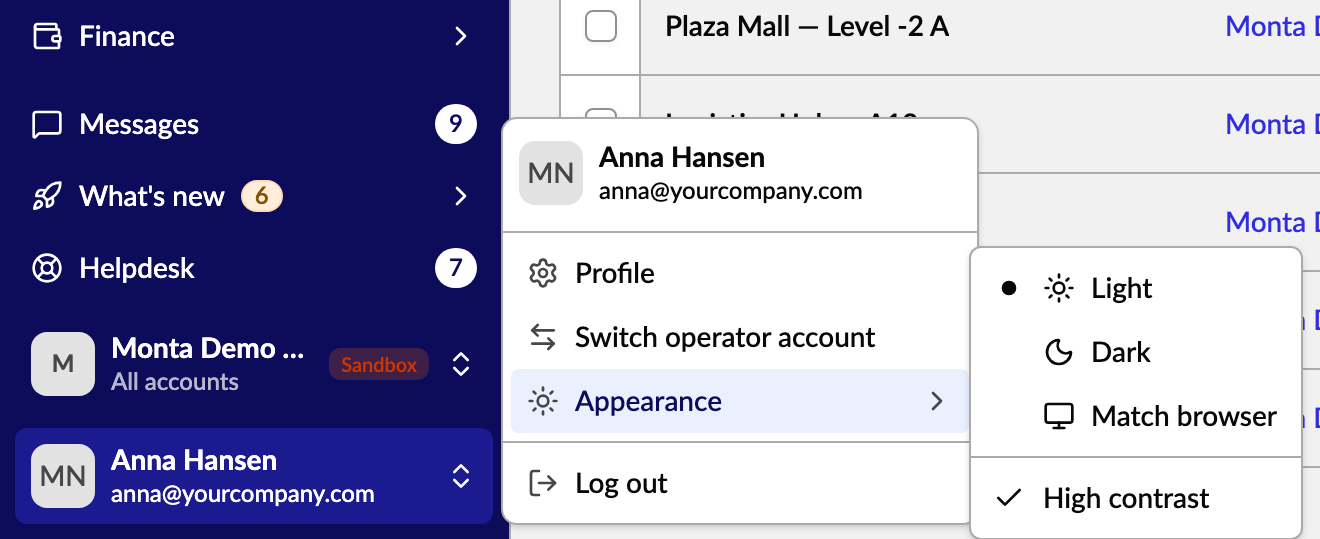
How to turn it on
Click your name at the bottom of the sidebar, go to Appearance and tick High contrast.
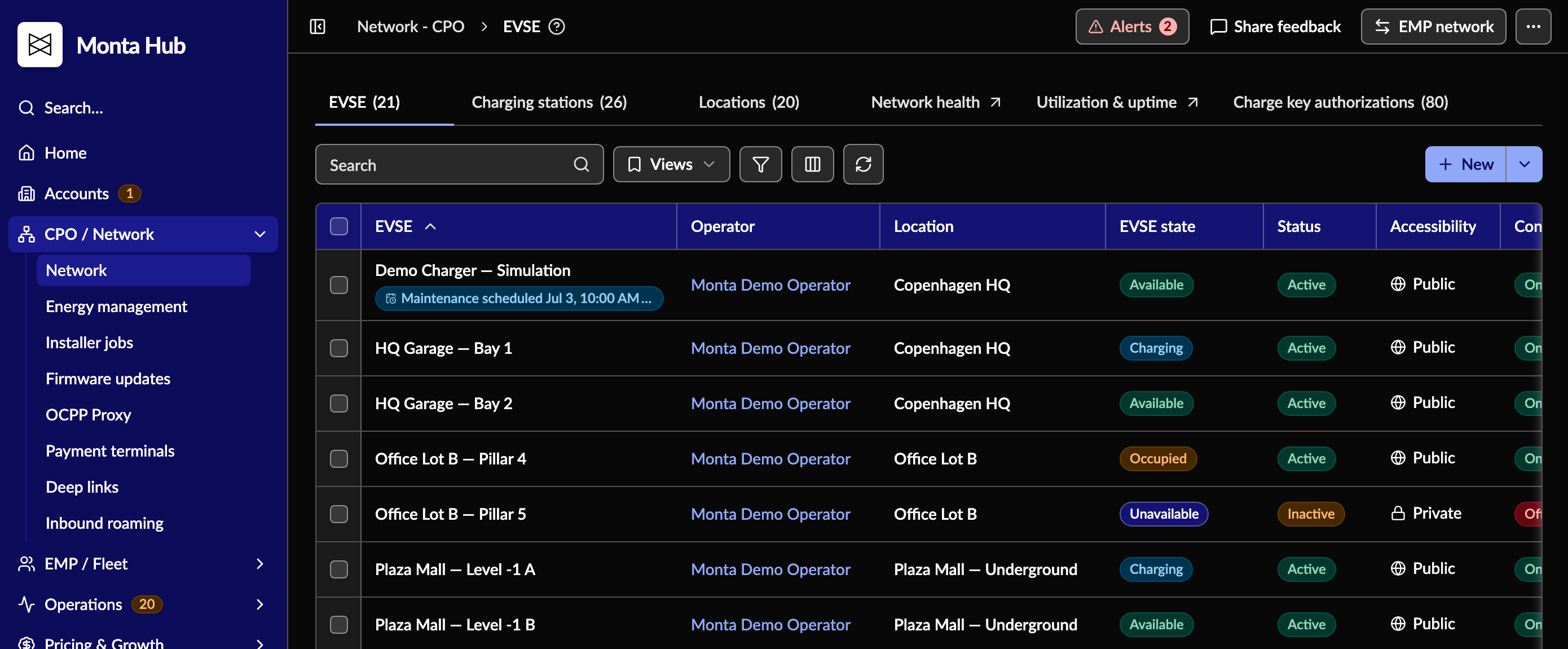
It works with both Light and Dark:
Good to know
- It's a personal setting. It only changes the Hub for you, and your colleagues keep their own look.
- Your choice is remembered in this browser, including when you switch operator.
- If your computer is set to increase contrast, High contrast turns on automatically. Untick it to go back.
- If your operator has its own sidebar colour, that colour is kept.
Who it's relevant for
Anyone who spends long days in Monta Hub, especially people who find light-grey text and thin borders hard to read.