
New feature
Invite colleagues to an account by email domain
Add and verify your organisation's email domain, and everyone on Monta with that domain is invited to the account in the right member group.
- Stage
- Early access
- Available to all customers
- To be confirmed
- Product
- Monta Hub
- Posted
What's new
Account owners and admins can now add their organisation's email domain, such as acme.com, to an account in Monta Hub. Monta then invites everyone who already uses Monta with a verified email on that domain, and keeps inviting new people as they sign up. No more collecting email addresses and inviting colleagues one by one.
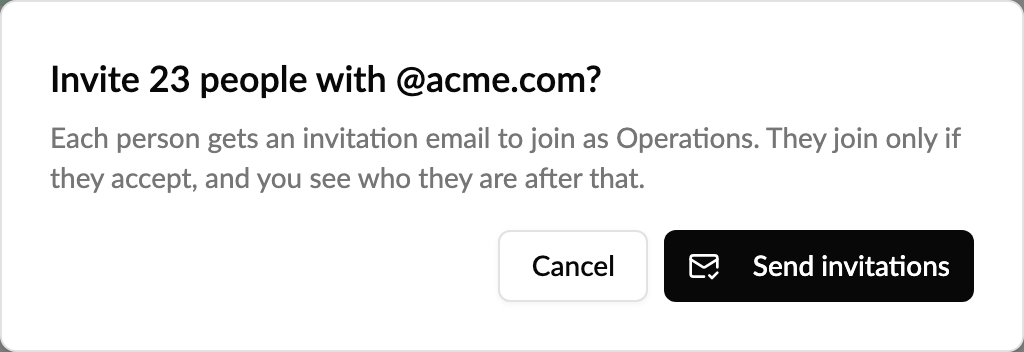
You pick the member group people join, so their role and price group are right from day one. Each person gets a normal invitation and only joins if they accept. Or, if you prefer, switch on Add as members without an invitation and they join straight away.
How to use it
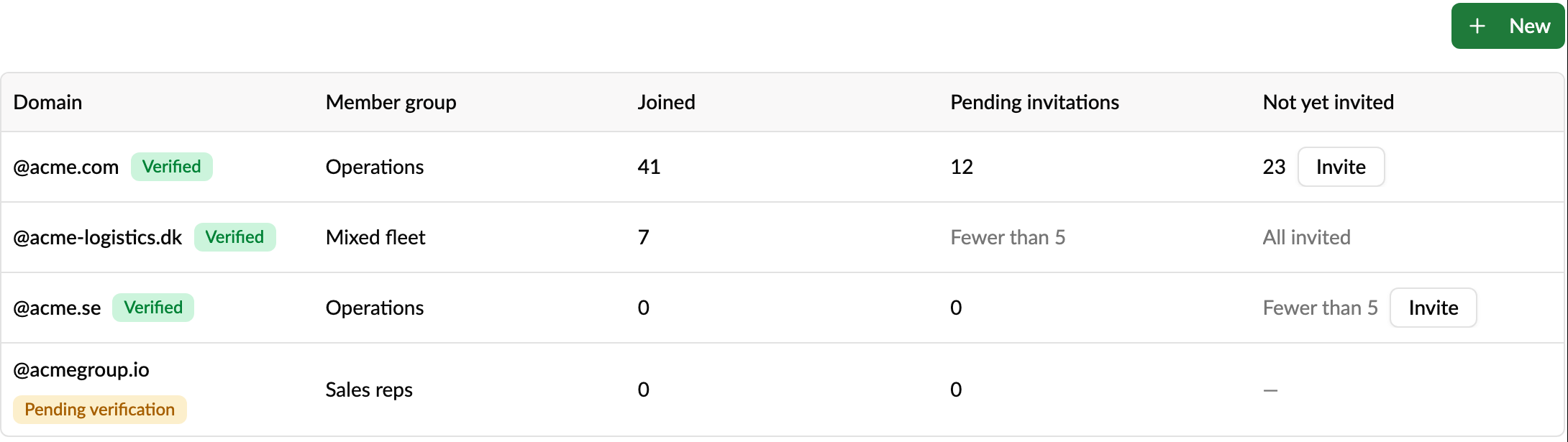
- Open the account and go to Members & access → Email domains.
- Click New, enter the domain and pick the Member group new people join.
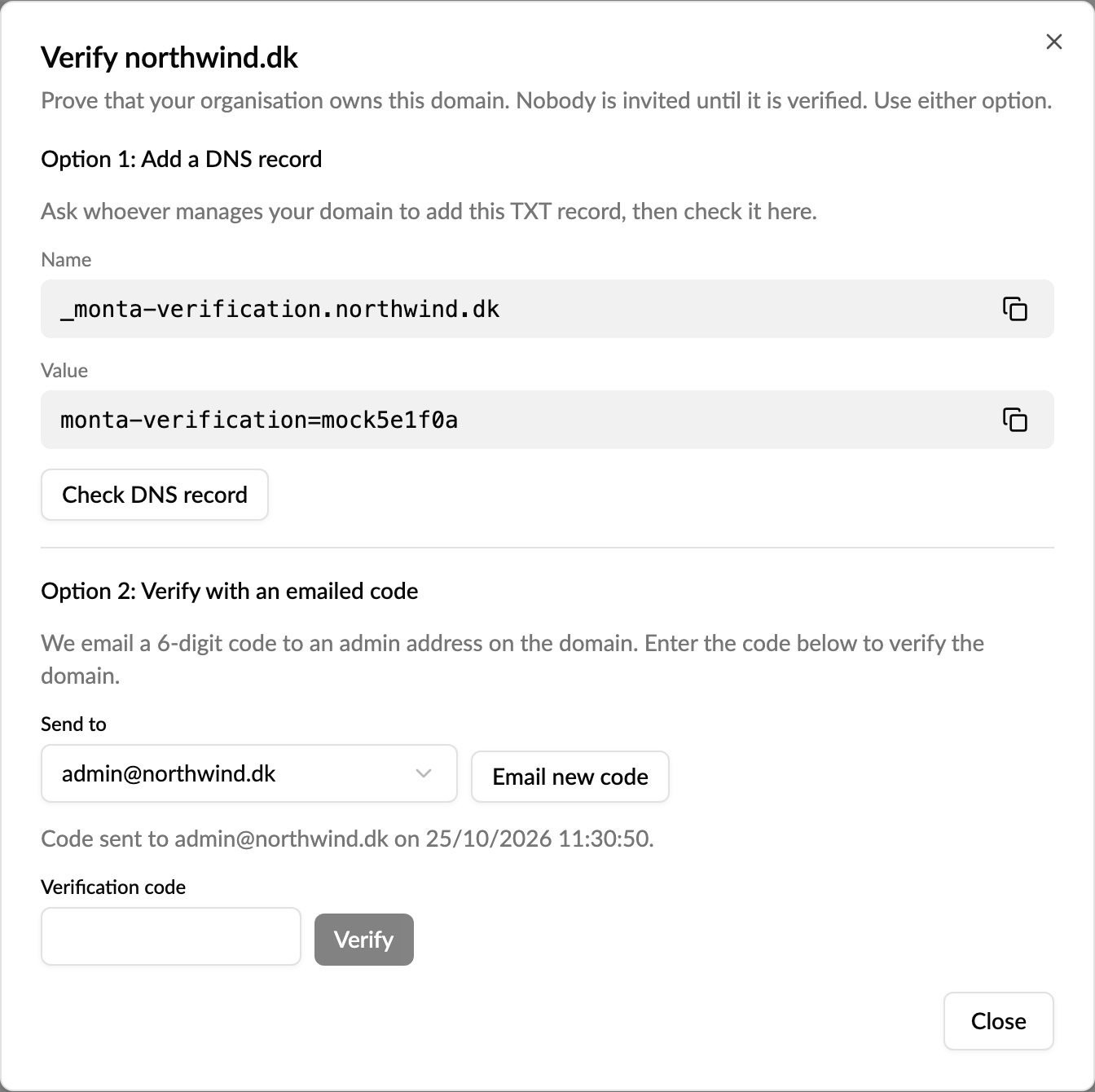
- Verify that you own the domain, with a DNS TXT record or a 6-digit code sent to admin@, postmaster@, hostmaster@ or webmaster@ on the domain.
- Once the domain shows Verified, new sign-ups are invited automatically. To invite people who were already on Monta, click Invite under Not yet invited. On a large domain this takes a few minutes: the cell shows Inviting… N to go and counts down until it reads All invited, even if you leave the page.
Good to know
- Privacy first: you only see counts until someone accepts, and small numbers show as Fewer than 5. You never see who uses Monta at your domain before they choose to join.
- Nobody is invited until the domain is verified. Public email providers such as gmail.com can't be added.
- Several accounts can use the same domain, for example one per country or subsidiary. Each account verifies the domain itself and sends its own invitations, and people choose which accounts to join.
- With Add as members without an invitation, people join without being asked and get no email, and you see them by name. Only use it when your organisation may add them, for example employees on the company account. Only one account per domain can add people directly; the others send invitations.
- Matching is exact: acme.com doesn't include sales.acme.com.
- Choose the member group carefully. If it has an admin role, everyone on the domain is invited as an admin, or becomes one straight away if the domain adds people directly.
- The Joined via column in the members list shows which domain each person joined through.
- People who leave your organisation aren't removed automatically.
Read more: How do I invite colleagues to an account by email domain?
Who it's relevant for
Companies, fleets and housing associations with many people on Monta, and the operators who manage their accounts. In early access: it's on for operators on the Early access release track, and any operator can switch it on under Release channel in Monta Hub.