
All updates
New feature
Sidebar menus: show people only the pages they need
Build your own Monta Hub sidebar menus, rename pages, and pick a menu per operator, sub-operator and role.
- Stage
- Early access
- Available to all customers
- To be confirmed
- Product
- Monta Hub
- Posted
What's new
Operators can now cut the Monta Hub sidebar down to the pages their people actually use. A fleet operator that never touches charge point tooling, or a bookkeeper who only works with invoices, no longer scrolls past every page their role allows.
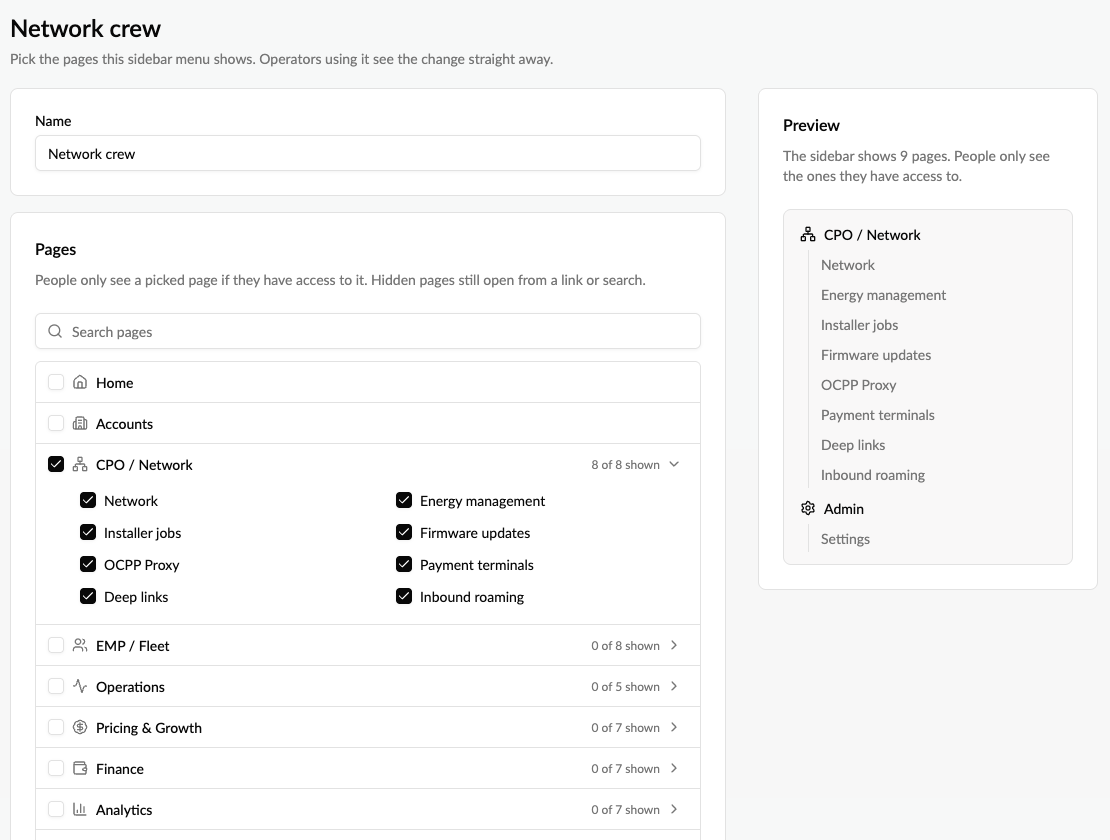
Build named sidebar menus once, such as "Finance" or "Network", and pick one for your operator, for each sub-operator and for each role.
What you can do
- Build menus: tick the pages to show, grouped the way the sidebar groups them, with a live preview of the result.
- Rename pages to the words your people use, for example Billing instead of Invoices.
- Pick a menu per operator and sub-operator, without switching into the sub-operator.
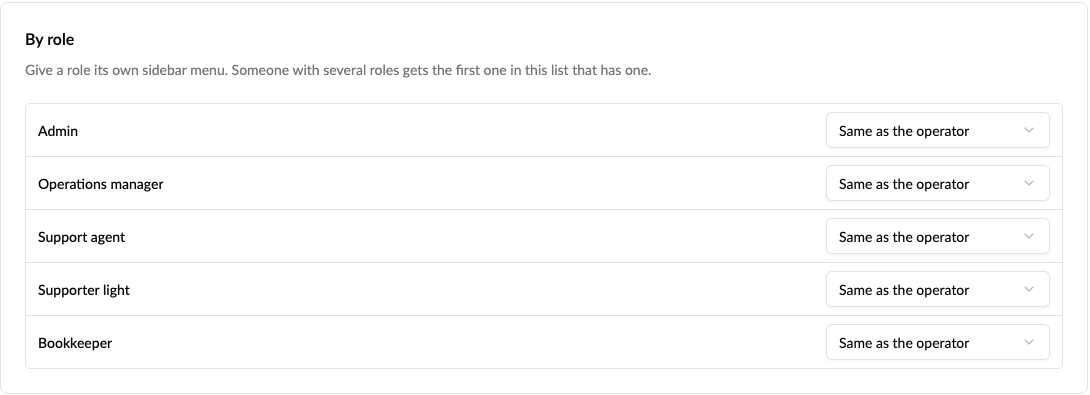
- Pick a menu per role: bookkeepers see the finance pages, admins everything.
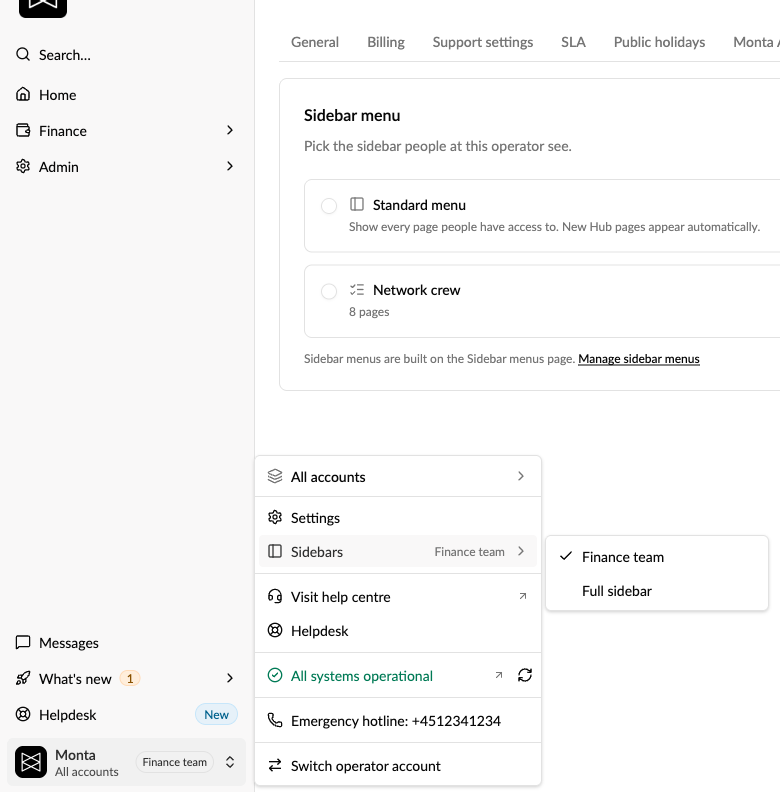
- See past it as an admin: switch to the full sidebar for yourself from the operator menu at the bottom of the sidebar, without changing it for anyone else.
How to use it
- Go to Operator profile → Sidebar menu and select Manage sidebar menus.
- Select New, name the menu, tick the pages and save.
- Back on the Sidebar menu tab, pick the menu for your operator, or set one per role under By role. For a sub-operator, use Operators → ⋯ → Edit sidebar menu.
Good to know
- A sidebar menu only hides pages. It never changes what anyone has access to, and a hidden page still opens from a link, a bookmark or search.
- The standard sidebar shows new Monta Hub pages automatically; a sidebar menu shows them only once you add them.
- Sidebar menus are built by the top-level operator. Sub-operators pick from their parent's menus.
- Operator settings is always shown, so admins can always get back.
Read more: How do I set up sidebar menus in Monta Hub?
Who it's relevant for
Operators whose staff use a small part of Monta Hub, operators with sub-operators, and anyone who wants a sidebar per role. In early access: switch it on under Release channel in Monta Hub.