
New feature
Viewing as: see an account page the way its people see it
Preview an account in Monta Hub as its owner, admins, members, a member group or one person, without signing in as them.
- Stage
- Live
- Product
- Monta Hub
- Posted
What's new
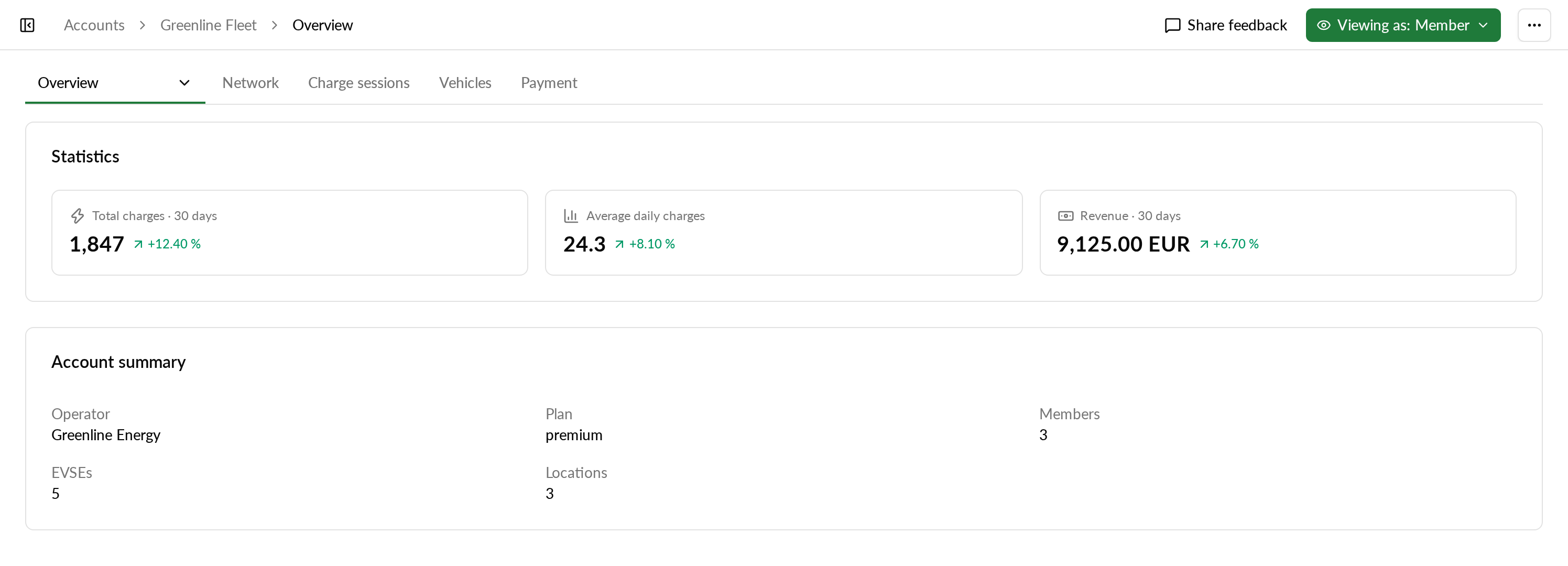
Operators can now preview an account page in Monta Hub as one of the account's own people: the account owner, an admin, a member, a member group or one specific person. The page then shows only the tabs and areas that person can see, and areas they can only read are read-only for you too.
It is only a preview. You stay signed in as yourself, and nothing on the account changes.
Why it matters
As an operator, you see more of an account than its own people do, because their view depends on the account's feature set and their role. Viewing as lets you check a feature set before you roll it out, or see the same page as someone on the account who says they cannot find something.
Who it's relevant for
Operators who manage accounts for their customers.
How to use it
- Open the account in Monta Hub.
- At the top right, next to "Share feedback", select "Viewing as".
- Pick who you want to see the page as. Each option says how it differs from your view: what they have no access to, what is read-only for them and what is operator only.
- To go back to your own view, open "Viewing as" and select "Operator".
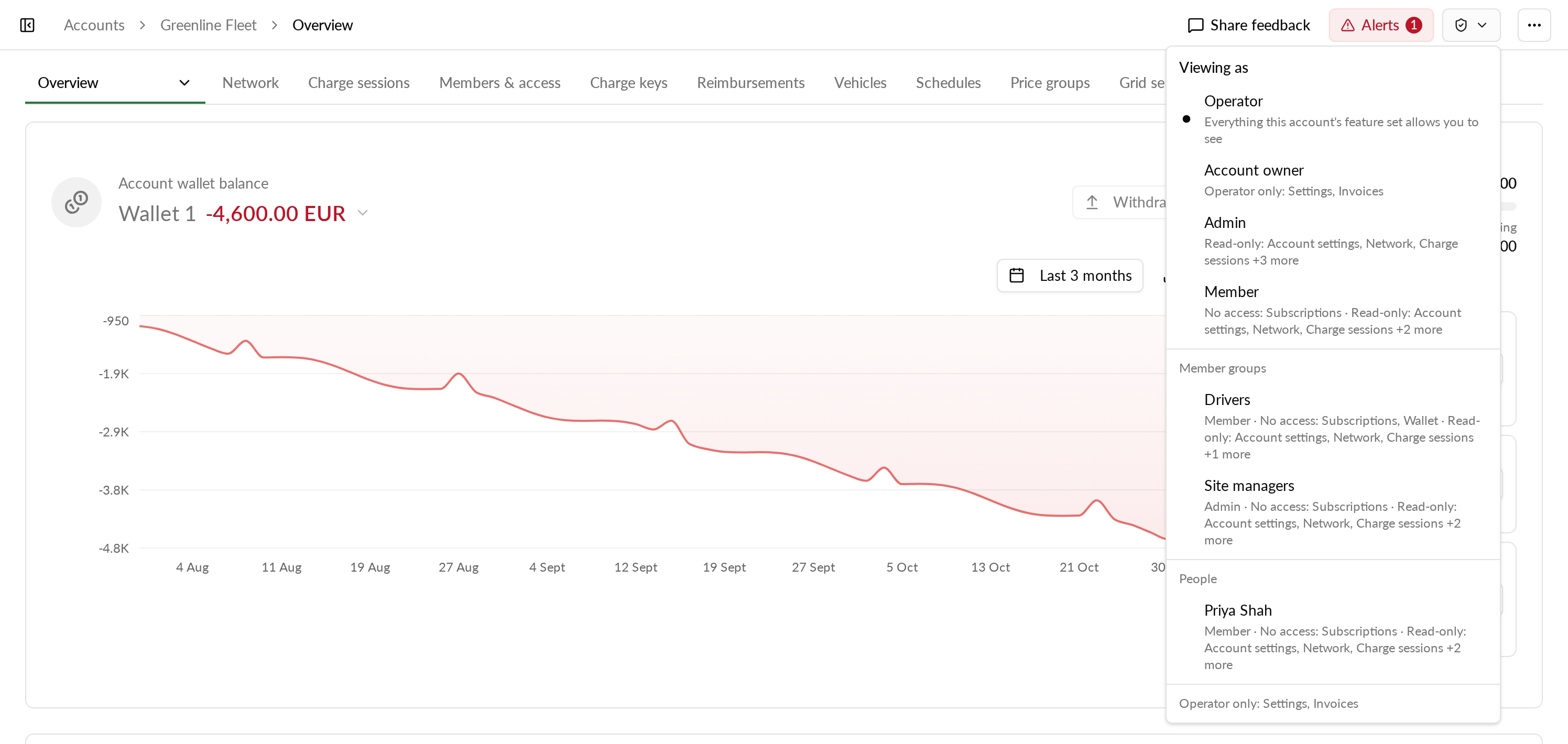
The "Viewing as" button only appears when there is something to preview: when the account's feature set hides something from its own people, or when its roles have different access.
Related links
How do I see an account the way its people see it (Viewing as)?